
A Guide to Release Radar on Spotify for Artists
Unlock the full potential of Release Radar on Spotify. Learn the strategies artists use to land on this key playlist and drive streams for every new release.
Getting your music noticed on Spotify can feel like an uphill climb. While everyone talks about editorial playlists, one of your most powerful tools for steady, long-term growth is probably hiding in plain sight: Release Radar.
This isn’t just another playlist. Think of it as your personal, automated direct-to-fan delivery system, dropping your new music to the people who want it most, every single Friday.
Why Release Radar Is Your Secret Weapon for Growth
Let’s be real. The big dream for most artists is landing a massive editorial playlist like New Music Friday. And sure, those placements are incredible for a quick shot of adrenaline and exposure. But they’re also fiercely competitive and often temporary.
Release Radar offers something far more sustainable and, frankly, more democratic. It’s a reliable channel to reach listeners who have already raised their hand and said they’re interested in your music.
This playlist is algorithmically generated for every user, filled with new tracks from artists they follow or have on heavy rotation. It creates this incredibly powerful, direct connection that doesn’t need an editor’s sign-off to happen.
The Power of Algorithmic Promotion
Unlike hand-picked playlists, Release Radar is all about data and listener behavior. Your main job is to feed the algorithm strong, positive signals that your music is connecting with people. When you pull that off, Spotify rewards you by putting your track in front of the most receptive audience you could ask for.
This whole system really levels the playing field for independent artists. It’s not about who you know; it’s about your ability to build a genuine fanbase and drive real engagement. Every follow, every save, every share—it all adds up and feeds the machine.
Release Radar has become one of Spotify’s most critical algorithmic playlists for artist discovery and fan engagement. A single placement can put your music in front of listeners who already follow you or listen to artists just like you, making it a discovery engine.
For any artist on the come-up, this provides a clear path forward. Instead of just shouting into the void, you’re delivering your music directly to a warm audience. This is how you build a real career—by nurturing long-term fans instead of just chasing a fleeting viral moment. If you want to go deeper, you can explore our full guide to master all of Spotify’s algorithmic playlists.
Understanding the Core Mechanics
So, how does Spotify decide what goes into someone’s Release Radar? The algorithm is looking at a few key signals to build that personalized experience for each listener:
- Following: This is the big one. If a user follows you, your new release is almost guaranteed to land in their Release Radar. It’s the most direct signal you can get.
- Listening History: Spotify is always watching. It tracks a user’s listening habits, including artists they stream a lot, even if they haven’t hit that follow button yet.
- “Artists Also Like”: The algorithm also connects the dots between listeners. It looks for people who listen to artists musically similar to you, creating awesome discovery opportunities with potential new fans.
Because it’s all data-driven, Release Radar is more than just a playlist—it’s an entire ecosystem built on the relationship you have with your fans. When you focus on strategies that grow your followers and get people to actively listen, you’re directly fueling the engine that powers one of your most important promotional tools on the entire platform.
The Pre-Release Playbook for Maximum Impact
A big splash on Release Radar doesn’t just happen. It’s the result of smart, strategic work you put in before your track ever goes live. This is your pre-flight checklist, and trust me, every single detail counts.
Think of the weeks before your release as building up a wave of momentum. It’s all about getting your assets locked in, making your artist profile shine, and, most importantly, writing a pitch that tells a compelling story to both Spotify’s editors and its powerful algorithm.
Setting the Stage for Success
Before you even dream of writing that pitch, you’ve got to get your house in order. A professional, complete Spotify presence is a non-negotiable—it shows you’re serious about your craft.
- Finalize Your Master and Artwork: This is baseline stuff. Your track needs to be fully mixed, mastered, and ready for the world. Your cover art has to meet Spotify’s specs and, just as importantly, visually capture the vibe of your music.
- Update Your Artist Bio and Photos: Your bio is a huge opportunity to connect with potential fans. Tell your story, drop some influences, make it personal. And please, make sure your press photos are high-quality and look like you now, not five years ago.
- Organize Your Assets: Get everything ready for your distributor. That means the final audio file (no “final_v2_final” versions!), the artwork, and all the necessary metadata—song title, writers, publisher info, the works.
Taking care of these foundational steps means that when new listeners find you through Release Radar, they land on a profile that looks polished and makes them want to stick around.
The Art of the Spotify for Artists Pitch
This is the main event. Your pitch is your one direct line to Spotify’s editorial team. It gives them the context they need to get your music. But it’s more than that; the data you input here directly feeds the algorithm.
The timing is critical. You absolutely must pitch your song at least 7 days before your release date. This is the only way to guarantee it’s considered for your followers’ Release Radar playlists. If you skip this, Spotify’s algorithm just picks a track for you. And since each listener only gets one song from you per week, you definitely want to be the one making that choice. You can see how Spotify explains these mechanics on their support page.
A great pitch isn’t just a box to check—it’s a strategic move. You’re telling Spotify who you are, what your song is about, and where it belongs in the vast world of music.
This timeline really puts into perspective how Spotify has morphed from a simple streaming app into a massive audio ecosystem where playlists like Release Radar are central to how people find new music.
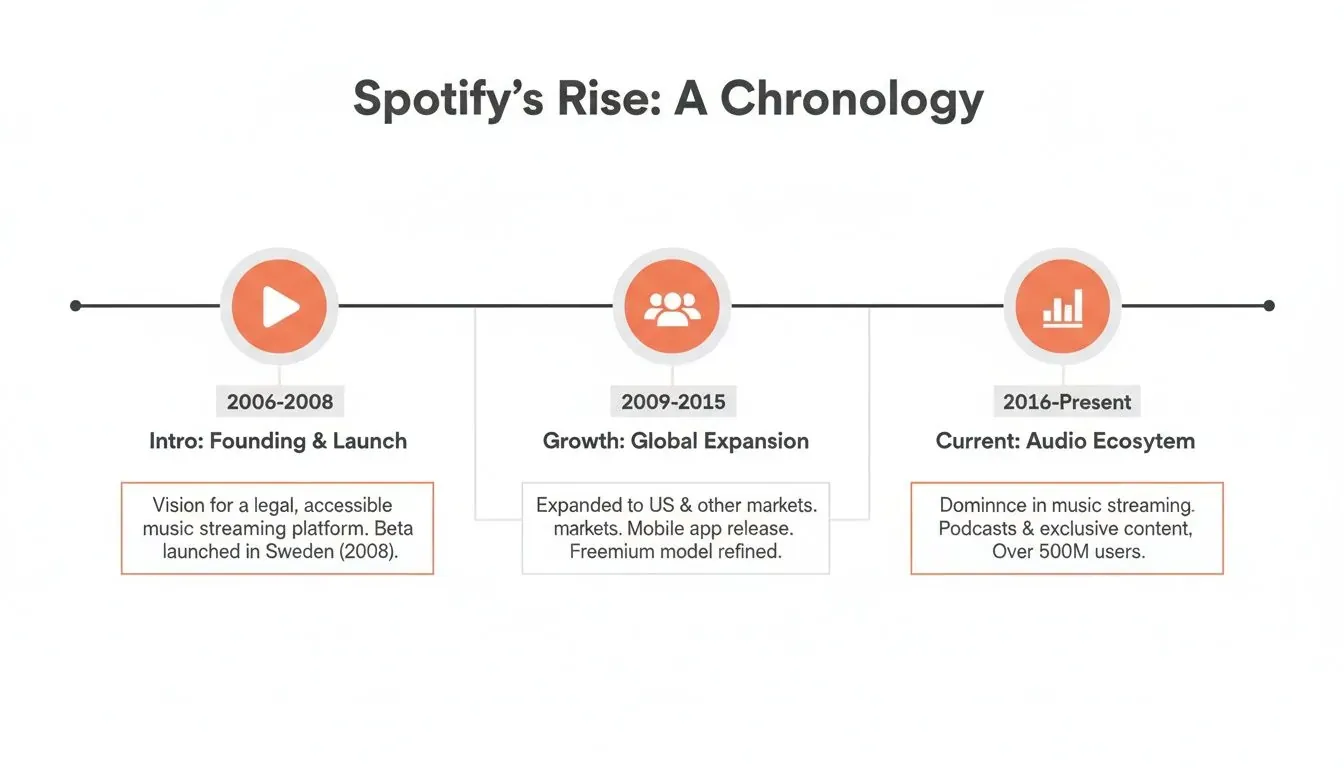
As Spotify grew, its reliance on personalized, data-driven features became the cornerstone of its strategy—for keeping users hooked and for helping artists grow.
Crafting a Pitch That Connects
Your pitch has to be short, sweet, yet incredibly descriptive. You’ve got a limited character count, so every word needs to pull its weight. Focus on telling a story that makes an editor feel something and want to press play.
To nail the details, make sure you focus on these elements:
- Genre and Sub-Genre: Get specific. Don’t just say “Indie.” Is it “Dream Pop”? “Jangle Pop”? “Indie Folk”? The more precise you are, the better.
- Moods and Cultures: You get to pick up to two moods. Choose wisely. Is it “Chill,” “Energetic,” “Melancholy”? This helps place your song in the right context.
- Instrumentation: Tag the key instruments in your track. This is another crucial piece of data that helps the algorithm find similar-sounding songs.
Your marketing plan is another piece of the puzzle. Briefly mention any press you’ve lined up, music video plans, social media campaigns, or upcoming tour dates. This shows editors you’re hustling to promote the track yourself, which makes it a much safer bet for them to get behind.
Building a pre-save campaign is another powerful signal you can include in your pitch. If you haven’t run one before, our guide to Spotify pre-save campaigns walks you through everything. When you combine a polished profile, a strategic timeline, and a killer pitch, you’re giving your music the best possible shot at making a real impact on Release Radar and beyond.
Mastering the First 48 Hours of Your Release
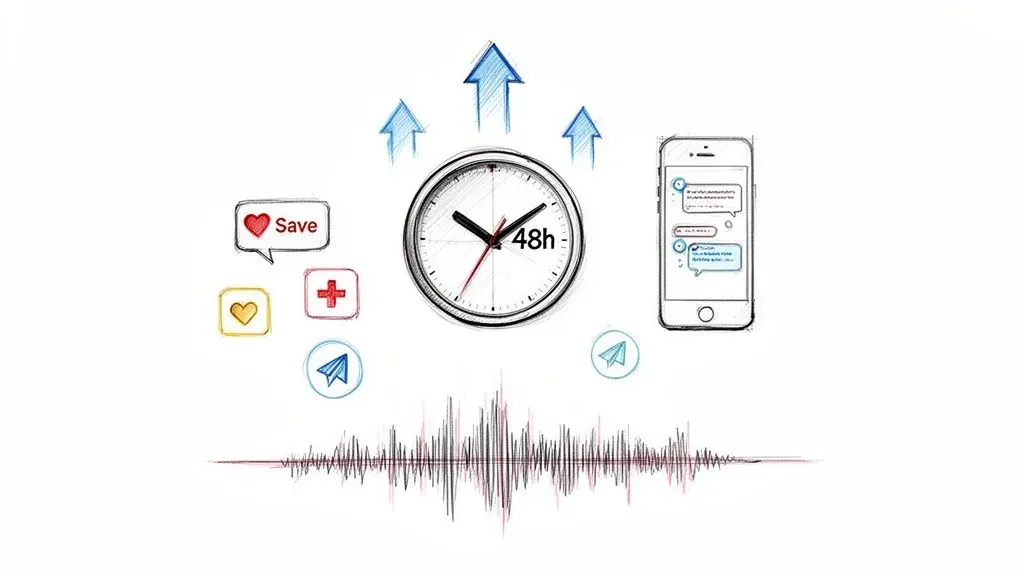
The second your new track goes live, a crucial clock starts ticking. The first 24 to 48 hours are everything when it comes to sending strong, positive signals to Spotify’s algorithm. Think of it as your opening argument—this is your chance to prove that real people are genuinely hyped about your new music.
Your one and only goal here is to drive a massive wave of immediate, high-quality engagement. Every single save, every playlist add, and every share during this initial window tells Spotify that your song has real momentum. This initial burst is a huge factor in how much love your track gets in the Release Radar on Spotify the following Friday.
Launch Day Communications
On release day, your mission is to turn all that pre-release hype into real action. Don’t just announce that the song is out; you need to give your audience a specific job to do. Your social media and email marketing has to be laser-focused on pushing people straight to Spotify.
Vague calls-to-action like “check out my new song” are way too easy to scroll past. You have to be direct and crystal clear about what you need from your fans. Now is the time to cash in on all the goodwill you’ve built up.
A common mistake is just assuming your followers know what helps you on Spotify. You have to spell it out. Ask them directly for saves and playlist adds, and tell them why it actually makes a difference.
For instance, instead of a generic post, try getting specific: “My new track ‘Sunset Drive’ is finally here! The absolute best way to support is to hit the ‘Save’ button and add it to one of your playlists on Spotify. It tells the algorithm to show it to more people!”
Structuring Your Calls to Action
To really maximize your impact, switch up your messaging across your different channels. Tailor your requests to the specific audience you’re talking to.
- Email List: These are your die-hards. Send them a direct link to the track on Spotify and ask them to save it first, then maybe share it with a friend who’d also love it.
- Instagram Stories: The link sticker is your best friend here. Send followers straight to Spotify. Run a sequence of stories: one announcing the song, another showing you adding it to your own playlist, and a third with a direct call-to-action asking them to do the same.
- TikTok/Reels: Post a short video using a killer clip from your new song. The call-to-action should be simple and direct: “The full song is out now on Spotify. Hit the link in my bio to save it and hear the rest!”
This multi-channel strategy makes sure you’re hitting as many people as possible with a clear, consistent message. The whole game is to make it incredibly easy for them to take the action you want.
Monitoring Early Engagement
As those first streams and saves start trickling in, it’s tempting to just sit back and watch the numbers go up. But this is a golden opportunity to learn and adjust on the fly. Keep an eye on the real-time stats in your Spotify for Artists app to see what’s working.
Did you see a big spike after a certain Instagram post? Is your email blast driving a ton of saves? That early data is pure gold.
This is also where a tool like the artist.tools Stream Tracker becomes a game-changer. It lets you monitor your track’s performance in much greater detail, helping you connect your promo efforts to actual results on Spotify. By seeing what’s generating the most engagement, you can double down on what’s working for your next release.
Remember, this initial 48-hour push has two main goals. First, you’re giving your existing fans the new music they’ve been waiting for. But more importantly, you’re sending a powerful signal to Spotify that your track deserves a spot in as many Release Radar playlists as possible. A strong launch doesn’t just feel good—it’s a strategic move for the long-term success of your song.
How Building a Follower Base Fuels Release Radar
Let’s cut right to the chase: followers are the absolute engine of Spotify’s Release Radar. The algorithm has its secrets, sure, but this part is brutally simple. When someone hits ‘Follow’ on your profile, they’re literally telling Spotify, “Yes, please put this artist’s new music directly in my hands.”
A follower isn’t just a number to brag about. It’s a guaranteed slot in one of the most powerful promotional playlists out there. This makes growing your follower count less of a nice-to-have and more of a core strategy for any artist who’s serious about their career.
Your main goal should be converting anyone who streams your music into a dedicated follower. This creates a direct pipeline for every single release you drop, so you aren’t stuck fighting for editorial attention from scratch every time.
Turning Listeners into Followers
So, how do you actually get more people to click that button? Often, it’s as simple as asking and making it ridiculously easy for them. You can’t just hope they’ll figure it out on their own.
Start with the easy wins—the digital real estate you already control. Your social media bios, your link-in-bio page, your email signature… all of them should have a crystal clear link to your Spotify profile with a simple call-to-action like, “Follow me on Spotify for new music.”
If you play live shows, build it right into your set. Right before your last song, grab the mic and say, “If you liked what you heard tonight, the best way to keep up is by following me on Spotify. You’ll get my next single the moment it’s out.”
Monitoring Growth and Doubling Down
You have to know if what you’re doing is actually working. This is where tracking your data becomes non-negotiable. You simply can’t improve what you don’t measure.
The Monthly Listeners Tracker inside artist.tools was built for exactly this purpose. It lets you see the direct connection between your promotional pushes and your follower growth. Did that shout-out at the show or that Instagram story campaign actually move the needle? The data will tell you.
Here’s what that looks like in the tool—a clear visual of your follower and listener trends over time.
A chart like this lets you connect the dots. You can prove which strategies are turning listeners into followers and pour your energy into what’s actually effective.
Advanced Follower Strategies
Once you’ve nailed the basics, you can start using some more advanced tactics to really kick your growth into high gear. These are all about leveraging other audiences to build your own.
- Artist Collaborations: Teaming up with another artist on a track is one of the fastest ways to grow. When that collab drops, you’re not just promoting to your fans—you’re getting in front of theirs, too. Their fans will often follow you to keep tabs on similar music.
- Playlist Cross-Promotion: Got your own playlists? Find other curators in your niche and work out a deal to feature each other’s tracks. This gets your music in front of a highly engaged audience that’s already looking for your sound.
- Run a Follower Campaign: Try a small, targeted ad campaign on social media. But instead of pushing for streams, make the call-to-action a direct “Follow on Spotify.” Target fans of artists who sound like you.
Remember, every single new follower is a compounding return on your investment. They won’t just get this new song in their Release Radar; they’ll get the next one, and the one after that.
Building a solid follower base is definitely a long game, but it’s the single most reliable way to make sure your new music lands with an audience that’s ready and waiting. If you’re ready to go even deeper, we’ve laid out more proven tips to boost your audience in our dedicated guide. This kind of strategic focus is what separates artists with a few fleeting hits from those who build sustainable, long-term careers.
Using Data to Plan Your Next Big Release
So, your track is out. It’s live. You might feel like the hard part is over, but honestly, a new, equally critical phase is just beginning. This is where you put on your detective hat and dig into the data. You need to figure out what worked, what didn’t, and how to make your next launch even bigger.
That first week after a release is a goldmine of information. Your job is to sift through it all and find the story it’s telling. We’re not talking about vanity metrics here; this is about creating a powerful feedback loop that informs every single move you make, especially when it comes to getting that sweet, sweet action on Release Radar.
Decoding Your Spotify for Artists Dashboard
Your first stop should always be your Spotify for Artists dashboard. This is ground zero, showing you exactly where your streams are coming from. Just navigate to the “Music” tab, pick your new track, and then click on “Playlists.”
This screen is incredibly revealing. You’ll get a full breakdown of every single playlist driving streams to your song, including the algorithmic ones like Release Radar. Seeing a big chunk of streams coming from Release Radar is a fantastic sign that your pre-release strategy—especially your follower growth and your pitch—actually worked.
Don’t just glance at these numbers, really dig in. Are most of your streams coming from your followers’ own playlists? That’s a sign of serious fan engagement. Or are they coming from other listeners’ algorithmic playlists? That means Spotify is successfully testing your music with brand new audiences. Jackpot.
Connecting Promotion to Performance with artist.tools
While Spotify for Artists tells you what happened, it doesn’t always tell you why. Did that email blast cause a spike in saves? Did that TikTok video actually drive any streams? To figure this out, you need to go a level deeper and connect your specific promotional activities to what’s happening on the platform.
The Stream Tracker in artist.tools is built for exactly this. It lets you monitor your track’s performance with a much higher level of detail, allowing you to overlay your marketing efforts with your stream data to see direct correlations.
Here’s a look at how the Stream Tracker maps out your daily performance, making it dead simple to spot those crucial spikes.
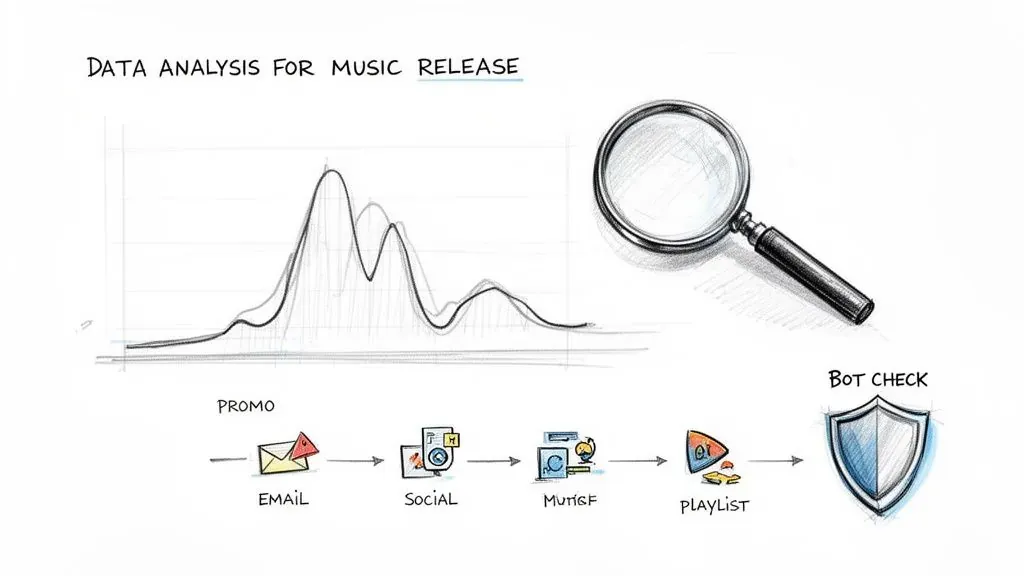
This kind of granular view helps you attribute a surge in streams directly to a specific social media post, an ad campaign you ran, or a playlist addition you hustled to get.
Verifying Playlist Quality and Avoiding Bad Data
Look, not all playlist placements are created equal. Landing on a popular third-party playlist can feel like a huge win, but it can also be a hidden trap if that list is packed with bots or fake listeners. This kind of low-quality engagement sends terrible signals to Spotify’s algorithm and can actively kill your track’s potential.
This is where you need to be vigilant. Before you pop the champagne for a new placement, you have to verify its legitimacy.
Using the Playlist Analyzer and its Bot Detection feature within artist.tools is a non-negotiable step in this process. By analyzing a playlist’s historical follower growth and other key data points, you can quickly sniff out whether its audience is genuine.
- Steady Growth: A healthy playlist shows organic, steady follower growth over time. No crazy jumps.
- Sudden Spikes: Massive, unnatural leaps in followers are a massive red flag for bot activity.
- Engagement Metrics: Compare the estimated listeners to the follower count. Are people actually listening?
This quick check-up is your insurance policy. It protects your music and ensures every stream is helping, not hurting, your relationship with the algorithm.
To keep your analysis organized, here’s a simple checklist you can run through after every release.
Post-Release Performance Analysis Checklist
This checklist will help you systematically track the key metrics after your release goes live, giving you a clear picture of its performance and helping you refine your strategy for the next one.
| Metric to Check | Tool to Use | What to Look For |
|---|---|---|
| Source of Streams | Spotify for Artists | High percentage from algorithmic playlists (Release Radar, Discover Weekly) and listener playlists. |
| Saves & Adds | Spotify for Artists | A high save rate (saves divided by listeners) indicates strong fan connection. |
| Stream Spikes | artist.tools Stream Tracker | Correlate stream increases with specific marketing actions (social posts, emails, ads). |
| Playlist Quality | artist.tools Playlist Analyzer | Check for steady follower growth and a healthy listener-to-follower ratio on new playlists. |
| Bot Activity | artist.tools Bot Detection | Run any third-party playlist placement through the tool to check for red flags. |
| Follower Growth | Spotify for Artists / artist.tools | Track new followers gained since the release; this is a key metric for future Release Radar reach. |
By making this kind of data analysis a standard part of your release cycle, you turn every song into a learning opportunity. You’ll be able to fine-tune your strategy so that every new track you put out has an even better shot at success.
Answering Your Top Release Radar Questions
Let’s be honest, trying to figure out Spotify’s algorithms can sometimes feel like you’re just guessing. When it comes to the Release Radar on Spotify, I see the same questions pop up over and over again from artists.
It’s time to cut through the noise. Here are the straight answers to the most common questions you have, so you can stop wondering and start building a better release strategy.
How Long Does My Song Stay on Release Radar?
This is a great question, and the answer is better than most people think. Your new track can stick around in a fan’s Release Radar for up to four weeks as long as they haven’t listened to it yet. Spotify is essentially giving your song multiple chances to get noticed by that listener.
Keep in mind, each fan only gets one song from you per week on their Radar. If you drop a single, that’s the one they’ll see. But if you release an album and didn’t pitch a specific focus track, the algorithm just picks one for you. It’s another small but powerful reason why pitching is non-negotiable.
This four-week window really highlights why that first push of streams and saves is so critical. When you send strong, early signals that the song is connecting with people, you’re not just keeping it in the Radar rotation; you’re also telling Spotify it might be a good fit for other big algorithmic playlists, like Discover Weekly.
Why Can’t I See My Own Song in My Release Radar?
This one trips up so many artists, but it’s completely normal and actually how the system is designed to work. You will never, ever see your own new release in your personal Release Radar playlist.
The logic is simple: Release Radar is a discovery playlist. Spotify already knows you’re intimately familiar with your own track, so showing it to you would completely defeat the purpose. It’s built for your followers and for listeners who have similar taste profiles.
The only real way to confirm your track is getting out there via Release Radar is to check your Spotify for Artists dashboard. Just go to the ‘Playlists’ tab under your new release’s stats, and you’ll see all the data on where it’s being placed.
So, trust the data in your dashboard, not what you see in your own app. If it’s showing up in your stats, your followers are seeing it.
Can I Land on Release Radar with Zero Followers?
Technically, yes, it’s possible. But it’s the scenic route—long, unpredictable, and not something you should ever bank on. While your followers are your direct, guaranteed ticket to Release Radar, the algorithm does have a backup plan.
It also looks for listeners who are constantly streaming artists that sound a lot like you. If someone’s listening habits are a dead ringer for your sound, Spotify might “test” your new song by dropping it into their Release Radar as a pure discovery track.
But let’s be real: this is a long shot. The most reliable and repeatable path to success is to pour your energy into growing your follower count. Think of every new follower as another guaranteed spot on a Release Radar playlist every single time you put out new music.
Do Third-Party Playlists Help with Release Radar?
They definitely can, but the connection isn’t direct. Getting added to a third-party playlist won’t magically trigger a Release Radar placement on its own.
What a great playlist can do is drive a wave of streams, saves, and—most importantly—new followers. Those are the positive engagement signals that feed the algorithm. When those new followers join your audience, they’ll get your next release in their Radar.
You have to be extremely careful here, though. Getting placed on a fake, botted playlist can be an absolute disaster. It floods your stats with toxic data like huge stream counts with zero saves and ridiculously high skip rates, which can tank your reputation with Spotify’s algorithm.
Before you even think about pitching to a third-party playlist, you need to vet it. Use a tool like the Playlist Analyzer from artist.tools to check its authenticity. This one simple step can protect your music and ensure all your hard work is actually pushing you forward. Get started at https://artist.tools.