How Do I Find a Playlist on Spotify: A Simple Guide to Discovering Fresh Music
- Jan 16
- 10 min read
Knowing where to look is half the battle when it' LBF_INTERNAL_LINK_REPLACEMENT_1 s time to find the right playlist on Spotify. The simplest method? Just jump into the search bar and type in keywords for a specific genre, mood, or even an activity you have in mind. If you're looking for something more tailored to your tastes, Spotify's Browse and Made for You sections are fantastic for algorithm-driven suggestions.
Your Starting Point for Spotify Playlist Discovery
With over 126 million songs in Spotify's catalog and 60,000 new tracks hitting the platform every single day, finding the right home for your music can feel like searching for a needle in a haystack. The competition is fierce—a staggering 87% of new tracks never even break 1,000 streams, which really drives home how critical playlist placement is for getting heard. You can find more of these eye-opening Spotify stats over on soundcamps.com.
Before you dive into advanced strategies and complex data, you need to get the fundamentals down. Your success starts with mastering the discovery tools Spotify already gives you.
Key Discovery Methods
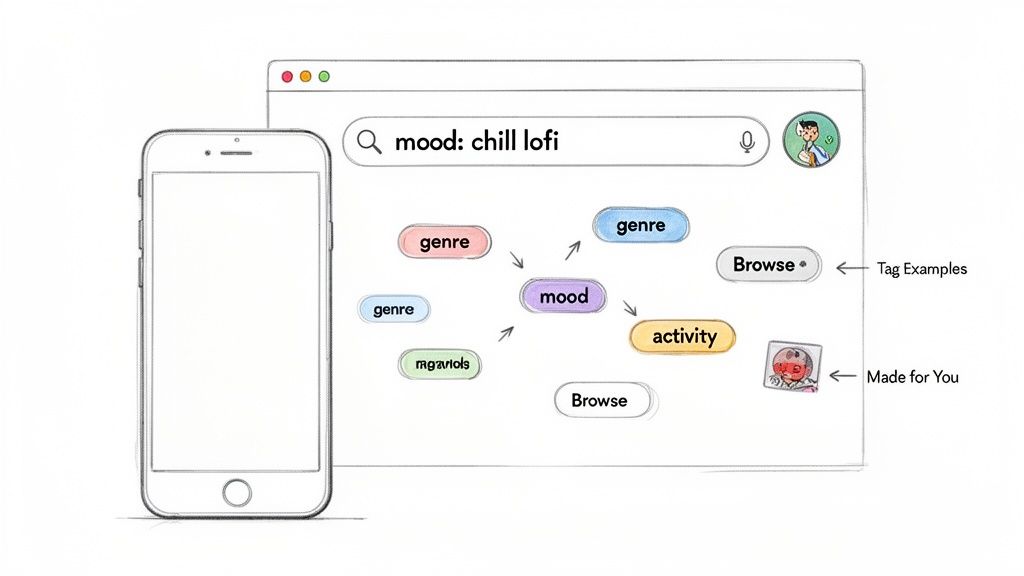
Native Search Bar: This is your primary tool, but you need to think beyond basic genre searches like "Indie Pop." Get creative and search like a real listener would. Try keywords that capture a vibe ("rainy day coffeehouse"), an activity ("late night drive"), or even a super-specific niche ("90s skate punk").
Browse & Made for You: Don't sleep on Spotify's algorithm; it's a powerful ally. The 'Browse' tab shows you what's trending and what the official editors are pushing. Meanwhile, sections like 'Discover Weekly' in 'Made for You' serve up personalized gems that can lead you straight to high-quality, user-created playlists you'd never find otherwise. To get a feel for what a great user-curated list looks like, check out our breakdown of the top user-created Spotify playlists.
Think of these first steps as learning the layout of the land from both a fan's and an artist's point of view. Get comfortable with these core features before moving on to the heavy-duty analytics.
Playlist Discovery Methods at a Glance
To help you decide which approach to use and when, here’s a quick breakdown of the basic methods.
Method | Best For | Key Benefit |
|---|---|---|
Search Bar | Specific, targeted searches for genre, mood, or niche keywords. | Offers direct access and high control over search results. |
Browse Section | Discovering editorially-backed and trending playlists. | Highlights what Spotify is actively promoting to listeners. |
Made for You | Finding algorithm-driven recommendations based on taste. | Uncovers personalized opportunities and similar user playlists. |
Mastering these built-in tools gives you a solid foundation, allowing you to find initial opportunities and understand the listener's journey on the platform before you start digging deeper.
Making the Most of Spotify's Built-In Search
Before you even think about third-party software, you need to master the tools Spotify already gives you. Most artists completely overlook the power hiding within the native search bar. It’s way more than just a place to type in a genre or mood.
Knowing how to properly use it can totally change how you find playlists on Spotify.
The real trick is using search operators. These are simple commands that act like super-specific filters, letting you slice through the noise and find exactly what you’re looking for. It’s like giving Spotify a much clearer set of instructions.
For instance, the operator is a game-changer. A search for "lofi beats NOT instrumental" instantly filters out all the purely instrumental lists. This is a goldmine for singers and rappers who need to find lofi playlists that actually feature vocals.
Taking Your Search to the Next Level
Once you get the hang of one operator, you can start combining them to build some seriously targeted searches. This is where you can do some real strategic digging without ever leaving the Spotify app.
AND Operator: Use this when you need multiple keywords to be present. Searching for "Chillwave AND Sunset" will only show you playlists that have both of those terms in the title or description, which means they're probably a much better fit thematically.
OR Operator: This one is great for casting a wider net. A search like "Workout OR Gym" helps you find all the fitness-focused playlists, even if they use slightly different keywords.
Here's a pro-level tip for digging into your competition: use the operator. If you search for something like , Spotify will show you a list of playlists that are already supporting artists in your exact niche. That gives you a pre-qualified list of curators to target.
Don't Forget Spotify's Own Playlists
Beyond the search bar, you can't afford to ignore Spotify's own curated and algorithmic sections. Your personalized Discover Weekly and Release Radar are more than just for finding new tunes—they're a direct look into how the algorithm sees your music.
Pay close attention to the user-created playlists that your recommended tracks pop up on. The people managing these lists have a proven taste that aligns with your sound. This makes them some of the best possible curators to pitch your next release to. It’s a simple way to turn passive listening into an active discovery strategy.
Separating Healthy Playlists from Fakes
Stumbling upon a playlist with a massive follower count can feel like you've struck gold. But hold on—those numbers can be incredibly deceiving. A playlist showing 100,000 followers is totally worthless if they're all bots. Learning how to properly vet playlists is a crucial skill that separates artists who get real results from those who waste their time and put their careers at risk.
The biggest, most obvious red flag is unnatural follower growth. A real, healthy playlist grows steadily over time, adding a consistent stream of new followers each day or week. Fake playlists, on the other hand, often show insane, overnight jumps in followers. We're talking about leaping from 1,000 to 50,000 in a single day. That’s a dead giveaway for bot activity.
Think of your search process as having two paths. The first is a simple keyword search, but once you start digging deeper, you need to get more analytical to find quality.
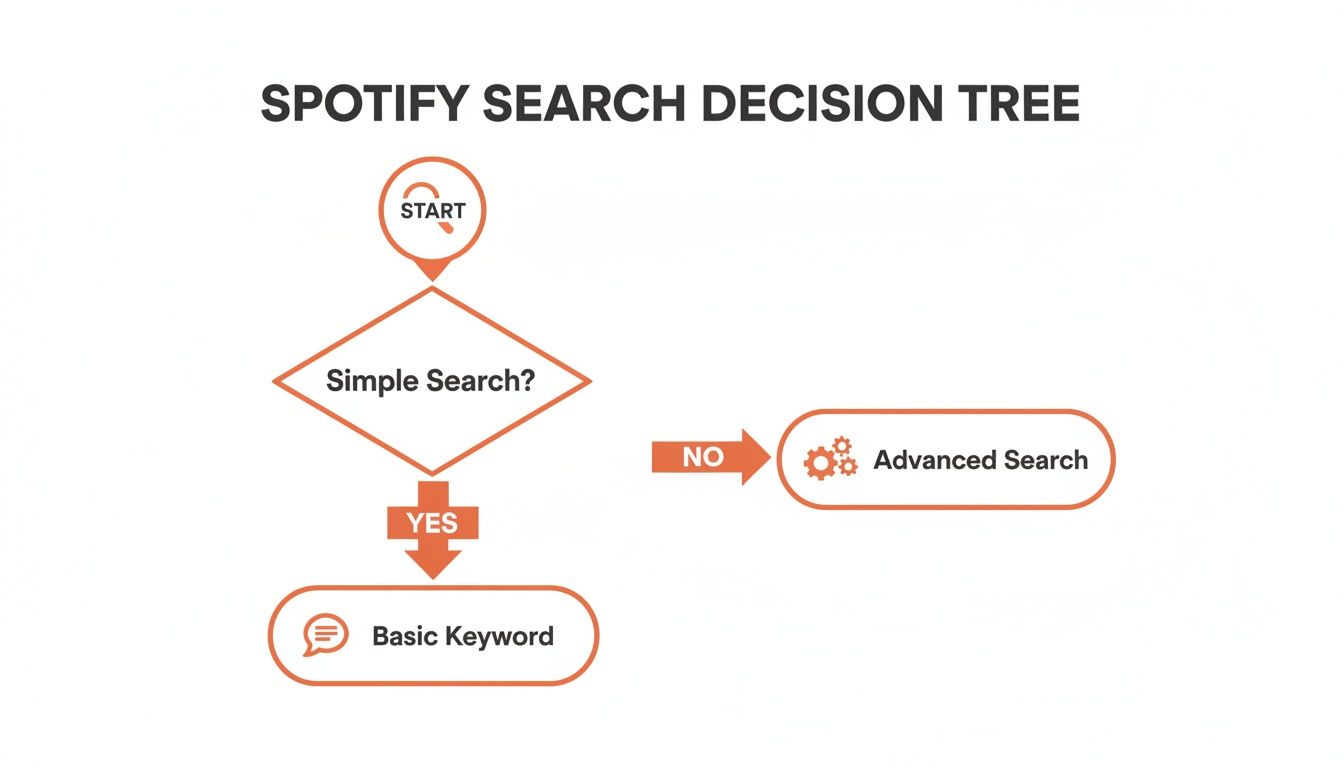
This flowchart really visualizes it: once you're past a basic search, your strategy has to shift. You need to focus on finding quality playlists, not just any playlist.
Key Health Metrics to Check
Beyond just looking at follower growth, you need to dig into other health indicators. These metrics paint a much clearer picture of a playlist's actual value. After all, a high follower count means nothing if nobody is actually listening.
Here are a few things I always look for:
Follower-to-Stream Ratio: It’s simple math. A playlist with 50,000 followers should be driving a decent number of streams to the tracks on it. If a song gets added and barely sees any new plays, you can bet those followers are fake.
Track Addition Frequency: Real curators are actively involved with their lists. They're music fans! Look for playlists that add new music on a regular basis. A stagnant playlist, even one with a ton of followers, isn't going to help you reach new listeners.
Listener Demographics: Legitimate playlists usually have a clear demographic or geographic focus. If you look at the listener data and it seems totally random or makes no sense, it could be a sign of bot traffic coming from all over the place.
Spotify's algorithm is smart—it actively prioritizes playlists with real, organic engagement. Tools that track follower history show that healthy ones have steady, believable growth without those suspicious spikes. This is why platforms like artist.tools use bot detection to spot fake activity, protecting your music from getting flagged or even taken down.
This is where specialized platforms like the Playlist Analyzer from artist.tools come in. They give you the hard data you need, showing detailed follower growth charts, historical track changes, and clear bot detection flags. This kind of information empowers you to make smart decisions, pitch to authentic curators, and keep your music safe. For a deeper dive, check out our guide on how to check Spotify playlists for bots.
Scaling Your Search with Third-Party Tools
While mastering Spotify’s own search function is a great starting point, relying on it alone is like trying to navigate a city with a hand-drawn map. To really scale your pitching efforts and find the right playlists without wasting hours, you need to bring in dedicated data platforms. These tools are built to see what Spotify's surface-level search can't.
Think of it this way: these platforms transform the manual, often frustrating grind of playlist discovery into a sharp, data-driven process. They give you powerful filtering options that the basic Spotify search bar simply doesn't have, letting you zero in on hyper-specific opportunities you’d otherwise never find.
Unlocking Advanced Playlist Search
Platforms like artist.tools pull together millions of data points, allowing you to slice and dice the entire playlist ecosystem with incredible precision. Instead of a vague search for "lofi hip hop," you can start layering on filters to pinpoint exactly what you’re looking for.
Imagine you could search for playlists that match all of these criteria at once:
Genre: Lofi Hip Hop
Mood: Chill & Relaxed
Listener Location: Primarily in the United States
Curator Contact: Email available
This level of detail instantly takes a massive, overwhelming pool of playlists and shrinks it down to a highly targeted, actionable list. In the crowded Spotify ecosystem of 2026, where total streams jumped 11% in 2024 and the catalog swelled to 126 million tracks, this is how you get an edge. It's especially critical when you consider that only a mere 14% of artists ever break past 10 monthly listeners. You can read more about the current state of Spotify playlisting on thehypemagazine.com.
This screenshot shows the artist.tools dashboard, your command center for features like the Playlist Search and Analyzer.
The interface is clean and data-focused, designed to give artists and curators the critical information they need to make smart, strategic moves without getting bogged down.
Using Data for Playlist SEO
The best tools don’t just help you find playlists; they help you understand how those playlists get discovered in the first place. This is where playlist SEO becomes a total game-changer. Features like a Keyword Explorer show you the actual search volume for different terms, revealing what words real listeners are typing into Spotify every day.
By identifying high-traffic, low-competition keywords, you can target playlists that are positioned for organic growth. This data-driven approach means you’re not just finding a playlist; you’re finding one with a built-in audience actively searching for it.
This is a long-term strategy that pays dividends. For a deeper dive into this topic, check out our guide on the best Spotify playlist discovery tools for 2026. By using platforms like these, you stop guessing and start building a calculated, effective strategy.
Crafting Your Pitch to Get a Yes
Alright, you've done the digging and found a quality playlist. Now for the final, crucial step: reaching out. This is where most artists stumble.
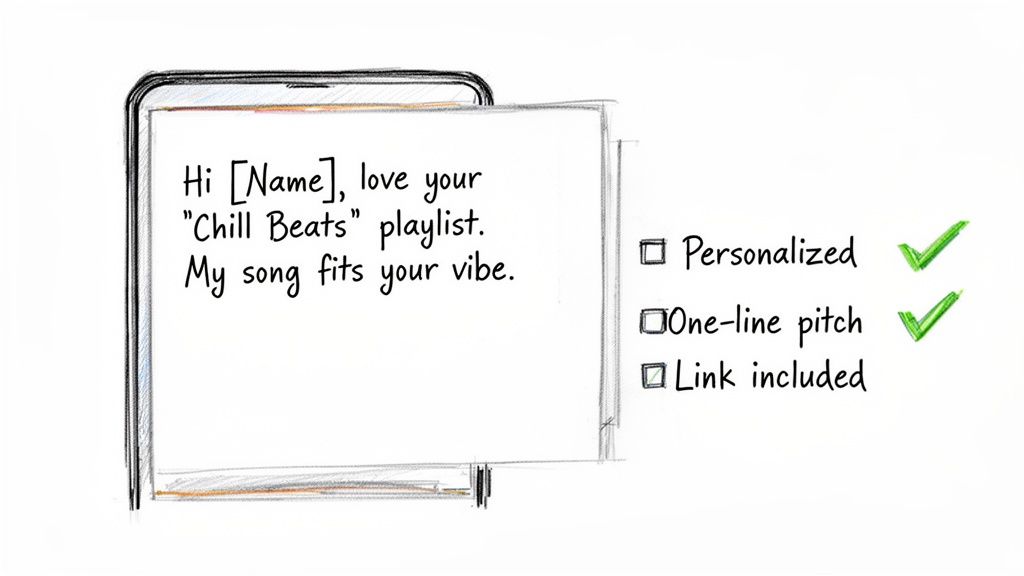
A generic, copy-pasted pitch is the fastest way to get your email ignored and deleted. I've seen it happen countless times. Personalization is everything here. It's what separates you from the noise and shows a busy curator you’ve actually listened to and respect their work.
Start small but smart. Address the curator by name if you can find it. Playlist descriptions are a good first look, and tools like artist.tools often aggregate contact details. And please, mention their playlist by its exact name—not just "your cool indie playlist."
Next, prove you're a real listener, not just another artist spamming their inbox. Reference a specific track from their list that you genuinely enjoy and drop a quick line about why. This tiny bit of effort immediately builds a connection and proves you understand their vibe.
Structuring a Winning Pitch
Curators are swamped. They get dozens, sometimes hundreds, of submissions every single day. Your pitch needs to be razor-sharp and get straight to the point. Keep your message short, scannable, and focused on why your track is a win for their listeners.
Here’s a simple structure that I've seen work time and time again:
The Personal Touch: Kick things off with that genuine compliment about their playlist and the specific song you liked.
Your Song's Intro: Introduce your track with a single, compelling sentence. Think something like, "My new track, 'Sundown Fuzz,' has a similar hazy, nostalgic vibe."
Why It Fits: This is your closing argument. Clearly explain why your song is a perfect fit for their playlist and the audience they've built.
Crafting the perfect pitch can be a major time-sink. This is where AI-powered tools can give you a powerful head start. The artist.tools AI Editorial Pitch Generator, for example, drafts a compelling message after you plug in your song's details. It’s been trained on hundreds of successful pitches, which seriously boosts your chances of getting that coveted "yes."
This approach flips your outreach from a hopeful shot in the dark to a strategic, professional request. It’s the kind of pitch that curators actually want to open and consider.
Digging Deeper: Common Questions About Finding Playlists
Once you start getting the hang of searching for playlists, you'll naturally run into some more specific questions. Working through these little roadblocks is what separates a short-term campaign from a long-term, sustainable playlisting strategy. Let's walk through some of the most common challenges I see artists run into.
Finding a Specific User's Playlists
A big one I get asked about is how to find all the public playlists made by a specific person, like a tastemaker you follow or another artist whose curation you respect. Just dropping their display name into the main search bar usually gives you a jumble of unreliable results. It's not built for that.
There's actually a special search command for this. You have to type right into the search bar. This little trick pulls up that user's public profile directly, letting you see every single playlist they've made public. Just swap out "username" with their actual Spotify user ID, and you're golden.
The Truth About Paid Placements and Fake Followers
This next area is where things can get a little sketchy, and it trips up a lot of artists: the murky world of paid placements. Is it a good idea to pay for a spot on a playlist?
The short answer is a hard no. Paying for playlist placement is what the industry calls payola, and it's a direct violation of Spotify's rules. I've seen artists get their music completely wiped from the platform for this. It's just not worth the risk.
The only safe and sustainable way forward is through organic outreach. You want to build real relationships with curators who genuinely connect with your sound.
That brings us to another critical skill: how do you tell if a playlist you're looking at is full of fake followers?
The single biggest red flag is unnatural growth. If you see a playlist rocket from a couple hundred followers to tens of thousands overnight, it's almost certainly using bots. Real, organic growth is a slow, steady climb over time.
Beyond those sudden spikes, keep an eye out for other warning signs that a playlist is bogus:
Dead Engagement: A list with 50,000 followers where tracks are only getting a few dozen streams is a classic sign of fake followers. The numbers just don't add up.
Stale Curation: Real curators are music lovers. They're constantly listening and updating their playlists. If a playlist hasn't been touched in months, that's a bad sign.
Your best bet is to use analysis tools to check a playlist's follower history and engagement stats. This is how you can avoid fraudulent playlists and make sure you're pitching to real curators with real listeners who might actually become your fans.
At artist.tools, we give you the data to tell authentic playlists from the fakes, find curator contacts, and build a real music career on Spotify. Explore our suite of tools and start making smarter decisions today.
I totally get what you mean about PR for music—it’s all about storytelling and creating real connections rather than just pushing ads. Personally, I’ve found that building a presence online in authentic ways can make a huge difference. For example, I’ve explored platforms like lovescape.com, where the focus is on interactive experiences and personalized connections, and it reminded me how powerful engagement can be when it’s genuine. Just like music PR, it’s about creating moments people care about, whether it’s through interviews, features, or virtual interactions. It taught me that authenticity always pulls people in.
When cleaning my display, I open a fullscreen orange screen https://blackscreen.space helps me spot smudges instantly