How to Publish Songs A Modern Artist's Guide
- Dec 25, 2025
- 17 min read
So, you’ve poured your heart and soul into a track, and it’s finally finished. What’s next? Getting it out into the world isn’t just about uploading a file; it’s about turning your art into a business. This is where publishing comes in, and it's one of the most critical moves you'll make in your career.
Let's break down the entire journey, from that final mix on your laptop to a global release that actually puts money in your pocket. We'll show you exactly how any artist can get a handle on digital distribution, rights management, and promotion without getting lost in the weeds.
Your Blueprint for Publishing Music Successfully
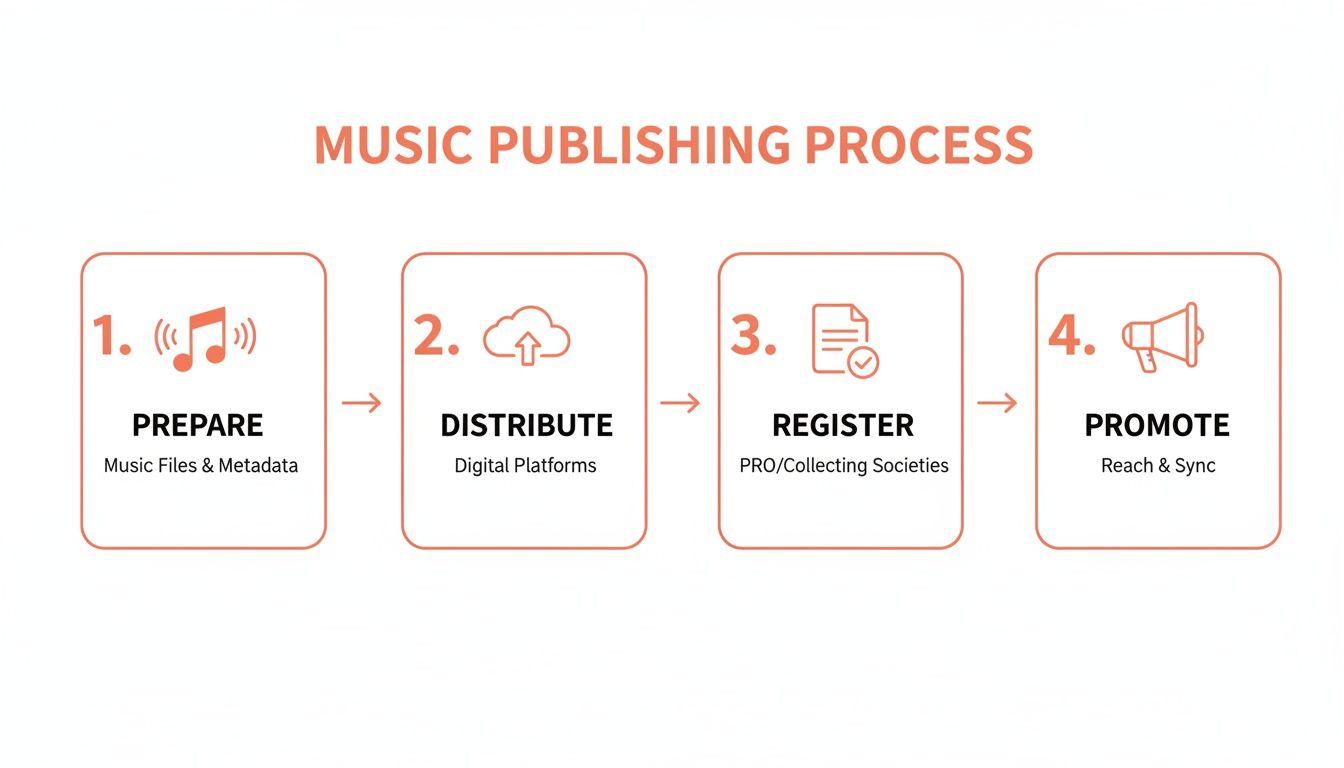
Getting the foundation right is everything. A solid release strategy maximizes your reach and ensures you collect every cent you're owed. This isn't just a checklist; it's a strategic workflow that breaks down into four core stages:
Prepare: Nail down your final master recording, all the necessary metadata, and your cover art.
Distribute: Pick the right service to get your music onto Spotify, Apple Music, and everywhere else.
Register: Protect your copyright and sign up to collect performance and mechanical royalties. (Don't skip this part!)
Promote: Pitch to playlists, connect with your audience, and build real momentum.
Think of it as a linear process where each step builds on the last, turning your creative work into a real commercial asset. This visual lays it out pretty clearly.
To help you visualize the journey ahead, here’s a quick overview of the key milestones we'll be covering.
Key Stages of Publishing a Song
This table summarizes the essential steps in taking your song from a finished product to a fully monetized and promoted release.
Stage | Key Actions | Why It's Critical |
|---|---|---|
Pre-Release Prep | Finalize master, gather metadata, create artwork. | A polished, professional package is non-negotiable for distributors and platforms. |
Distribution | Select a digital distributor (e.g., DistroKid, TuneCore). | This is your pipeline to Spotify, Apple Music, and all major streaming services. |
Rights & Royalties | Register copyrights, sign up with a PRO, get ISRCs. | If you don't register, you can't collect all the money you're owed. Simple as that. |
Release & Promotion | Set a release date, pitch to playlists, create pre-saves. | This is how you build hype and give your track the best possible launch day. |
Post-Release Analysis | Track streams, monitor playlist adds, check royalties. | Use data to understand what's working and optimize for future releases. |
Following these stages ensures nothing falls through the cracks, allowing you to focus on the music while your business runs smoothly in the background.
Why Publishing Is a Growing Revenue Stream
For any artist figuring out how to publish songs, treating this process like a core part of your business has never been more important. Why? Because the money is there. Global music publishing revenue is projected to blow past $10.0 billion in 2025 and is on track to hit an incredible $14.04 billion by 2030.
Digital streaming is what’s fueling this explosion, with digital publishing income alone expected to top $8.0 billion by 2029. You can dig into more of these music industry financial trends on Omdia.
This isn't just some abstract number for major labels. The independent publishing sector’s value shot up by a massive 105.6% over five years, reaching €2.57 billion in 2023. This proves there's real money and opportunity outside the old-school system. By properly registering your compositions, understanding your royalty splits, and tracking your digital mechanicals, you can build a real, measurable income stream. It’s time to stop treating publishing as an afterthought and start seeing it as a vital part of your career.
Preparing Your Music for a Professional Release
Before you even think about picking a distributor or chasing playlists, let's get the absolute fundamentals dialed in. This is the pre-flight checklist that separates the pros from the amateurs. Nailing these core assets ensures your music looks and sounds professional from day one, preventing frustrating technical rejections and setting you up for a smooth launch.
Think about it: your release is built on three pillars. The master audio file, the metadata, and the cover art. Each one has to be perfect.
Finalize Your Master Audio File
The file you upload to your distributor is the final, finished product. It's not your GarageBand project or a rough mix—it has to be the professionally mastered version. Mastering is that last bit of magic where an engineer polishes your track, making sure it’s loud enough, balanced, and sounds great everywhere, from high-end studio monitors to cheap earbuds.
Streaming services are picky about the technical specs of the audio files they receive. To avoid any back-and-forth, you absolutely must export your master as a WAV file. This is a lossless format, which means it contains 100% of the original audio data. An MP3, on the other hand, is compressed and sacrifices quality.
Here are the industry-standard specs your distributor will expect:
File Format: WAV
Bit Depth: 16-bit or 24-bit (24-bit is always better for higher fidelity)
Sample Rate: 44.1 kHz
Stick to these standards, and your music will hit listeners' ears sounding exactly the way you intended. Submitting a low-quality MP3 is a surefire way to deliver a bad listening experience, and it might even get your release flagged or rejected.
Organize Your Song Metadata
If the audio is your song's body, metadata is its DNA. It’s all the crucial background info that identifies your track, links it to the right artist profiles, and—most importantly—makes sure you get paid correctly. I can't tell you how many artists miss out on royalties simply because of sloppy or incomplete metadata.
It’s the digital label on your song, telling platforms everything they need to know.
Getting your metadata right isn't just an administrative chore; it's a critical part of running your music business. Every stream generates tiny micro-royalties, and without precise data, that money can easily disappear into a "black box" of unclaimed funds.
Your distributor will prompt you for all this information during the upload process. The smart move is to have it all ready to go in a separate document to make the submission a breeze.
Essential Metadata Checklist:
Song Title: (e.g., "Midnight Drive")
Subtitle / Version: (e.g., "Acoustic Version" or "Radio Edit")
Artist Name(s): List the primary artist, any features, and remixers.
Songwriter(s) & Composer(s): Use the full legal names of everyone who contributed to the lyrics and music.
Producer(s): The full name of the producer.
Publisher Information: Add this if it applies to you.
Explicit Content: A simple yes/no—does the song have explicit lyrics?
Honestly, this is just scratching the surface. For a much deeper dive, our guide on what is music metadata breaks down everything you need to know. I’d recommend every artist read it before their first release.
Create Compelling Cover Artwork
In a world of endless scrolling, your cover art is the very first impression your music makes. It has to grab attention and meet the strict technical requirements of all the digital platforms. A killer track can feel amateurish before anyone even presses play if it’s paired with poor-quality artwork.
Most distributors and streaming services demand artwork that meets these specs:
Dimensions: A perfect square, at least 3000 x 3000 pixels.
Resolution: 300 DPI (dots per inch) for crisp, high quality.
Color Mode: RGB.
File Format: JPG or PNG.
And a huge pro tip: keep it clean. Avoid plastering URLs, social media handles, or pricing info on your artwork. Platforms will almost always reject it. The image should be powerful and reflect the mood of your song, giving listeners a visual hint of what they’re about to hear. Treat it like the key piece of marketing it is.
Choosing a Distributor and Registering Your Work
You've nailed it. The masters sound incredible, the artwork is fire, and you've got all your metadata organized. Now it's time to handle the business side of things—getting your song out into the world and making sure you get paid for it.
Think of a music distributor as the digital pipeline connecting your laptop to Spotify, Apple Music, and every other streaming platform on the planet. You upload your files and data once, and they do the heavy lifting. But choosing the right one is a big deal, and the best choice really depends on how you operate as an artist.
How to Select Your Music Distributor
Picking a distributor isn't a one-size-fits-all situation. Some charge a yearly fee for unlimited uploads, which is great for prolific artists. Others might take a cut of your royalties instead. There's no single "best" option, just the one that makes the most sense for you.
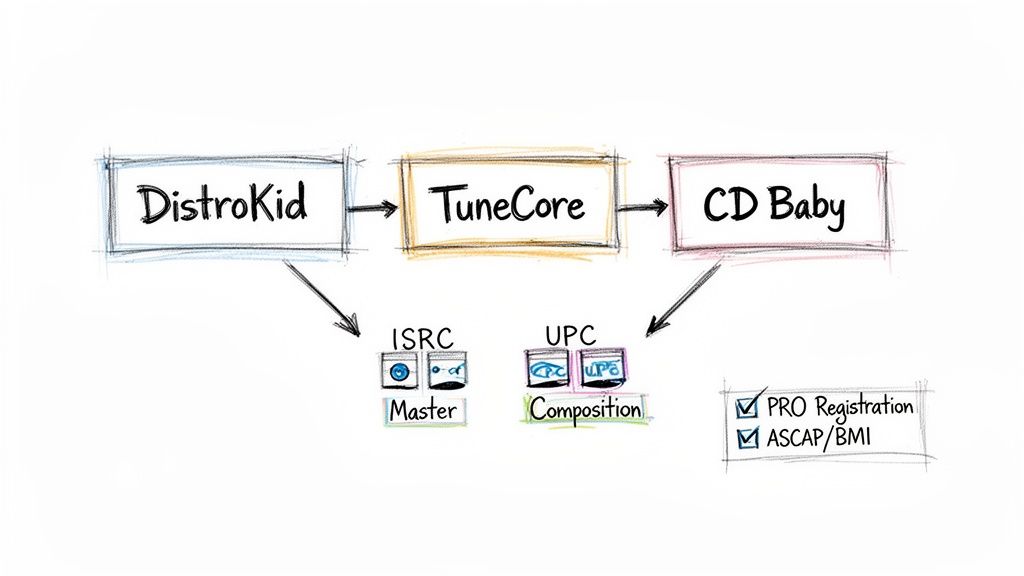
DistroKid: If you're dropping new music constantly, a service like DistroKid is often a no-brainer. Their flat-fee subscription model lets you release as much as you want without paying per release, making it super cost-effective for active artists.
TuneCore: For those who want more of an all-in-one solution, TuneCore can be a solid choice. They offer distribution alongside services like publishing administration, letting you keep everything under one roof. Just be mindful of how the individual costs add up.
CD Baby: Only planning to release a single or an album for now? CD Baby might be your speed. They typically work on a one-time fee per release, so you don't have to worry about a recurring subscription to keep your music live.
We've got a whole breakdown on the different kinds of deals and what they mean for your wallet. Check out our guide to music distribution deals for artists to really get into the weeds.
To give you a clearer picture, here’s a quick comparison of some of the top players in the game.
Comparison of Top Music Distributors
A comparative look at leading music distribution services to help artists select the best fit for their needs.
Distributor | Fee Structure | Key Features | Best For |
|---|---|---|---|
DistroKid | Annual subscription | Unlimited uploads, fast delivery to stores, royalty splits | Artists releasing music frequently |
TuneCore | Annual fee per release | Distribution + publishing admin, detailed sales analytics | Artists wanting an all-in-one service |
CD Baby | One-time fee per release | Physical distribution (CD/vinyl), sync licensing | Artists with infrequent releases |
Symphonic | Percentage of royalties | In-depth analytics, marketing support, sync licensing | Established artists and labels |
Choosing the right partner is the first step. Next comes the paperwork—and this is where so many artists leave money on the table.
Untangling Your Music Copyrights
Before you go any further, you need to get your head around this: every song has two separate copyrights. Your distributor handles one, but you're responsible for both.
The Master Recording (SR Copyright): This is the actual sound file you labored over—the final WAV. It’s the copyright for that specific recording. Your distributor gets this master onto streaming platforms.
The Composition (PA Copyright): This is the intellectual property of the song itself—the melody, the lyrics, the chords. It's the song as an idea.
Ignoring your composition rights is a rookie mistake, and it's a costly one. It’s like selling tickets to a movie but forgetting to collect the royalties every time someone uses the script.
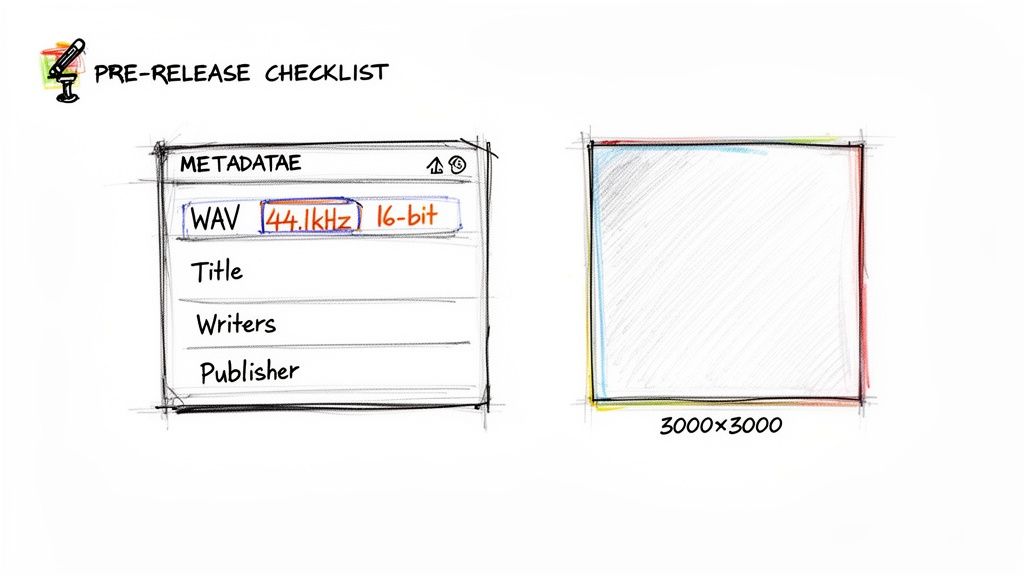
Keeping a checklist like this handy helps make sure no critical steps get missed before you hit that "submit" button.
Building Your Royalty Collection Network
To get paid for both of these copyrights, you have to register your work with a few different organizations. Each one is designed to collect a specific type of royalty from different places. It seems complicated at first, but think of it as setting up a system of pipes that all flow back to your bank account.
Your distributor will typically assign ISRC (for the track) and UPC (for the whole release) codes. These are basically digital barcodes that track every single stream and sale of your master recording.
But that's only half the battle. The other half is the composition, and that’s where the real publishing money is. The administrative steps you take here directly impact your bottom line. Globally, performance royalty collections hit a staggering €11.7 billion in 2023, a 7.6% jump from the year before. That shows you just how much money is out there for songwriters who are properly registered.
With streaming driving a $29.6 billion recorded music industry, the publisher's slice of that pie is getting bigger. For an artist just learning how to publish songs, this means that getting your registrations and split sheets in order is non-negotiable if you want to claim your share of a music publishing market now valued at over $7.5 billion.
So, who do you need to sign up with?
A PRO (ASCAP, BMI, SESAC): Your Performing Rights Organization collects "performance royalties." These get generated anytime your song is played in public—on the radio, in a bar, on TV, and yes, every time it's streamed. If you wrote the song, you need to be with a PRO.
SoundExchange: This is a big one. SoundExchange collects digital performance royalties for the master recording from services like satellite radio (SiriusXM) and non-interactive webcasters (Pandora Radio). They pay out to both the master rights holder and the featured artists on the track.
The Mechanical Licensing Collective (The MLC): In the U.S., The MLC is absolutely essential. They collect mechanical royalties from every stream on platforms like Spotify and Apple Music and pay them to songwriters and publishers. If you're not registered with them, your streaming mechanicals are just sitting there unclaimed.
Registering with a PRO, SoundExchange, and The MLC creates a complete collection system. It's a net designed to catch every type of royalty your music generates. If you skip any of these, you're just leaving your own money behind.
Building Your Pre-Release and Pitching Strategy
Once you've squared away all the administrative stuff, it's time for the fun part—building real, tangible excitement for your song before it even drops. Your best friend here is a strategic pre-release window. This gives you the runway you need to line up all your promotional dominoes so they fall perfectly on release day.
Think of it this way: the longer the runway, the more speed you can build before takeoff. This is exactly why setting your release date four to six weeks out is pretty much standard practice in the industry. It’s not an arbitrary timeline; it gives you enough breathing room to pitch your track, get a pre-save campaign humming, and get your audience hyped.
This lead time is especially critical for one of the most powerful promotional tools you have in your arsenal: the Spotify for Artists editorial pitch.
Mastering the Spotify Editorial Pitch
After your distributor sends your track to Spotify—which usually takes a few days to a week—it’ll pop up in the "Upcoming" section of your Spotify for Artists dashboard. This is your green light. You get to pitch one song from each release for a shot at getting noticed by Spotify's own editorial team. These are the folks curating massive playlists like Today's Top Hits and RapCaviar.
To get your pitch in, just select your upcoming track and fill out the submission form. Spotify will ask you to tag your song with relevant genres, moods, and cultures. Be brutally honest here. If you've made an indie-folk song with acoustic guitars, don't try to pass it off as "hyperpop." It just won't work.
The absolute heart of the submission form is the 500-character pitch description. This is your single shot to tell an editor the story behind your song and why it deserves a spot. Think of it as your musical elevator pitch.
So, what actually makes a pitch stand out? Editors are digging for context. They want to know more than just what the song sounds like; they want the story behind it, what your marketing plans are, and any unique angle that makes it special.
Crafting a Pitch That Grabs Attention
Writing a killer pitch is tough, especially when you're so close to the music. You've got to be concise, professional, and persuasive, all while staying within that tight character limit. This is where modern tools can give you a serious edge.
The artist.tools AI Editorial Pitch Generator, for instance, was built for this exact purpose. You feed it details about your song—its mood, instrumentation, lyrical themes, and your promo plans—and it helps you assemble a professional pitch that hits all the right notes. It’s trained on what makes pitches successful, helping you frame your song's story in the most compelling way.
Here are the key things your pitch absolutely needs:
The Story: What's the song about? What inspired you to write it?
The Sound: Briefly describe the genre, what instruments you used, and the overall mood.
Your Plan: Mention any press you have lined up, music videos, or social media campaigns.
Key Highlights: Got any cool collaborators, well-known producers, or unique recording techniques? Note them here.
A great pitch creates a narrative that makes an editor feel like they need to be part of your song's journey. For a much deeper dive into this, check out our complete guide to Spotify curator playlist pitching, which covers both editorial and independent strategies.
Driving Day-One Engagement with Pre-Saves
While you're waiting on your editorial pitch, your other main focus should be your pre-save campaign. A pre-save link lets your listeners save your track to their library before it's officially out. The moment it goes live, the song automatically appears in their collection, driving a huge wave of initial streams.
That first-day activity sends a powerful signal to Spotify's algorithm. A ton of day-one saves and streams tells the system your song is connecting with people, which can seriously boost its chances of landing on algorithmic playlists like Release Radar and Discover Weekly.
You can use services like Hypeddit or Linkfire to create pre-save links; sometimes your distributor will even offer a tool for it. Promote that link everywhere—your social media bios, email newsletters, and even in DMs to your biggest fans. A strong pre-save campaign is one of the best ways to make sure your new music doesn't launch to the sound of crickets.
Executing a Powerful Post-Release Promotion Plan
The moment your song goes live isn't the finish line—it’s the starting gun. Release day is all about flipping the switch on the groundwork you laid in the pre-release phase. The goal now is to turn that initial buzz into real, sustained momentum.
Believe me, that first week is absolutely crucial. It’s your chance to send a massive signal to the algorithms on Spotify and Apple Music that your track is catching fire and is worth showing to more people.
Your first mission is simple: drive a wave of high-quality streams immediately. This always starts with your core audience. Blast your email list with a direct link to the track. Don't just send a link; get personal, share a quick story about the song, and ask them directly to listen and save it. That direct-to-fan connection is your most powerful weapon.
At the same time, light up your social media. Forget just posting a link and calling it a day. Create content that people actually want to engage with—short video clips, behind-the-scenes footage, or even a poll asking for their favorite lyric. You're trying to start conversations that naturally lead people over to the streaming platforms.
Expanding Your Reach Beyond Editorials
Getting an official editorial placement is a huge win, no doubt. But it’s not the only way to make it. The world of independent playlisting is massive and offers an incredible way to connect with niche audiences who are actively looking for new music in your specific genre. This is where you stop waiting for a gatekeeper to pick you and start actively finding your listeners yourself.
The trick is to find authentic, well-managed playlists, not just the ones with huge, fake follower counts. This takes a bit of research and a targeted approach. You need to identify playlists that actually match your sound and are run by real people who love music.
Running a targeted, legitimate submission campaign to independent curators is one of the most effective strategies for building long-term listenership. Unlike a one-off editorial feature, getting added to multiple smaller, engaged playlists can create a steady stream of new fans over weeks or even months.
This is exactly why a dedicated discovery tool is a must-have. Instead of getting lost scrolling through Spotify, you need a way to cut through the noise and spot the real opportunities.
Finding the Right Playlists with Precision
Using a specialized platform like the artist.tools Playlist Search completely changes the game. It lets you search for playlists by genre, mood, or keywords and then actually analyze their health and authenticity before you waste your time reaching out.
For instance, you can instantly see a playlist's follower growth over time. If you spot a suspicious spike, it’s a major red flag for bot activity. This check alone can save you from spending time and money on playlists that deliver zero real listeners.
The platform gives you a clear, data-driven look at a playlist’s health and the curator’s contact info.This screenshot shows how you can find playlists for your genre and get all the critical data, including curator contacts, in one place.
Once you have a solid list of promising playlists, it’s time for professional outreach. If you find a curator's contact info, craft a short, personalized email.
Mention the playlist by name. It shows you’ve actually listened.
Introduce yourself and the track. Keep it to one or two sentences.
Explain why your song is a good fit. Reference another artist on their playlist to show you get their vibe.
Give them a direct link to your song. Make it as easy as possible for them to press play.
This methodical approach respects the curator's time and seriously increases your chances of getting a response.
Protecting Your Release from Fraud
As your song starts to get traction, it unfortunately becomes a target for fraud. Artificial streams, or "bots," can have devastating results—from trashing your data to getting your track pulled from platforms completely. This is why ongoing monitoring is non-negotiable for anyone serious about how to publish songs and build a real career.
You have to keep a close eye on your stream sources inside Spotify for Artists. Be on the lookout for weird patterns, like a ton of streams coming from one obscure playlist or a strange geographical location you have no fans in.
Tools like the artist.tools Bot Detection feature automate this whole process for you. It actively scans your profile for signs of botted playlists or other fishy activity. If it spots a problem, you get an alert, letting you take action—like asking your distributor to remove you from a bad playlist—before it spirals into a major issue. This proactive defense is what protects your hard work and ensures your growth is 100% real and sustainable.
Tracking Performance and Maximizing Your Royalties
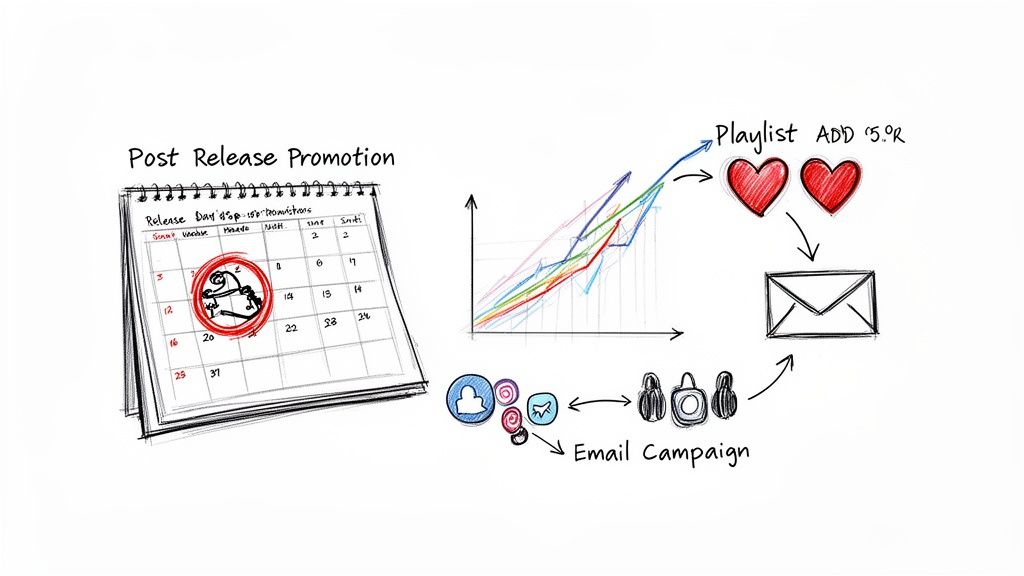
Once your song is out in the wild, the real work begins. The data that starts flowing back is an absolute goldmine for your career, but only if you know how to read it. This isn't about chasing vanity metrics; it's about figuring out what's working so you can double down on your next release.
Your first stop is always your Spotify for Artists account. This is ground zero for understanding who is listening, where they are, and how they found you. Pay close attention to your stream sources. Are people discovering you from their own libraries and playlists, or are you getting traction on editorial playlists? This is the feedback loop that tells you if your promo efforts are actually hitting the mark.
Turning Data Into Action
Understanding your listener demographics is a game-changer. If you suddenly see a pocket of listeners popping up in Berlin or São Paulo, that's incredibly valuable information. You can start targeting social media ads to those cities or even think about a tour stop there down the road.
The key is to connect the dots. Did that big playlist add lead to a spike in daily listeners? Did that viral TikTok video actually translate into more Spotify followers? When you can trace a result back to a specific action, you’re not just guessing anymore—you're building a real marketing playbook.
Data isn't just a report card on your last release; it's the blueprint for your next one. Every stream, every follow, every playlist add is a clue about what your audience wants to hear and how they want to find it.
Projecting and Tracking Your Earnings
Of course, tracking performance also means tracking your money. The problem is that official royalty statements from your distributor can lag by months, which makes it tough to know where you stand financially in the short term.
This is where estimation tools become your best friend. A tool like the artist.tools Spotify Royalties Calculator lets you plug in your stream counts and get a real-world estimate of your earnings. Having that projection is invaluable for budgeting your next music video, marketing campaign, or studio session.
Finally, to get a day-by-day view of how things are going, the artist.tools Stream Tracker gives you real-time and historical performance data. You can see the immediate impact of a new playlist add or social media shoutout. By pairing this granular data with your royalty estimates, you stop being just an artist releasing music and start acting like a business owner managing your career.
Unpacking Common Questions About Publishing Your Music
Diving into the world of music publishing can feel like a lot at first, but once you get a few key things straight, the whole process becomes much clearer. Let's break down some of the questions I hear most often from artists.
How Much Does It Cost to Publish a Song?
This really comes down to which distributor you go with. Some, like DistroKid, work on an annual subscription model that lets you upload as much as you want, starting around $22.99/year. Others, like CD Baby, have you pay a one-time fee for each release, which might start at $9.99 for a single.
Don't forget to also consider PRO registration. The good news is that in the U.S., this is often free to set up.
Do I Need a Publisher to Release My Music?
Nope, you absolutely don't. In today's music world, you don't need a traditional publisher to get your music out there. A distributor is your key to getting on Spotify, Apple Music, and all the other platforms.
You can register your work directly with organizations like ASCAP, BMI, and The MLC to collect your songwriting royalties. By doing this, you're essentially acting as your own publisher.
How Long Does It Take to Publish a Song?
After you upload your finished track to your distributor, it usually only takes about 2-5 business days to pop up on the major streaming services. But—and this is a big but—you shouldn't just upload and release immediately.
To really nail your release strategy, you need to set your release date at least 4-6 weeks in the future.
This longer lead time is non-negotiable if you're serious about your release. It’s the window you need to pitch your track to Spotify's editorial playlists, run a solid pre-save campaign, and actually build some hype. Rushing a release means you're just skipping the most important promotional steps.
Ready to take control of your release strategy? artist.tools gives you the data and insights you need—from finding the right playlists and protecting your tracks from fraud to tracking your royalties. Build your career with confidence at https://artist.tools.
.png)
.png)
Comments