
How to Share Spotify Music Like a Pro in 2026
Learn how to share Spotify music on any device. Discover creative sharing methods and strategic tips for artists to amplify reach and boost streams.
Sure, sharing a song on Spotify is simple. You just find what you want to share, hit the three dots (…) menu, and tap “Share.” From there, you can blast it out on social media, send it through a messaging app, or just grab a direct link.
But if you actually want to make an impact—whether you’re an artist trying to get your new track heard or just a fan trying to blow a friend’s mind—knowing which sharing method to use, and when, is the real game-changer.
Why Mastering Spotify Sharing Matters Now More Than Ever
Let’s be real. Spotify is a ridiculously crowded place. With over 80 million tracks and four billion playlists, just flinging a link into the void isn’t going to cut it. You’re fighting for attention, and how you share your music is your first move in that battle.
For a listener, a good share creates a connection. For an artist, it’s the engine that drives discovery.
The right share can be the difference between a song getting lost in the noise and a song finding its true audience. Think about it: a direct link is functional, sure. But sharing to an Instagram Story with the full-screen album art? That’s an experience. An embedded player on your blog? That’s a frictionless way for someone to press play without leaving the page.
This flowchart breaks down the different paths and goals for both listeners and artists.
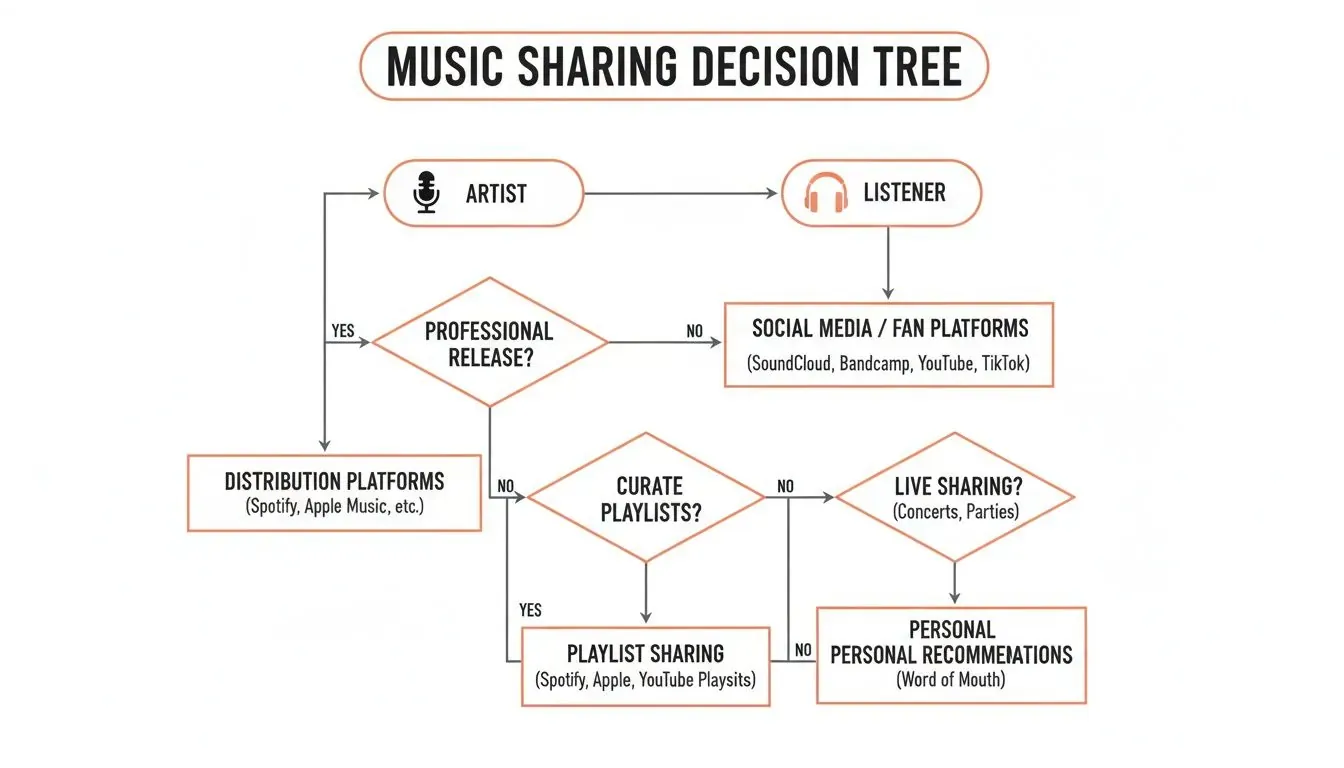
As you can see, an artist’s goal—like landing on a curator’s playlist or racking up streams—demands a much more tactical approach than a fan just sending their new favorite song to a group chat.
Choosing The Right Spotify Sharing Method
To help you decide on the fly, here’s a quick comparison of Spotify’s sharing options. Think about what you’re trying to accomplish, and pick the tool that’s best for the job.
| Sharing Method | Best For | Supported Platforms | Key Benefit |
|---|---|---|---|
| Direct Link | Quick, universal sharing with anyone, anywhere. | All (Messaging, Email, Web) | Simple and reliable; works on any device. |
| Social Media Stories | Visually engaging shares for Instagram, Facebook, etc. | Mobile (iOS & Android) | Grabs attention with full-screen art and a 15-second clip. |
| Spotify Codes | In-person sharing via scannable, unique codes. | Mobile (iOS & Android) | Perfect for merch, posters, and live events. |
| Embedded Player | Adding playable music directly to a website or blog. | Web & Desktop | Offers a seamless, on-site listening experience. |
| QR Codes | Digital or print sharing to quickly open music in the app. | All (via device camera) | A versatile modern alternative to Spotify Codes. |
Ultimately, the best method depends entirely on your context. A QR code on a concert flyer and a direct link in a newsletter serve two totally different, but equally valuable, purposes.
The Impact of Smart Sharing
Effective sharing isn’t just about one-off interactions; it builds momentum. This is absolutely critical for artists.
One well-placed, strategic share can lead to your track getting added to user-generated playlists. Those adds send a powerful signal to Spotify’s algorithm that your song is catching on. This is what can trigger a placement on massive algorithmic playlists like Discover Weekly.
“When you spend most of your time in an algorithmic world of music streaming, it can feel like magic when you meet listeners who found your music through friends. Sharing music between friends can’t match algorithms in sheer volume but it is by far the deepest way to build connections.”
This nails it. Smart sharing does two things at once: it feeds the algorithm and builds genuine, human-to-human connections. Those organic shares are what create real fans—the kind who stick around. As you start digging into the latest music industry trends, you’ll see just how essential mastering these sharing dynamics is for real growth.
Your Guide to Sharing Music on Any Device
Knowing how to share Spotify music is more than just hitting the three-dot menu. The device you’re on—your iPhone, your Android tablet, the desktop app, or the web player—changes the game entirely. Each one has its own quirks and shortcuts that can make sharing faster and more effective once you know them.
At first glance, the process looks the same everywhere, but the small details are what count. Grabbing a link from the “Now Playing” screen is second nature on mobile, but on desktop, you’re more likely to share straight from a playlist or album view. Mastering these little differences means you can send a track, album, or your artist profile to anyone, from any device, without fumbling around.
Sharing From Mobile Devices: iOS and Android
The mobile experience is built for one thing: speed. When you’re on your phone and a track hits just right, you want to share it now. The fastest way is usually right from the playback screen.
Just tap the share icon (the little box with an arrow pointing up) and you’ll immediately see a menu tailored to the apps on your phone. From here, you can fire a track off to your Instagram Stories or drop it in a WhatsApp chat in a couple of seconds. The whole flow is designed to get the music out of Spotify and into a conversation as fast as possible.
The real power of mobile sharing is the direct integration with social media stories. This isn’t just a boring link—it creates a dynamic, eye-catching sticker with the track’s artwork and a 15-second audio preview. It’s way more engaging and likely to get clicks than a simple URL.
Mastering the Desktop and Web Player
If mobile is for quick shares, the desktop and web versions of Spotify are for more strategic moves. They give you a level of control you just don’t get on your phone. Right-clicking on a track, album, or artist profile opens up a deep menu of options that are crucial for artists and marketers.
This is where you need to understand the different types of links you can grab from the “Share” menu:
- Copy Song Link: This is your standard, universal URL (). It works absolutely everywhere—emails, social media posts, text messages. When in doubt, this is the one to use.
- Copy Spotify URI: A URI (Uniform Resource Identifier) looks a bit different (). Its job is to open the track directly inside the Spotify app, bypassing the web browser. It’s the perfect choice when you know for a fact the person you’re sending it to is a Spotify user. It’s a cleaner, more direct experience for them.
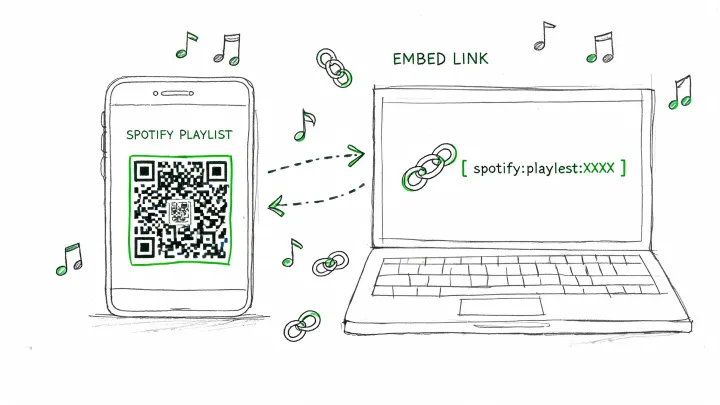
- Embed playlist: This option gives you a snippet of HTML `
Even with all the different ways to share music, you’re bound to run into a few tricky spots. Certain scenarios can be a bit confusing, and knowing the little details can make all the difference in making sure your track gets heard the way you want.
We’ve pulled together the most common questions we see to give you quick, clear answers. This way, you can get past any technical headaches and focus on what really matters: connecting with people through music.
Can Someone Listen if They Dont Have a Spotify Account
Yes, but it’s not the full experience. When you send a Spotify link to someone who doesn’t have an account, they can usually hear a 30-second preview right in their browser.
To listen to the whole song, they’ll get a prompt from Spotify to sign up for a free account. This is a super important detail for artists to keep in mind. While your link can reach anyone, turning that share into a full, monetized stream often relies on the listener already being on Spotify.
Why Does My Spotify Share Look Different on Instagram Stories
This is all about using the right tool for the job. When you share directly from the Spotify app to your Instagram Story, it creates that slick, custom sticker with the album art and a “Play on Spotify” link. It’s designed to grab attention and make it easy for people to listen.
If you just copy the song link and paste it into an Instagram Story with the generic “link” sticker, you lose all that visual appeal and direct functionality. For the best results, always use the built-in “Share to Instagram Story” option inside the Spotify app.
Is It Possible to Track Who Listens to My Shared Music
If you’re just a casual user sending a song to a friend, then no. There’s no way to see exactly who clicked your link or listened to the track.
For artists, however, it’s a different story. Your Spotify for Artists dashboard is packed with aggregated data. It won’t tell you who listened, but it will show you how they listened. You can see how many of your plays came from:
- Your artist profile
- Listeners’ personal playlists and libraries
- Algorithmic playlists like Discover Weekly
- Official editorial playlists
This is gold. It helps you figure out which of your promo efforts are actually translating into streams.
If you need to dig deeper into playlist performance and listener growth, data platforms like artist.tools offer more granular insights. We help you connect the dots between your sharing strategy and real-world results. Find out how our tools can give your next release a serious boost at artist.tools.