How to Upload Songs to Spotify A Practical Guide for Artists
So, you've finished your masterpiece and you're ready to share it with the world. Getting your music onto Spotify is probably at the top of your list, but you can't just upload it directly from your laptop. The first thing to know is that you'll need a crucial partner: a digital music distributor.
Think of them as the bridge connecting your finished track to Spotify’s massive global audience. They're the ones who handle the technical heavy lifting and make sure your music gets where it needs to go.
Your Roadmap to Releasing Music on Spotify
Uploading songs to Spotify isn't like dropping a file into a folder. It’s a structured process designed to make sure your music is properly licensed, formatted, and ready for listeners everywhere. Following this process is your best bet for a smooth release, helping you sidestep common pitfalls from the get-go.
This journey has a few key milestones, and each one is critical. You'll need to prep your audio files to meet professional standards, pick a distributor that actually fits your career goals, and double-check that all your metadata is spot-on so you get paid correctly.
Understanding the Release Flow
When you break it down, the journey from your studio to a listener's headphones is pretty straightforward. This visual lays out the essential path.
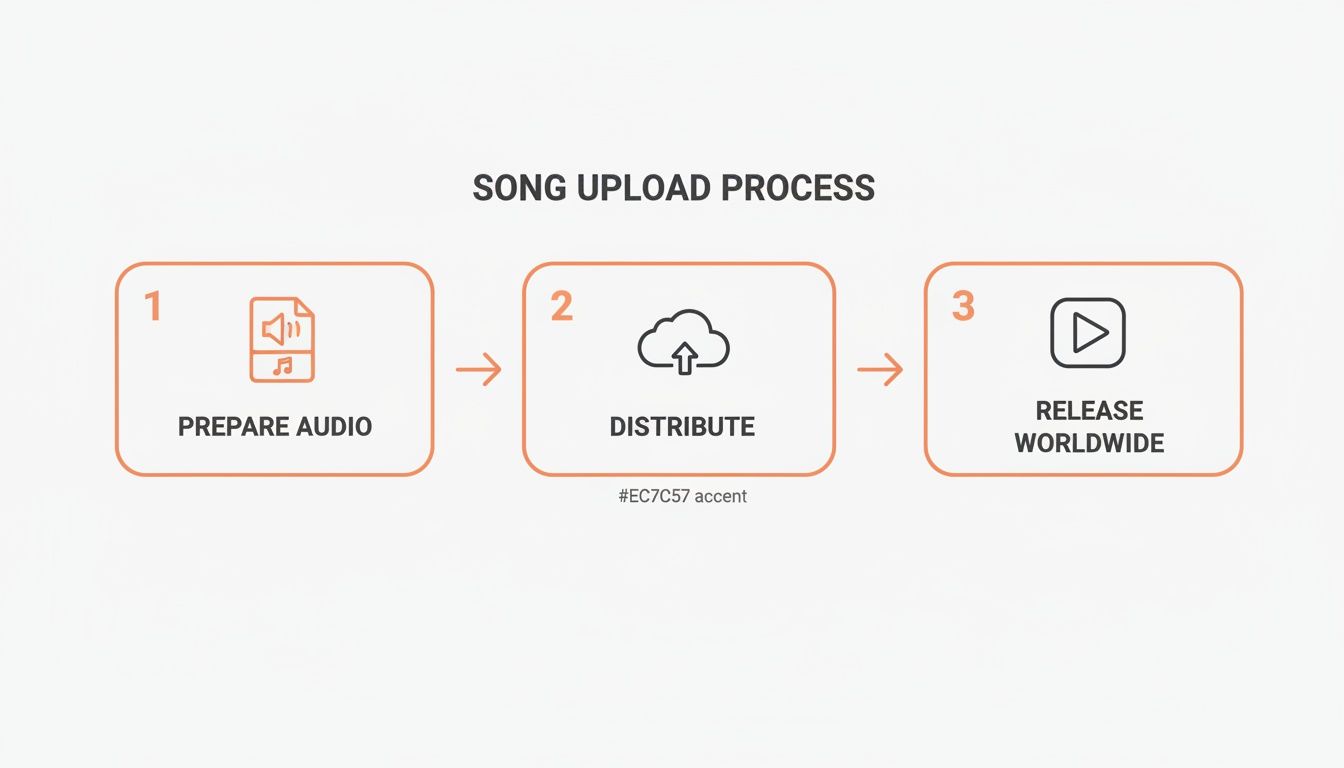
As the chart shows, it's all about a sequence: prepare, distribute, and then release. These steps are all connected and form the bedrock of any successful launch.
Here’s a quick overview of what you’ll be tackling.
Key Steps to Upload Your Music to Spotify
Stage | Primary Action | Key Consideration |
|---|---|---|
Preparation | Finalize audio mastering, artwork, and metadata. | Quality and accuracy are non-negotiable for a professional release. |
Distribution | Choose a digital distributor and submit your release. | Your distributor is your long-term partner; choose wisely. |
Registration | Obtain ISRC and UPC codes for tracking and sales. | These codes are essential for royalty collection. Don't skip them. |
Release Setup | Set a strategic release date and submit your music. | Allow at least 3-4 weeks lead time for pitching and promotion. |
Pre-Release | Claim your Spotify for Artists profile and pitch to editors. | This is your chance to get on Spotify's radar before release day. |
Post-Release | Promote your track and monitor its performance. | Your work isn't done once the song is live; now you build momentum. |
This table gives you the 10,000-foot view, but each step has its own nuances that can make or break your release.
When your song goes live, you're joining a massive, ever-growing library. To put it in perspective, Spotify is on track to host over 100 million songs by 2025. On average, a staggering 1,800,000 new tracks are uploaded every single month. That works out to about 60,000 new songs a day. The competition is real.
Navigating this high-volume environment requires more than just a good song; it demands a smart strategy. Your release plan, from picking the right distributor to setting a strategic release date, is what will help your music find its audience amidst the noise.
Timing is everything. Setting your release date several weeks in advance is one of the smartest moves you can make. This gives you a crucial window to pitch to Spotify's editorial playlists and start building hype.
This lead time is also perfect for launching promotional campaigns. To get the most out of this period, you absolutely need to set up a pre-save campaign. Check out our guide on how to pre-save on Spotify and boost your release to learn how. This single strategy can have a huge impact on your day-one streams.
Before you even think about hitting 'upload' on a distributor’s website, your music needs to be prepped and ready for the big stage. This is the crucial pre-flight check that separates a professional, polished release from one that just feels rushed out the door.
Getting these foundational pieces right from the start gives your music the best possible shot at making an impact. It all boils down to making sure your submission meets all of Spotify's technical specs—things like audio quality, artwork dimensions, and all the essential data that makes your track discoverable.
Mastering Your Audio Files
Let's start with the most important part: the sound. Even though Spotify streams your music in a compressed format, you absolutely must upload the highest quality file you have. Your distributor handles the conversion process, but they need a perfect, lossless source file to work from.
This means your final master should always be one of two formats:
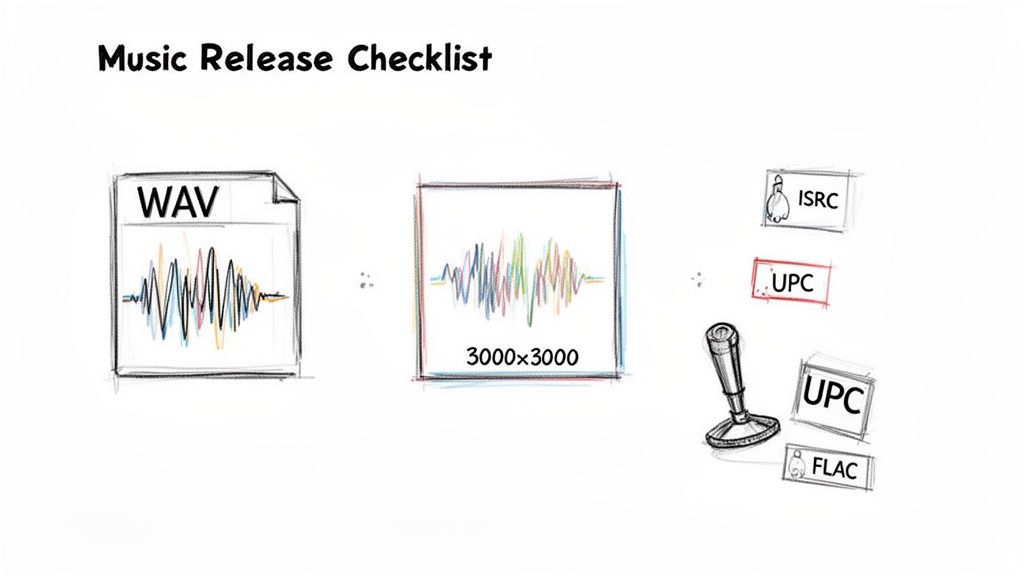
WAV files: The gold standard, usually at a resolution of 16-bit and a sample rate of 44.1 kHz.
FLAC files: A fantastic lossless alternative that keeps all the original audio quality but in a slightly smaller file size.
One of the most common rookie mistakes is uploading an MP3. When you do that, your track gets compressed twice—once by you, and then again by Spotify. The result? A noticeable drop in audio quality that can make your track sound thin and washed out. Always, always start with the best.
Designing Attention-Grabbing Artwork
In the endless scroll of new music, your artwork is your first impression. It’s your visual handshake. It needs to be strong enough to stop someone in their tracks and make them curious, all while meeting Spotify's strict technical rules. Get this wrong, and you could delay your entire release.
Spotify is very specific here. Your cover art must be a perfect square, at least 3000x3000 pixels. It also has to be a JPG or PNG file in the RGB color space. Any blurry, pixelated, or low-res images are an automatic rejection.
Beyond the technical stuff, think about your brand. Your art should reflect the vibe of the song and be instantly recognizable. Most importantly, it has to look good as a tiny thumbnail on a phone screen, so keep it simple and avoid clutter or tiny text.
Demystifying Your Music Metadata
Metadata is the invisible engine driving your music's journey on Spotify. It's all the background information that tells the platform who you are, the song's title, who wrote it, and critically, how to pay you. If you mess this up, you won't get the credit or the cash you've earned.
Your metadata is your music's digital passport. Without it, your song can't travel, get tracked, or earn money. It’s arguably as important as the audio file itself.
Two pieces of metadata are absolutely non-negotiable: your ISRC and UPC codes.
ISRC (International Standard Recording Code): Think of this as a unique fingerprint for each individual recording. Every version—the album version, a radio edit, an instrumental—needs its own unique ISRC. It's how Spotify tracks every single stream of a specific recording.
UPC (Universal Product Code): This is the barcode for the entire release. If you're releasing a single, it gets one UPC. If it's an EP or album, the whole project gets one UPC.
The good news is you don’t have to go hunting for these. Your distributor will almost always generate these codes for you when you upload. Your job is to make sure every other bit of information—songwriter credits, producer names, the release title—is 100% accurate before you submit. Trying to fix bad metadata after a song is live is a massive headache you don't want.
For a deeper dive into this, check out our essential guide for artists on what music metadata is and why it's so important to get right.
Finding the Right Music Distributor for Your Goals
Picking a music distributor is easily one of the most critical decisions you'll make for your music. This isn't just about getting your songs online; this company is your partner. They're the bridge connecting your finished tracks to Spotify and dozens of other platforms. With big names like DistroKid and TuneCore alongside others like CD Baby, it’s easy to get overwhelmed.
The trick is to think bigger than a simple upload button. Your distributor is your pipeline to the world—they manage your digital catalog, chase down your royalties, and give you the data you need to grow. The best choice for you comes down to your goals, how often you release music, and what your budget looks like.
Decoding Distributor Business Models
Music distributors typically operate on one of three main pricing models. Getting a handle on these is the first step to finding a partner that fits your financial reality and release strategy. There's no single "best" choice here—it’s all about what's best for you.
Here’s a quick rundown of the common setups:
Annual Subscription Fee: This is the DistroKid model. You pay one flat fee a year and can upload as much music as you want. It’s a no-brainer for prolific artists who are constantly dropping singles, EPs, or multiple albums.
Per-Release Fee: Services like TuneCore often use this structure. You pay a one-time fee for every single or album you distribute. This can be way more cost-effective if you only release music once or twice a year.
Commission-Based: Some distributors, especially free ones like Amuse, won't charge you upfront. Instead, they take a percentage of your royalties. This is a fantastic way to get started if you have zero budget, but be warned: as your streams climb, that commission can end up costing you more than a flat fee ever would.
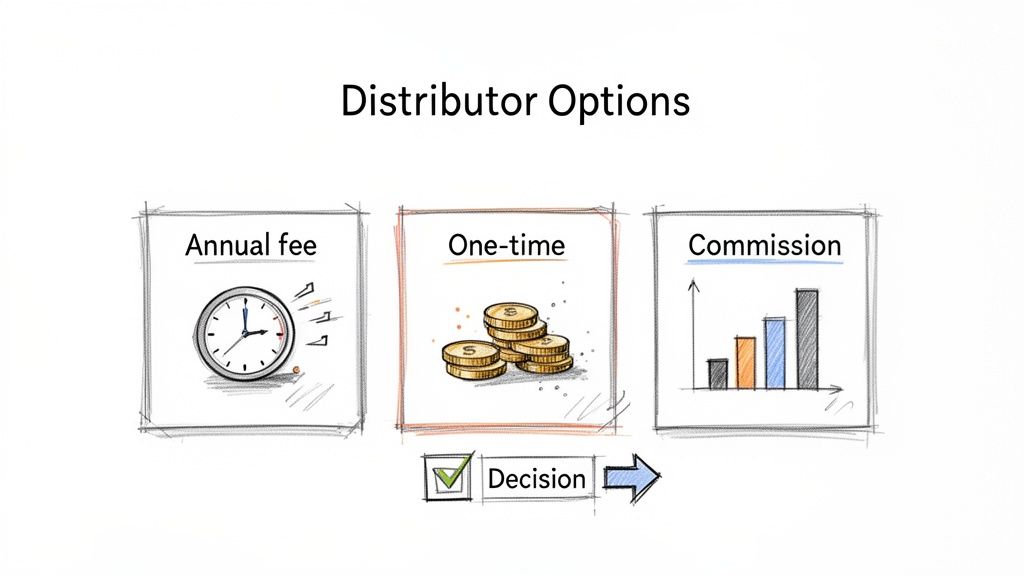
Ultimately, you have to match the payment model to your release schedule. If you live in the studio, an unlimited plan is the best value. If your releases are rare but important events, paying per release might be smarter for your wallet.
Comparing Top Music Distributors
To help you visualize the options, we've put together a quick comparison of some of the most popular distributors out there. This isn't an exhaustive list, but it covers the major players and what they bring to the table.
Distributor | Pricing Model | Key Feature | Best For |
|---|---|---|---|
DistroKid | Annual Subscription | Unlimited uploads, fast delivery, good splits | Prolific artists releasing music frequently |
TuneCore | Per-Release Fee | Comprehensive publishing admin, detailed stats | Artists with fewer, high-stakes releases |
CD Baby | One-Time Fee | Physical distribution (CD/vinyl), sync licensing | Artists wanting both digital and physical sales |
Amuse | Commission-Based | Free to start, potential for label services | New artists with no upfront budget |
Remember, the "best" distributor is subjective. What works for a chart-topping pop artist might not be the right fit for an experimental producer. Use this table as a starting point for your own research.
Features to Look for Beyond Price
While cost is a huge piece of the puzzle, the features a distributor offers are just as important. Think about what you'll need not just today, but a few years from now. A cheap service with awful customer support or slow reporting can cause massive headaches later.
Keep these features in mind when you're comparing your options:
Royalty Collection: Do they grab everything you're owed? This includes publishing royalties and money from YouTube Content ID. Some services include this, while others charge extra.
Analytics and Reporting: How good is their data dashboard? You need to know where your streams are coming from, which playlists are adding your songs, and who your audience is.
Delivery Speed and Support: How fast do they get your music live? More importantly, if something breaks, can you get a real human to help you fix it?
Platform Reach: Do they send your music everywhere that matters to you? This includes international platforms like Tencent Music in China or Yandex Music in Russia.
Two Artists, Two Choices
Let's look at how this plays out in the real world with two different artists. Their goals lead them to different distributors, and both choices are the right ones for them.
The Hobbyist Producer
An electronic producer makes beats in their spare time and wants to put out a few singles a year. The goal is just to share music with friends and have it on Spotify. They aren't trying to build a career or make serious money from it.
For this artist, a commission-based or low-cost per-release distributor is perfect. They avoid an annual fee and only pay when they have a track ready. The higher royalty split is fine because they don't expect massive streaming numbers.
The Aspiring Full-Time Artist
A singer-songwriter is all in. She's dropping a new single every six weeks to build momentum, grow her monthly listeners, and land on playlists. She needs killer analytics, quick delivery, and access to promo tools.
This artist would get the most out of an annual subscription model like DistroKid. The unlimited uploads make her frequent release schedule affordable. Plus, the extra features like instant Spotify verification and easy lyrics submission are tools she can actually use to grow.
Choosing the right partner from day one saves you the pain of switching later on. For a deep dive into the fine print, check out our guide to music distribution deals for artists.
Alright, you've got your mastered track, killer artwork, and all your metadata lined up. Now for the moment of truth: actually getting your song onto Spotify.
This part happens through your distributor's dashboard, and honestly, it's a lot less intimidating than it sounds. Think of it like filling out a detailed online form. You'll create a new release and start plugging in all the info you’ve carefully prepared—artist name, song title, genre, songwriter credits, the works.
Be meticulous here. A single typo in your artist name can send your music to a completely different profile, creating a digital scavenger hunt for your fans and a massive headache for you.
Getting Your Files and Info Locked In
As you move through your distributor's system, you'll be prompted to upload your high-res WAV file and that 3000x3000 pixel artwork. Every field you fill out matters, from adding collaborators for royalty splits to choosing which countries your music will be available in. Don't rush it. Double-check every single entry before you hit 'next'.
Most distributors give you a final summary page before you submit. Use it. Seriously, read every line item out loud. This simple habit can save you from the nightmare of trying to fix mistakes after your music is already winding its way through Spotify's system.
Your Release Date is Your Secret Weapon
Once all the data is in, you’ll face the single most important decision of the entire release process: picking a release date. This isn't just a date on a calendar; it's a strategic choice. Rushing a release is probably the biggest mistake I see independent artists make.
The golden rule: set your release date at least four to six weeks in the future. This buffer isn't just to avoid technical hiccups. It's your strategic window for promotion and, most importantly, for pitching to Spotify's editors.
This timeline is what separates a release that makes a splash from one that sinks without a trace. It gives you time to claim your Spotify for Artists profile before the song goes live and, crucially, to submit your track directly to the editorial team for playlist consideration. If you submit with only a week or two to spare, your chances of getting noticed plummet.
Giving yourself a month or more allows you to:
Claim Your Profile: Your distributor will deliver the track to Spotify, which lets you get access to your Spotify for Artists account ahead of release day.
Pitch to Editors: You'll have plenty of time to write a killer pitch for Spotify’s editorial team—a vital step if you're hoping to land on playlists like Fresh Finds or New Music Friday.
Build Real Hype: This is your prime time for running a pre-save campaign, teasing your track on socials, and getting the word out to blogs or press.
Dodge Last-Minute Panic: It creates a safety net for any surprise issues, like artwork rejections or metadata corrections, without throwing your entire launch plan into chaos.
Think about it this way: Artist A finishes a track on Monday and sets the release for that Friday. They've left zero time for Spotify's editors to even listen to it. Artist B finishes their track the same day but sets the release for six weeks out. They have time to pitch, run a full pre-save campaign, and build genuine excitement. Who do you think is going to have a better release day? Don't trade opportunity for impatience.
Using Spotify for Artists to Maximize Your Reach
Once your distributor gives you the nod that your release is scheduled, the real fun begins. Getting your song uploaded is just the first step; the heavy lifting of building momentum all happens inside your single most powerful free tool: Spotify for Artists. This is your command center, your analytics deep-dive, and your direct line into the Spotify ecosystem.
Think of it as the backstage pass to your own career. It’s where you grab the reins of your artist identity, actually see who your listeners are, and start shaping your song's future. Ignoring Spotify for Artists is like showing up to a gig without your instrument—you’re there, but you can’t really do anything.
Claiming Your Profile and Getting Verified
The absolute first thing you need to do once your music is delivered is claim your artist profile. This isn't optional. It’s how you get that little blue verification checkmark, a simple but crucial sign of legitimacy for fans and curators. More importantly, it unlocks all the data and promotional tools inside.
Just head over to the Spotify for Artists website and search for your name. You'll need to prove you are who you say you are, which usually just means logging into your distributor's portal to connect the accounts. The whole process is quick and approval typically takes just a few days. Don't wait on this.
This dashboard is about to become your new best friend. It’s where you’ll manage everything from your bio to your biggest release campaigns.
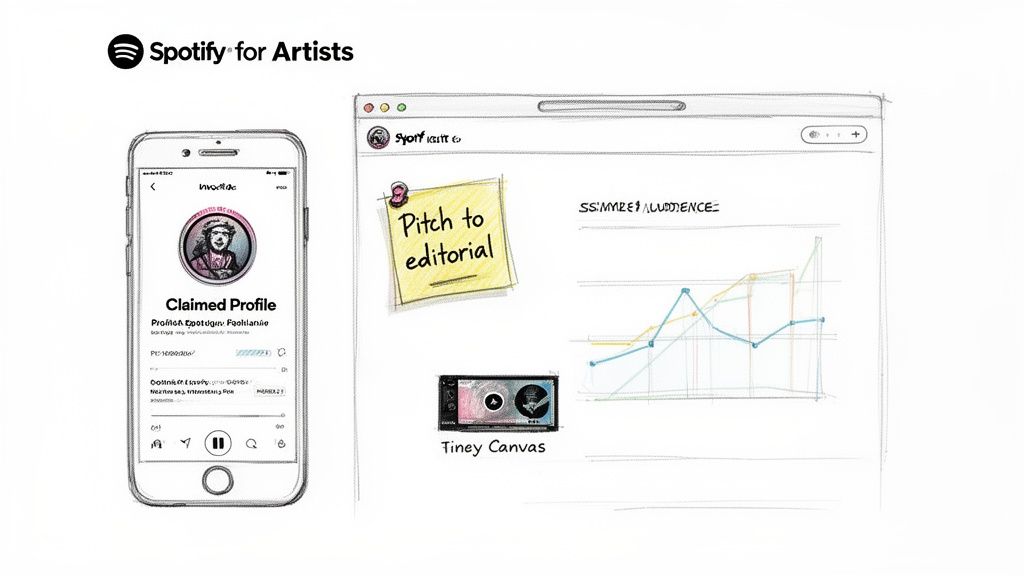
Here you get a clean, at-a-glance view of your upcoming music, audience stats, and song performance. It’s mission control for your entire release strategy.
Crafting the Perfect Editorial Playlist Pitch
Profile claimed? Good. Your next mission is to pitch your new song directly to Spotify's editorial team. This is your one shot to land on those career-making official playlists like Fresh Finds, Lorem, or a niche genre list that's perfect for your sound. Remember that four-to-six-week buffer we talked about? This is exactly why it’s so critical.
You can only pitch one song from a release, and it has to be done at least seven days before it goes live. The pitch form is your chance to tell the story behind the music. Editors listen to hundreds of tracks a day; they’re looking for context, not just another good song.
Your pitch needs to nail these points, concisely:
Genre and Subgenre: Get specific. Don’t just say "Pop." Try "Dream Pop" or "Synth-Pop."
Mood and Vibe: Paint a picture with words. Is it "melancholy," "high-energy," "perfect for a late-night drive," or "a morning coffee soundtrack"?
Instrumentation: What makes the track unique? Mention the vintage Prophet-5 synth, the live cello, or the 808s you ran through a tape machine.
The Story: This is your hook. What’s the song about? What inspired it? Was there a cool story behind how it was made? This is where you connect.
Think of your pitch as a short cover letter for your song. An editor is a real person, and a genuine, well-told story can make your track jump out of the queue and connect on a human level.
A great pitch is authentic. Avoid clichés. Instead of "This is an upbeat track about love," try something like, "I wrote this after a brutal breakup, trying to capture that chaotic mix of sadness and relief with driving drums and a bittersweet synth lead."
Post-Release: Your Analytics Mission Control
The moment your song is out, Spotify for Artists shifts gears from a pre-release tool to your daily analytics hub. This is where you stop guessing and start knowing. The data here is a goldmine, giving you a roadmap for what to do next. It tells you what’s hitting, who's listening, and where in the world your music is taking off.
You can track key metrics in almost real-time, including:
Streams: Watch your daily numbers to see what's causing spikes. Did that Instagram post work? Did a blog feature move the needle?
Listeners and Saves: Track not just plays, but unique listeners. Saves are a huge deal—they show true fan engagement and are a massive signal to Spotify's algorithm.
Audience Demographics: Get to know your fans. What's their age, gender, and location? Finding out you have a pocket of listeners in Berlin or São Paulo can completely change your touring or marketing plans.
Playlist Adds: The "Playlists" tab is everything. It shows you every single playlist—from the biggest editorial giants to the tiniest user-curated gems—that has added your song.
Don't just look at these numbers; use them. If a small playlist is sending you a surprising number of streams, find the curator and thank them. If you see your audience is mostly in Chicago, maybe plan your next show there. This data isn't for show; it's for strategy.
Beyond the stats, use the platform to level up the listener's experience. A killer feature is Canvas, which lets you add a short, looping video to your track. Spotify's own data shows that tracks with a Canvas get more shares and saves. It's a dead-simple way to make your music more visually sticky and memorable.
Common Questions About Uploading to Spotify
Getting your music ready and picking a distributor is a huge step, but it often feels like you've just unlocked a new level filled with a dozen more questions. Right before you’re about to hit that final “submit” button, the doubts can start creeping in.
Let’s tackle some of the most common questions artists have right at this stage. Getting these answers sorted out now will save you a ton of stress and help you sidestep some costly rookie mistakes.
How Much Does It Cost to Upload a Song to Spotify?
This is probably the biggest point of confusion for new artists. You don't actually pay Spotify to put your music on their platform. Instead, you pay your distributor, and their pricing models are all over the map. There’s no single "best" price—it's all about finding what works for your budget and how often you plan to release music.
It’s kind of like choosing a phone plan. Some distributors, like DistroKid, run on a subscription model. You pay a flat yearly fee, maybe around $20, and you can upload as much music as you want. If you're constantly in the studio and dropping new tracks, this is a no-brainer.
On the other hand, services like TuneCore often charge per release. You pay a one-time fee for every single or album. This can be way more cost-effective if you only drop new music once or twice a year. Then you have distributors like CD Baby, which charge an upfront fee for each release but also take a small cut of your royalties on the back end.
And if you're working with a zero-dollar budget? There are free options like Amuse that won't charge you anything upfront but will take a larger commission from your earnings. It’s a great way to get your foot in the door without any initial investment.
How Long Does It Take for My Music to Appear on Spotify?
Patience is everything here. Technically, it can take anywhere from 5 to 14 business days for your distributor to process your files and for Spotify to make your song live. But planning your release around that minimum window is a classic mistake. You need to think much, much further ahead.
Pro Tip: Upload your music and set your release date at least 4-6 weeks in the future. Seriously, this buffer is your best friend.
Why so long? This isn't about being overly cautious. That extra time is what allows you to claim your Spotify for Artists profile before your song goes live. More importantly, it gives you the window you need to pitch your track directly to Spotify's editorial playlists. You have to submit that pitch at least seven days before your release date, so if you cut it close, you completely miss out on that opportunity.
Can I Upload a Cover Song to Spotify?
Absolutely, but this is one area where you absolutely cannot wing it. A "cover" is your performance of a song someone else wrote, and to release it legally, you must secure a mechanical license. This license is what gives you permission to reproduce and distribute the original songwriter's work.
Luckily, it’s not as complicated as it sounds. Services like Easy Song Licensing exist solely for this purpose. Even better, many distributors (DistroKid included) have built-in tools that will get the license for you for a small fee, handling all the paperwork automatically.
Don't even think about skipping this. Uploading a cover without the proper license is a fast track to getting your song taken down, and it can put your entire artist account in jeopardy. Get the license first, always.
What if I Find a Mistake After Uploading My Song?
This is the scenario that keeps artists up at night. The honest truth? Fixing mistakes after your song has been submitted can be a nightmare. How easy it is depends entirely on what you need to fix.
Minor metadata errors, like a typo in the credits, can sometimes be corrected by your distributor without having to pull the track down. But if the mistake is with a core asset, you’re in for a much bigger headache. If you need to swap out the audio file for an updated master or fix the ISRC code, you will almost certainly have to issue a full takedown and re-upload the entire release.
A re-upload means you lose everything. All of your stream counts will be wiped clean, and your song will vanish from any playlists it was added to, including personal libraries. This is exactly why you have to triple-check every single detail—the artwork, the WAV file, the songwriter splits, everything—before you even think about hitting submit.
Ready to take your Spotify strategy to the next level? artist.tools gives you the data and insights you need to grow your audience, track your streams, and find the perfect playlists for your music. Stop guessing and start making data-driven decisions for your career. Explore our powerful suite of tools at https://artist.tools and see what you've been missing.
.png)
.png)
Comments