Unlocking Your Music How to Use a Spotify Artist Link
Updated: Sep 8
Your Spotify artist link isn't just another URL—it's the digital front door to your entire music career. Think of it as the single most important address you can give out, pointing fans, playlist curators, and industry pros directly to your catalog on Spotify.
Why Your Spotify Artist Link Is a Career-Building Tool
In music promotion, making things easy and consistent for your listeners is everything. Your Spotify artist link is the central hub for that, a simple, reliable call-to-action that cuts out all the guesswork for people trying to find you.
Instead of sending fans on a scavenger hunt across the internet, one clean link takes them right to your artist profile. From there, they can stream, follow, and dive into everything you've ever released. Putting this link in your social media bios, your email signature, or on your digital press kit makes sure every interaction funnels back to where it counts: the platform where people listen.
This direct path is absolutely essential for turning casual listeners into real, engaged fans. Every single click is a potential new follower, someone who might just add your track to their favorite playlist or even buy a ticket to your next show.
The Central Hub for Your Music Identity
Your Spotify profile is your modern-day business card. It’s the one place where you have complete control over your artist photo, your bio, and which releases you want to feature front and center. That link is the key that unlocks it all for everyone else.
For Fans: It gives them a direct, no-fuss way to hear your new single, check out your albums, and smash that all-important "Follow" button.
For Curators: A clear link in a pitch email makes their job a million times easier. That simple step dramatically boosts the chances they'll actually give your track a spin.
For Industry Contacts: Agents, managers, and A&R reps want to see your footprint on the platform. A direct link looks professional and lets them quickly gauge your audience and momentum.
Cutting Through the Noise
Let's be real: the music world is crowded. With over 589 million monthly active users, Spotify is a massive ocean of content, and getting noticed is a serious challenge.
A well-promoted spotify artist link is your best bet for navigating this space, making sure your audience finds you and not someone else with a similar name. Understanding how this simple link feeds into your growth is foundational. You can get a much deeper look into how to read the results by exploring Spotify artist analytics to boost your music career.
Your link isn't just a way for people to get from point A to point B; it’s a strategic asset. Every share directly feeds your stream counts, monthly listeners, and overall visibility in the algorithm, helping you build real momentum one click at a time.
Finding Every Type of Spotify Link for Your Music
Knowing where to find your Spotify links isn't just a technical step—it’s the foundation of your entire promotion strategy. Each type of link serves a very different purpose, and grabbing the right one for the job can make a huge difference in how fans connect with your music.
Let’s skip the guesswork. I'll show you exactly where to find every link, whether you're on a laptop or your phone. Most of the time, your starting point will be the three-dot menu (...) right next to the "Follow" button on your artist profile. A quick click on "Share" opens up the toolbox.
The Four Essential Spotify Links
You'll come across four main link types: the URL, URI, Embed Code, and Spotify Code. It sounds a bit technical, but understanding the difference is simple and will make your promo efforts way more effective.
Profile URL: This is your classic web link, the one that starts with . It's your go-to for almost everything—pasting in your Instagram bio, adding to an email signature, or dropping in a tweet. It just works, everywhere, on any browser. Think of this as your universal spotify artist link.
Spotify URI: This one looks a little different, starting with . A URI is a direct command that tells a device to open your profile inside the Spotify app, completely bypassing the web browser. It's a much cleaner experience for anyone who already has the app and is perfect for things like deep linking in your own app or website.
Embed Code: This is a small piece of HTML code you can copy and paste directly into your website or blog. It creates a mini-player right on the page, letting fans stream your top tracks without ever leaving your site. It’s a killer way to boost on-site engagement and turn casual visitors into listeners.
Spotify Code: This is a scannable image, like a QR code but for Spotify. It’s built for the real world. You can put it on merch tags, flyers at your shows, or even project it on a screen behind you during a set. Fans just open the Spotify app, scan the code with their camera, and land right on your profile.
Here's the easiest way to think about it: The URL is for broad online sharing. The URI is for a seamless, in-app experience. The Embed Code brings your music to your website. And the Spotify Code bridges the gap between your physical and digital worlds.
Using the right one in the right place isn't just smart; it shows a level of professional polish that fans and industry folks notice.
This whole process is about turning a simple link into a core part of your growth machine.
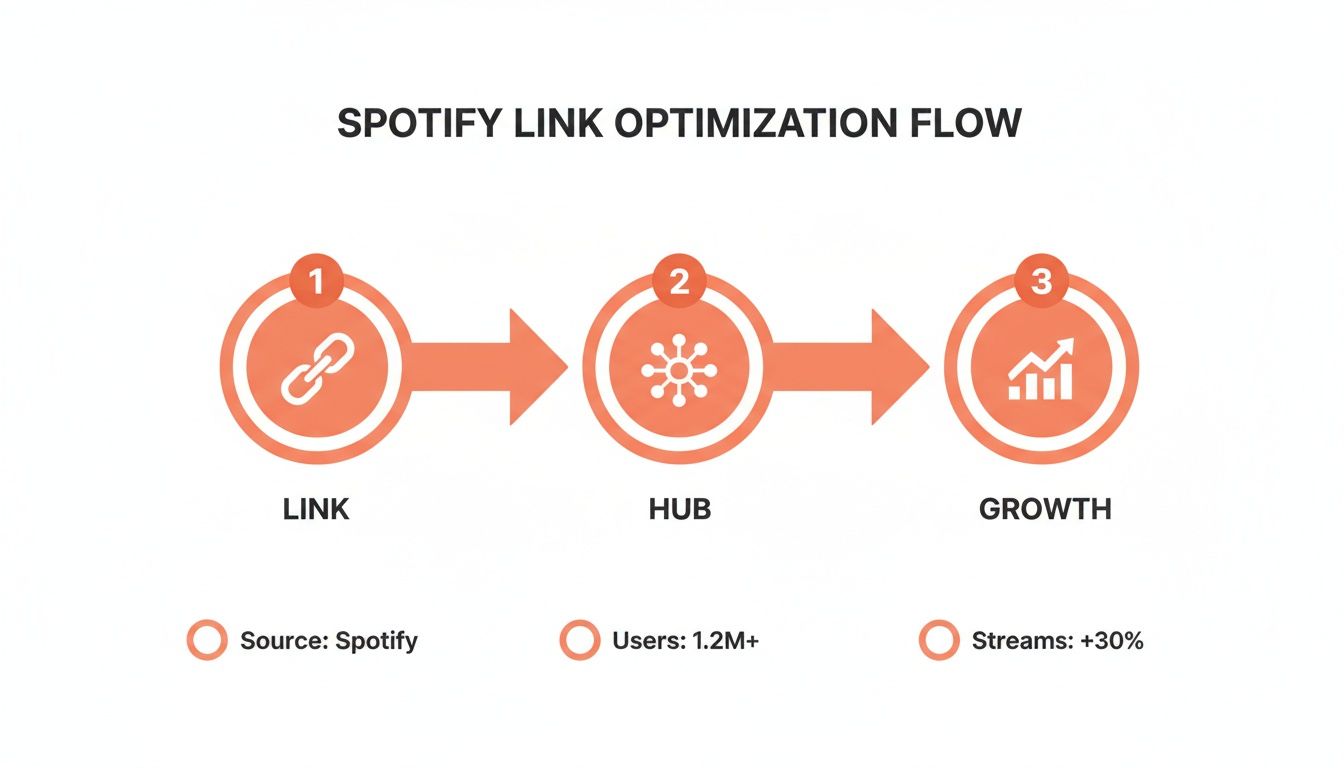
As you can see, sharing the right link is the first step toward building a direct funnel for fans, which ultimately drives real audience growth.
Locating Your Links Across Devices
The exact steps to find your spotify artist link vary slightly depending on your device, but the logic is the same across the board.
On Desktop or Web Player:
Head over to your artist profile page.
Click the three dots (...) located just under your artist name.
Hover your mouse over the "Share" option in the menu.
From there, you'll see options to "Copy link to artist," "Copy Spotify URI," or "Embed artist." Just click the one you need.
On the Mobile App (iOS & Android):
Navigate to your artist profile.
Tap the three dots (...) in the top-right corner of your screen.
Choose "Share" from the menu that pops up.
You can then copy the link or share it directly to another app. You’ll also see the scannable Spotify Code displayed right at the top of this share screen, ready for a screenshot.
Getting comfortable with these steps is non-negotiable for any serious artist. Of course, this all assumes your music is already on Spotify. If you're just starting out, our guide on how to get your songs on Spotify walks you through that entire process from start to finish.
How to Supercharge Your Link with Smart Music Services
Sharing a direct Spotify artist link is a solid start, but let's be real: what about your fans who live on Apple Music, Tidal, or YouTube Music? Sending them a link they can’t use is a dead end. It creates friction, and friction kills streams.
This is where smart music services come in. Think of them as the ultimate upgrade for your music links.
Services like Linkfire, Hypeddit, and Toneden take all your separate streaming links and bundle them into one simple, shareable URL. When a fan clicks it, they hit a clean landing page where they can choose their go-to service. It's that simple.
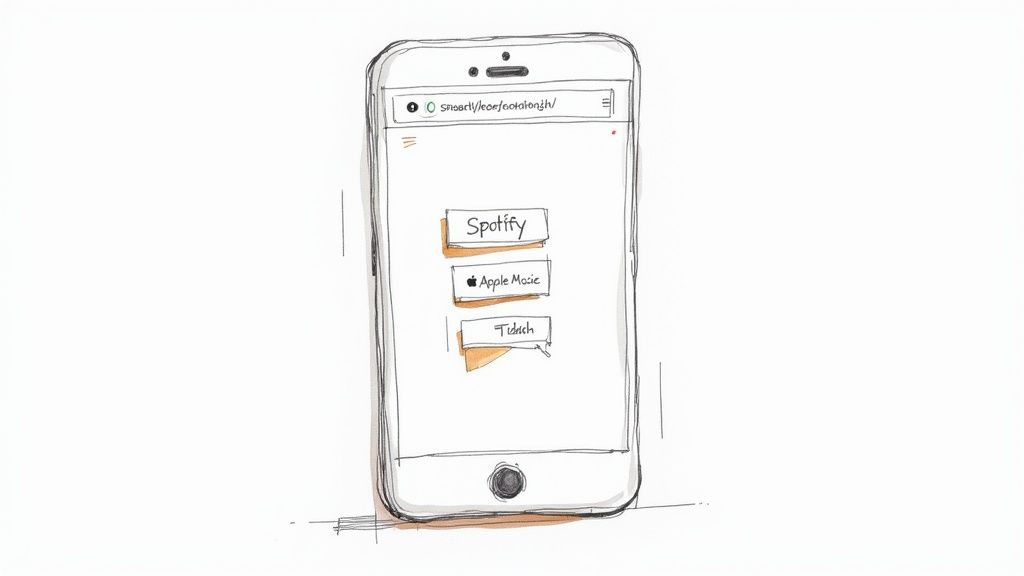
You’re no longer forcing an Apple Music user to open an app they hate. You’re meeting them where they already are. This small shift in strategy can make a huge difference in your stream counts across all platforms, not just Spotify.
Beyond Convenience The Data Advantage
Okay, making things easy for fans is great, but the real power of smart links is the data. A standard Spotify artist link tells you almost nothing. You know someone clicked, and that's about it.
Smart link services, on the other hand, open up a treasure trove of analytics that can sharpen your entire marketing game.
Here’s a taste of what you can actually track:
Click-Through Rates: See exactly how many people who saw your link clicked on it.
Service Preference: Find out which streaming platforms your audience really uses. Are you a Spotify-heavy crowd, or is there a surprising number of Tidal loyalists?
Geographic Data: Pinpoint where your fans are in the world. This is gold for planning tours or targeting social media ads effectively.
Device Information: Are your fans listening on their phones during their commute or on a desktop at home?
This information isn't just "nice to have"—it's a roadmap. For instance, if you discover that 70% of your clicks are coming from Instagram users in Brazil who prefer Apple Music, you know exactly where to put your next ad budget.
Smart links turn promotion from a guessing game into a data-driven strategy. Instead of just hoping people listen, you get clear insights into your audience's behavior, allowing you to make smarter, more effective decisions with your time and money.
Setting Up a Real-World Smart Link
Let’s walk through a common scenario. You’re about to drop a new single. Instead of just grabbing the Spotify link post-release, you’d plug it into a service like Linkfire beforehand. The platform automatically scours the web, finds your track on all the other major streaming services, and spits out a clean smart link in seconds.
From there, you can customize the landing page with your single’s artwork and even add links to your social profiles or merch store.
Better yet, many of these services integrate directly with pre-save campaigns, a crucial step for any new release. To really nail this part, check out our complete guide to Spotify pre-save campaigns to build hype the right way.
Now, that one smart URL becomes the only link you need for your entire release campaign. Put it in your Instagram bio, drop it in your newsletter, and run your ads to it. Every single click generates valuable data, helping you understand your ROI and refine your strategy for the next drop. It’s a simple upgrade that delivers seriously professional results.
Where to Share Your Link for Maximum Impact
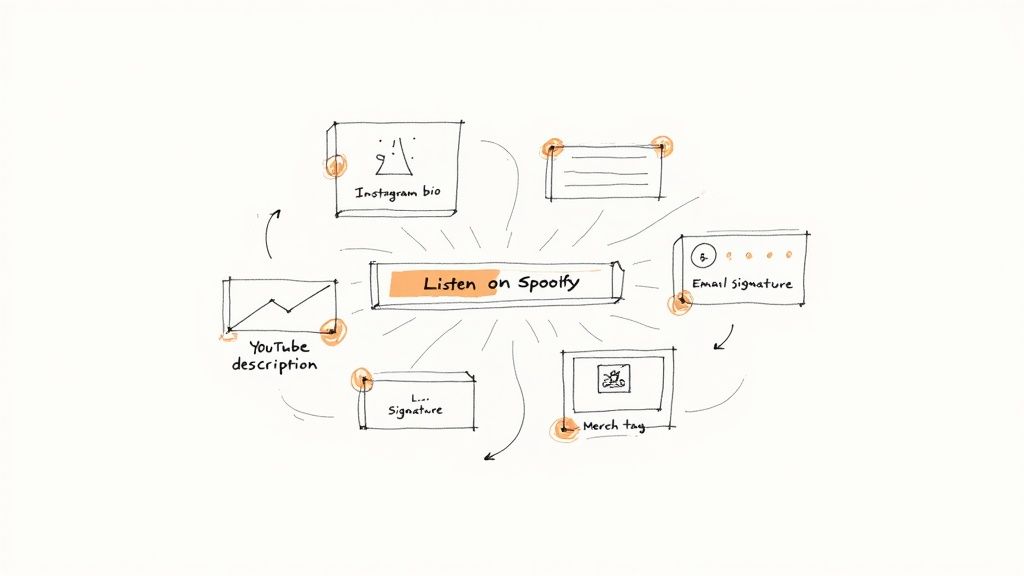
Alright, so you've got the perfect link. Now what? Getting that link in front of people—and getting them to actually click it—is the real game. Your whole promotional strategy hangs on placing your Spotify artist link where your fans and potential fans are already hanging out.
It's all about creating a super simple path from wherever they discover you straight to your entire music catalog. This isn't just about a one-off post. Your link needs to become a permanent part of your digital footprint. That way, whether someone stumbles upon you through a new TikTok, an old YouTube video, or a blog feature from last year, they're always just one click away from becoming a listener.
The High-Traffic Digital Real Estate
Some spots online are just prime real estate for your link. These are the first places fans and industry folks instinctively look when they want to learn more about you. If you're not using them, you're just leaving streams and followers on the table.
Let's nail down the basics first.
Social Media Bios: This is completely non-negotiable. Your bios on Instagram, X (formerly Twitter), TikTok, and Facebook are your digital business cards. Drop a smart link here to make sure you're catering to everyone, no matter their favorite streaming app. A simple call-to-action like "Listen to my new music!" does the trick.
YouTube Descriptions: Every single video you upload is another chance to promote your music. Slap your Spotify link right at the top of every description. Something as easy as "Stream my music: [Your Smart Link]" can convert viewers who love your videos into listeners who love your songs.
Email Signature: Think about how many emails you send every day—to collaborators, venues, press, and maybe even fans. Adding your Spotify artist link to your signature is a quiet but incredibly effective way to promote your music with every single message you hit "send" on.
These high-visibility spots are your foundation. They'll consistently drive traffic without you having to constantly push them.
Unlocking Less Obvious Promotional Channels
Once you've covered the basics, it's time to get a little more creative. There are a ton of overlooked channels that can bring in amazing results. This is where you can separate a good promo strategy from a great one.
Think about integrating your link into these platforms to create a more connected online presence.
Bandcamp Profile: If you're using Bandcamp for merch or selling downloads, make sure your Spotify link is easy to find in your profile bio. Fans checking out your vinyl might just be tempted to dive into your full streaming catalog.
Livestream Overlays: Streaming on Twitch or YouTube Live? Add a static overlay with your link or set up a chatbot command. A simple command that anyone in the chat can use gives your viewers an immediate way to check out your music.
Digital Press Kit (EPK): Your EPK is built for industry people. Make it dead simple for bloggers, playlist curators, and bookers to hear your stuff by including your Spotify link right alongside your bio and press photos.
The goal is to make your Spotify link an inescapable part of your online identity. By embedding it across every platform you use, you create a powerful network effect where every piece of content you produce funnels attention back to your music.
Ultimately, driving clicks to your Spotify artist link has a real, measurable impact. More clicks directly correlate to more streams, which means more revenue. The top artists on the platform have hit tens of billions of streams, and for indie artists, Spotify payouts surpassed $5 billion in a recent year alone. It just goes to show the massive financial potential behind getting your links in the right places. You can dig deeper into the streaming numbers of top artists on Chartmasters.org.
How to Measure Your Promotional Success
Sharing your Spotify artist link is the easy part. The real work—and where you see real growth—is understanding what happens after someone clicks. Measuring your success isn't about chasing vanity metrics. It's about drawing a straight line from your promotional efforts to tangible results so you can ditch the guesswork and make smart, data-backed moves.
Think of your Spotify for Artists dashboard as your mission control. This is where you move past simple stream counts and get a bird's-eye view of your audience growth. Every piece of data tells a story about what’s connecting with people and what’s falling flat.
Key Metrics Inside Spotify for Artists
To get a real sense of your impact, you need to zero in on a few core metrics. These are the numbers that give you direct feedback on how your campaigns are actually performing.
Follower Growth: This is your long game. A follower isn't just a listener; they're a fan who has actively opted-in to hear from you again. Your new tracks will land right in their Release Radar playlists, which is huge. A steady climb here means you're building a loyal community, not just a transient audience.
Monthly Listeners: This metric shows the number of unique people who streamed your music in the last 28 days. It’s the best indicator of your current reach and can spike dramatically after you land a big playlist or a promo campaign takes off.
Stream Sources: This is where you find out how people discover you. Are they finding your music from your artist profile? Their own playlists? Spotify's curated editorial lists? If you blasted your email list with your artist link and see a big jump from "Artist Profile," you know that CTA worked.
The goal is simple: connect your actions to the reactions in your data. If you push your spotify artist link hard on social media Tuesday and see a listener spike on Wednesday, that’s a clear win. Tracking these cause-and-effect trends is how you figure out which channels are actually worth your time and money.
Advanced Analytics from Smart Links
While Spotify for Artists is indispensable, smart link services add another crucial layer of data. They track the very first step in the fan's journey: the click itself.
These platforms show you click-through rates, the geographic location of your audience, and even which streaming service they ended up choosing. It’s the top of your promotional funnel, visualized.
From a marketing perspective, a Spotify artist link is built to be measured. It supports deep linking and tracking, which is exactly how artist teams quantify the ROI on their campaigns. Spotify itself considers a "listen" only after 30 seconds, which is why getting the right link to the right people is so critical for accurate tracking. You can learn more about Spotify's approach to data in their official newsroom.
When you combine this click data with your Spotify for Artists analytics, you get a complete, end-to-end picture of how a casual click turns into a dedicated fan.
Look, even when you feel like you've got your promotion strategy locked down, the nitty-gritty details of Spotify artist links can throw a wrench in the works. Let’s clear the air and tackle the questions I hear all the time, so you can solve these little headaches fast and get back to what matters: getting your music heard.
These are the technical bits that often trip artists up, but once you get them, your campaigns will run smoother and your fans will have a much better experience. A little know-how here really does go a long way.
What Is the Difference Between a Spotify URI and a URL?
This one's a classic. Think of a Spotify URL (the one starting with ) as your standard, all-purpose web link. You can drop it in an email, post it on social media, or text it to your mom—anyone can click it and land on your profile in their browser. Simple.
A Spotify URI (starting with ), on the other hand, is more like a secret handshake with the Spotify app itself. It's a specific command designed to bypass the browser entirely and open your profile directly inside the app. This creates a much cleaner, in-app experience for listeners and is often used by developers building integrations or tools that talk directly to Spotify.
Why Does My Link Sometimes Open in a Browser Instead of the App?
Ah, the most frustrating problem in music promotion. You share your link, a fan clicks it, and instead of your profile popping up in their Spotify app, they get stuck on a clunky web player asking them to log in. This happens a lot on platforms like Instagram or Facebook Messenger, which have their own built-in browsers that hijack the link. It adds friction, kills the vibe, and can tank your conversion rates.
The best fix? Use a smart link service. These tools are built specifically to solve this problem. They intelligently detect what device someone is using and force the link to open in the native Spotify app whenever possible. It's a simple move that makes a huge difference in the fan's journey.
Key Takeaway: If you're sharing your music on social media, a smart link is almost always a better choice than a raw Spotify artist link. It solves the browser-vs-app headache and ensures a smooth, consistent experience for your audience.
Can I Create a Custom Spotify Artist Link?
The short answer is no, you can't change the official URL or URI that Spotify assigns to your artist profile. That string of characters is permanently tied to your unique artist ID.
But you can create a branded short link that’s way cleaner and easier to remember. Services like Bitly or the custom domain features built into most smart link platforms let you turn your long, ugly Spotify URL into something sleek like . This isn't just about looking good; it lets you track your own click data while sending everyone straight to your official Spotify page.
Ready to take the guesswork out of your Spotify marketing? artist.tools offers a powerful suite of analytics to track your growth, discover new playlists, and protect your music from fake streams. Start making data-driven decisions for your music career today.
.png)
.png)
Comments