how can i get my song on spotify: A practical guide
- Dec 4, 2025
- 16 min read
To get your song on Spotify, you have to go through a digital music distributor. This is a non-negotiable first step. You can't just upload your music directly; a distributor is the essential middleman that delivers your tracks and all the associated data to streaming platforms, and just as importantly, handles getting you paid.
Why You Need a Distributor to Get on Spotify
One of the biggest hurdles for new artists is wrapping their heads around this process. It’s a common misconception that you can just create a Spotify account and start uploading your music files, kind of like you would on SoundCloud or YouTube.
But Spotify is a different beast. They don’t accept direct uploads from artists, and for good reason. It’s all about maintaining a baseline of quality control and ensuring that all the rights and royalties are managed correctly from the get-go.
This is where your distributor steps in. Think of them as the crucial bridge connecting your finished masterpiece to the world's biggest streaming services. They are the gatekeepers and the delivery service, all rolled into one powerful package. Their entire job is to properly format and deliver your music not just to Spotify, but to dozens of other platforms, each with its own unique technical specs.
What Does a Distributor Actually Do?
So, what are these critical tasks that make a distributor so indispensable? Essentially, they handle all the complex technical and administrative logistics that you, the artist, shouldn't have to worry about. Without them, your music simply can't reach the ears of Spotify's massive global audience.
To get a clearer picture, here’s a quick rundown of a distributor's core responsibilities.
The Role of a Music Distributor for Spotify | |
|---|---|
Distributor Responsibility | Why It Is Essential for Artists |
Audio & Artwork Formatting | They ensure your high-quality WAV files and cover art meet Spotify's exact specifications for bit rate, sample rate, and pixel dimensions. Getting this wrong means your release gets rejected. |
Metadata Management | They collect and correctly format all your song's data: artist name, song title, songwriter credits, and unique ISRC codes. This is absolutely critical for tracking plays and getting paid correctly. |
Delivery to Platforms | They have a direct pipeline to Spotify (and Apple Music, TIDAL, etc.), delivering your assets in a way the platforms can ingest. This is a technical process you can't do on your own. |
Royalty Collection & Reporting | When your song generates streams, Spotify pays the royalties to your distributor. The distributor then collects this money, takes their fee, and pays the rest out to you, providing detailed earning reports. |
As you can see, a distributor is much more than a simple middleman. They are a necessary partner in your music release journey, freeing you up to focus on what you do best: creating and promoting your music.
Ultimately, choosing the right distributor is the first major business decision you'll make in your release strategy. The type of partnership you enter can significantly affect your earnings and administrative workload down the line. To dive deeper, check out our detailed guide to music distribution deals, which breaks down the different models available to independent artists. Making an informed choice here sets the foundation for your entire career.
How to Choose the Right Music Distributor
Picking a music distributor is easily one of the most important decisions you'll make as an independent artist. Think of it as a partnership. This choice directly impacts how much money you make, how far your music can reach, and the creative freedom you have down the line. It's the literal gateway for getting your song onto Spotify and, just as importantly, getting paid for it.
The market is jam-packed with options, and they all have slightly different ways of doing business. Let's get beyond a simple pros-and-cons list and really dig into what these differences mean for your actual career. We'll look at the big players like DistroKid, TuneCore, and CD Baby to see what makes them tick.
Understanding the Different Fee Structures
The first thing you'll notice is how these services charge you. This isn't just about the price tag; it's about finding a model that syncs up with how often you plan to release music.
You'll generally run into three main models:
Annual Subscription Fees: Services like DistroKid run on a yearly subscription. You pay one flat fee (around $22.99/year) and can upload as much music as you want. If you're dropping a new single every month or have a bunch of EPs lined up, this is a no-brainer.
Per-Release Fees: Others, like TuneCore, built their name on a pay-per-release model. You pay a fee for every single or album you distribute. This can be great if you're the type of artist who spends years perfecting an album and releases music infrequently. That said, most have now added subscription plans to compete.
One-Time Fee + Commission: A platform like CD Baby will charge a one-time setup fee for each release. The trade-off? They take a small slice (around 9%) of your digital distribution revenue. The upside is that your music stays up forever without any recurring payments.
The right choice comes down to your release schedule. An artist dropping a new track every six weeks will save a ton of money with an unlimited subscription. A band that pours two years into a single album might prefer the one-time fee to avoid paying yearly for just one project.
What “Keep 100% of Your Royalties” Really Means
You'll see this plastered everywhere: "keep 100% of your royalties." It's a killer marketing line, and while it's mostly true, you need to understand the fine print. When a service like DistroKid or TuneCore says this, they mean they won't take a percentage cut of the money that Spotify sends them on your behalf.
But that doesn't mean there aren't other hands in the pot. First, Spotify takes its cut before it pays anyone. Then, when you finally go to withdraw your earnings, payment processors like PayPal or your bank might charge their own transaction fees.
Key Takeaway: "Keeping 100% of your royalties" means your distributor won't take their own commission from the revenue that comes in from the stores. It’s a massive plus, but it doesn't erase the standard fees that streaming platforms and payment services take before the cash hits your bank account.
This is the key difference from a commission-based model, where the distributor takes a percentage after the store has already taken its cut. It's a small detail that can add up to a serious amount of money over the life of a hit song.
Comparing Key Features Beyond Price
Cost is a huge factor, but the tools and features a distributor offers can be just as valuable. These are the things that will help you actually promote your music and manage your career without pulling your hair out.
To help you sort through it all, here’s a quick breakdown of what some of the top services bring to the table.
Distributor Comparison for Independent Artists
Choosing a distributor involves weighing cost against features. Some prioritize speed and simplicity for prolific creators, while others offer a broader suite of career-building tools. This table compares the core offerings of three popular choices.
Distributor | Pricing Model | Royalty Split | Key Features |
|---|---|---|---|
DistroKid | Annual Subscription (unlimited uploads) | Artist keeps 100% | Fast delivery times, automatic revenue splits for collaborators, instant Spotify for Artists verification. |
TuneCore | Annual Subscription (various tiers) | Artist keeps 100% | Advanced sales analytics, publishing administration services, opportunities for sync licensing in film/TV. |
CD Baby | One-Time Fee (per release) | Artist keeps 91% | Physical distribution (CDs/vinyl), sync licensing, publishing admin, music marketing tools. |
Features like automatic revenue splits are an absolute lifesaver if you collaborate with other writers or producers. Instead of having awkward conversations about money and manually sending payments, the distributor does the math for you. Everyone gets paid their fair share, automatically.
Likewise, getting access to sync licensing can open up a whole new world of income by getting your music placed in TV shows, movies, or video games. And any service that provides deep analytics is giving you the power to understand who your fans are and where they live, which is pure gold for making smarter marketing moves.
Ultimately, choosing a distributor isn't just a logistical step—it's a strategic move that sets the foundation for how you get your song on Spotify and grow a real, sustainable music career.
Preparing Your Music for a Flawless Release
Once you've picked a distributor, the next step is getting all your assets in order. Think of it as a pre-flight check for your music. Getting these details right from the very beginning means a smooth launch on Spotify and helps you dodge those annoying rejections that can throw your whole release schedule off track. It’s about more than just having a killer song—it’s about presenting it professionally.
Your distributor is basically the gatekeeper. If your files don't meet the technical specs for Spotify and other platforms, they'll bounce them right back to you, and that costs you time. Being proactive here is a must if you want to release on schedule.
Mastering Your Audio and Artwork Files
First up, your distributor will ask for two key things: your master audio file and your cover art. Both have really strict, non-negotiable standards you absolutely have to meet. Nailing this part is your first step to looking and sounding like a pro.
For the audio, you need to upload a high-resolution file. Forget MP3s or M4As. Those are compressed formats made for listening, not for professional distribution.
File Format: Always, always use WAV (Waveform Audio File Format). It’s a lossless format, which means it keeps the full, uncompressed quality of your original recording.
Bit Depth: Your file should be 16-bit or 24-bit. Honestly, 24-bit is the industry standard and what you should aim for if you have it.
Sample Rate: The standard is 44.1 kHz. This is the same sample rate used for CDs and it’s the baseline for most streaming services.
Now for your cover art. Spotify needs a sharp, clear image that looks fantastic on a tiny phone screen and a big monitor. Pixelated or blurry art is an instant "no."
Dimensions: Your artwork must be a perfect square. The minimum size is 3000 x 3000 pixels.
Resolution: The image resolution needs to be at least 72 DPI (dots per inch), though aiming for 300 DPI is even better.
Format: Save the final image as a JPG or PNG file.
Pro Tip: Whatever you do, don't try to stretch a small, low-quality image to meet the 3000x3000 pixel requirement. It will look blurry and unprofessional, and your distributor will likely reject it. Always start with a high-resolution source image.
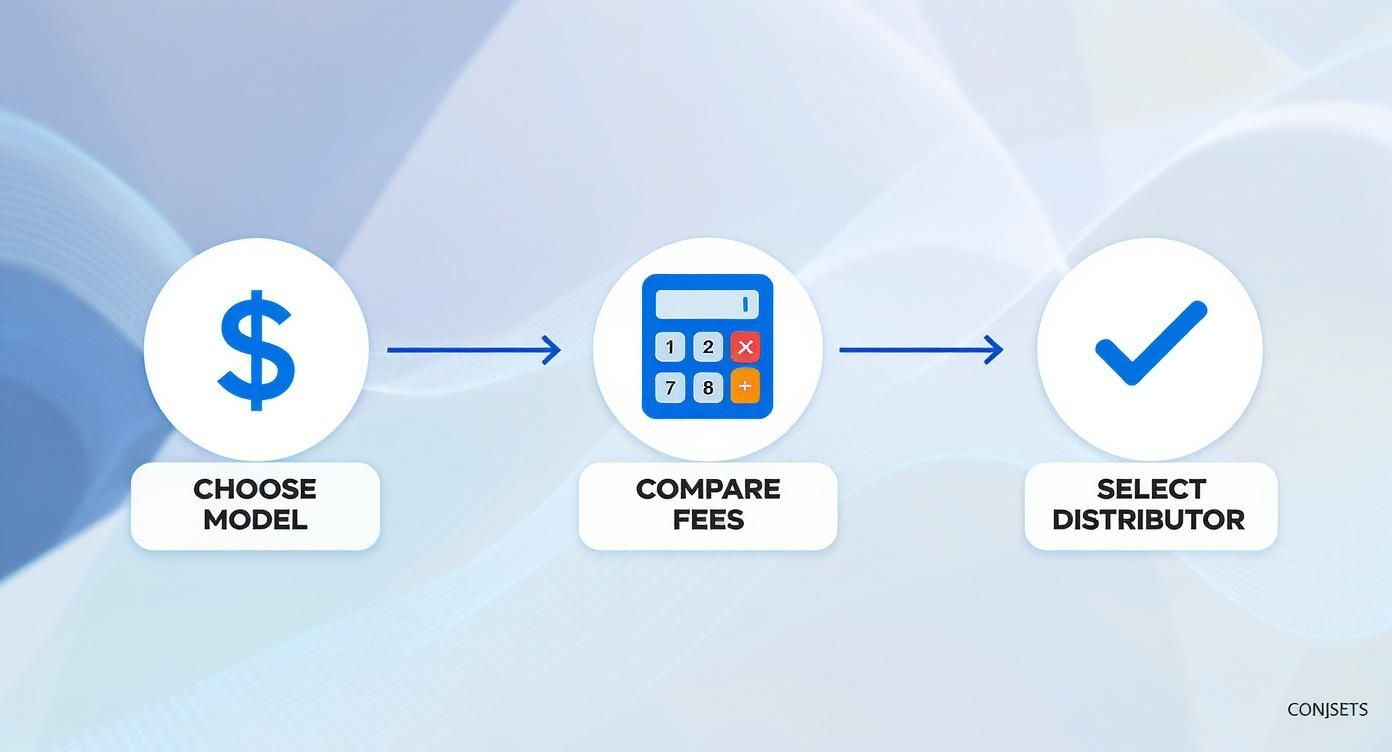
The Critical Importance of Music Metadata
Beyond the audio and art, the single most important part of your release is the metadata. This is all the background info tied to your song—the data that makes sure you get discovered, properly credited, and most importantly, paid. So many artists miss out on royalties simply because of inaccurate or incomplete metadata.
This data tells Spotify, your distributor, and everyone else what they need to know: who wrote the song, who owns the recording, and where the money should go. For a deeper dive into this super important topic, check out our comprehensive guide on what music metadata is and why it's so vital for your career.
Before you even start the upload process with your distributor, get all of this information organized in one place. It will make your life so much easier.
Song Title: The exact title, with correct capitalization.
Artist Name(s): Your primary artist name and any featured artists, spelled correctly.
Songwriter Credits: The full legal names of every single person who helped write the lyrics and melody.
Publisher Information: If you have a publishing administrator, you’ll need their details.
ISRC Code: This is the International Standard Recording Code, a unique fingerprint for your specific recording. If you don't have one, don't sweat it—most distributors, like DistroKid, will generate one for you for free.
Having all this info ready to go turns the upload process from a stressful scramble into a quick, simple task. With your files perfectly formatted and your metadata organized, you’re ready to submit your music with confidence and move on to the fun part: getting your song heard.
Unlocking Your Spotify for Artists Profile
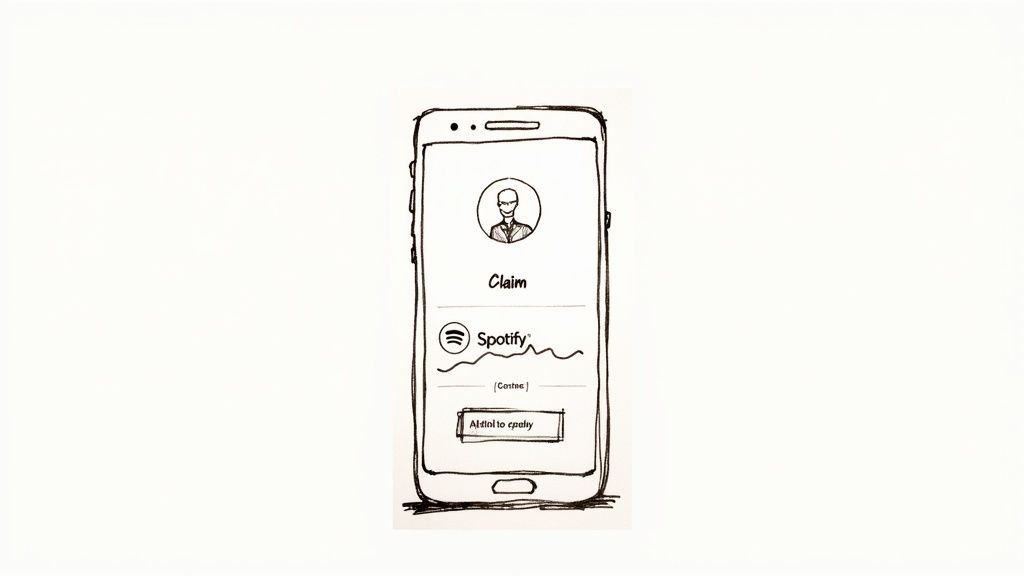
Once your music is submitted through a distributor, your next move is one of the most powerful you can make for your career: claiming your Spotify for Artists profile. This isn't just about getting a blue checkmark; it’s your command center for managing your brand, understanding your audience, and, most importantly, directly impacting your song's chances on the platform.
Think of it this way: Spotify is handing you the keys to your own digital storefront. Without it, you’re just a name on a track. With it, you become an active player in your own success story.
Claiming Your Profile Before Your Song Goes Live
Okay, listen up, because timing is everything here. You must claim your profile before your first song is released. I can't stress this enough. If you wait until after your track is live, you've already missed your single biggest promotional opportunity.
The process is pretty simple. After your distributor sends your music to Spotify and it gets ingested, they’ll give you a unique URI code for your artist profile. You’ll take that code over to the official Spotify for Artists website to claim your page. This verification can take a few days, which is exactly why building a lead time of at least two to three weeks into your release schedule is non-negotiable.
Key Takeaway: Claiming your profile early is mandatory. It’s what unlocks the ability to pitch your song for editorial playlists—an opportunity that completely disappears the second your track is live. Don't blow it.
Once you’re verified, you're in. You now have access to a whole suite of tools that are essential for any artist serious about getting heard.
Your Artist Profile as a Command Center
Your Spotify for Artists dashboard is where you stop being a passive name and start being an active manager of your brand. It lets you build a professional and cohesive identity for potential fans, curators, and A&R folks who stumble across your music.
Here’s the lowdown on what you can control immediately:
Artist Image: Get a high-quality, compelling photo up. This is your first visual impression. Make it count.
Artist Bio: This is your space to tell your story. Connect with listeners on a personal level and share what you're all about.
Artist Pick: Pin a song, album, or even a playlist you’re featured on right at the top of your profile.
Social Media Links: Connect your Instagram, Twitter, Facebook, and Wikipedia pages so people can find you everywhere.
But it's not just about looks. The dashboard gives you invaluable, real-time data on your listeners. You can see who is streaming your music, where they are in the world, and how they found you. This info is pure gold for planning your marketing, targeting social media ads, and even routing your next tour.
The Most Powerful Tool: Pitching to Spotify Editors
While customizing your profile is crucial, the single most important feature you unlock is the ability to pitch your song directly to Spotify's editorial team. This is your one and only shot to get your unreleased track in front of the actual human curators who build some of the world's most influential playlists—think Fresh Finds, Lorem, or genre-specific lists with millions of followers.
Landing on an editorial playlist can literally change your career overnight, driving a flood of streams and kicking Spotify’s powerful recommendation algorithms into high gear. The competition is insane. Spotify's catalog now holds over 126 million songs, with around 60,000 new tracks uploaded every single day. To even have a chance of standing out, your pitch needs to be flawless. You can dig into the numbers and see the scale of the challenge for yourself over at Soundcamps.com.
A compelling pitch tells a story. Editors are wading through thousands of these, so a generic description is a waste of time. Your pitch needs to be concise but punchy, hitting on the key details that make your song special.
Instruments: What did you use? Mention anything unique or interesting.
Mood & Genre: Be specific. Don't just say "Indie." Try "Melancholic, atmospheric indie rock with shoegaze influences."
Culture & Location: Where are you from? Does your music have any regional flavor?
The Story Behind the Song: This is where you shine. What’s the song about? What inspired it? What was the writing process like?
Imagine you’re pitching a folk song. Instead of, "This is a song about a breakup," try something like, "I wrote this on a ten-year-old acoustic guitar in a cabin in rural Vermont, trying to capture the feeling of watching the seasons change while a relationship ends. It’s for fans of Bon Iver and Gregory Alan Isakov." See the difference? That paints a picture and gives the editor a real reason to connect with your music. Getting your song on Spotify is just step one; using these tools is how you make it count.
Promoting Your Song After It Goes Live
Your song is officially live on Spotify. Pop the champagne, take a breath—you did it.
But don't get too comfortable. In a lot of ways, the real work is just getting started. Hitting publish is the starting line, not the finish. Now it's time to build momentum and give your track the best possible shot at connecting with listeners.
The first few days after a release are make-or-break. The activity your song gets right out of the gate sends some pretty powerful signals to Spotify's algorithm. A flurry of streams, saves, and shares tells the system your track is resonating, which can seriously boost its visibility across the entire platform.
Harness the Power of Pre-Saves
One of the best ways to guarantee a strong first day is by running a pre-save campaign before your release date. A pre-save link lets your fans save your song to their library before it's even out.
The moment your track goes live, it automatically pops up in their collection. This drives instant streams and saves from the people who support you most. That initial burst is invaluable—it shows the algorithm there’s built-in demand for your music, which can help trigger placements on algorithmic playlists like Release Radar.
Dive Deep Into Your Spotify for Artists Data
Your Spotify for Artists dashboard is your mission control post-release. It's an absolute goldmine of information about who's listening and where they're coming from. Don't just glance at the numbers; use them to make smart, strategic moves.
Inside your dashboard, you'll find detailed analytics on:
Listener Demographics: See the age, gender, and location of your audience. Getting a ton of plays in a city you've never heard of? That’s pure gold for planning future tours or running targeted social media ads.
Source of Streams: Find out how people are discovering your music. Is it from their own library, an editorial playlist, or someone else's personal playlist? This tells you exactly what's working.
Listener Engagement: Track how many people save your song after hearing it. A high save rate is a fantastic sign that your music is truly hitting home.
Understanding your listener data is like getting a direct report card on your music. It cuts out the guesswork and lets you focus your energy where it'll actually make a difference—connecting with the people most likely to become real fans.
Reach Out to Independent Playlist Curators
While getting on an official Spotify editorial playlist is the dream, independent playlists curated by bloggers, influencers, and die-hard music fans can be just as powerful. These curators are often genuinely passionate about finding new artists and can have incredibly dedicated followings in specific niches.
Finding them takes a bit of digital detective work. Use Spotify's search bar to look for playlists in your genre, then investigate the curators behind them. Many will link their social media or a submission form right in the playlist description.
When you reach out, keep your email short, personal, and to the point. Introduce yourself, tell them what you like about their playlist, and briefly explain why your song would be a great fit for their listeners.
The potential payoff is huge. Spotify recently hit 696 million monthly active users, with a staggering 276 million of those being paying subscribers. With an audience this massive and engaged, even a placement on a smaller, well-curated playlist can introduce your music to hundreds or thousands of potential new fans. You can explore more about the platform's wild growth by checking out the latest Spotify user statistics.
Engage Your Audience on Social Media
Your new release is the perfect excuse to create killer content for your social channels. Don't just post a link and hope for the best.
Tell the story behind the song. Share a behind-the-scenes video from the studio session, explain the meaning of a specific lyric, or create a cool visualizer.
Get your followers involved. Ask them to share your song to their own stories, add it to their personal playlists, and tell you what they think. Every single share and save is another positive signal to the Spotify ecosystem, amplifying your reach well beyond your own following. For a ton of other practical ideas, check out our guide on how to promote a song.
Releasing on Spotify: Your Questions Answered
If you're gearing up for your first release, you've probably got a ton of questions swirling around. Getting straight answers is key to launching your track with confidence and sidestepping those rookie mistakes that can cause major headaches. Let's break down some of the most common things artists ask when getting their music on Spotify.
How Long Does My Song Take to Appear on Spotify?
This is a big one, and it causes a lot of anxiety. While some distributors might brag about super-fast turnaround times, you absolutely need to plan for a lead time of at least three to four weeks before your release date. Seriously, don't rush this part—it's a huge strategic mistake.
This buffer isn't just about waiting for paperwork to clear. It’s your golden window for two of the most important promotional moves you can make:
Claiming your Spotify for Artists profile: This is non-negotiable. The verification process can take a few days, and you need that profile locked in before your track goes live.
Pitching to editorial playlists: Spotify's own submission tool requires you to pitch your song at least seven days ahead of its release. This is your single best opportunity to land on career-making playlists curated by Spotify's own team.
Giving yourself this time means you can actually use the tools Spotify gives you, setting yourself up for a much stronger launch from day one.
Pro Tip: A longer lead time also gives you a proper runway for a pre-save campaign. Building that anticipation and locking in day-one streams sends all the right signals to the Spotify algorithm, which can make a massive difference in your track's initial visibility.
Can I Get My Song on Spotify for Free?
So, you can't just upload a song directly to Spotify yourself. You have to use a distributor. Some of them offer plans that don't require any upfront cash, which sounds tempting, right? But you need to know what you're trading for that "free" price tag.
Typically, these services take a cut of your streaming royalties, usually somewhere around 15-20%, instead of charging you a flat fee. You save a few bucks now, but you’re signing away a piece of your earnings for the entire life of your song.
For any artist who's serious about this, paying a small annual fee to a distributor that lets you keep 100% of your royalties is almost always the smarter financial move in the long run. Once your streams start to climb, that 15% commission can quickly add up to a serious chunk of lost income.
What Happens If I Want to Take My Song Down?
Sometimes you need to pull a track, whether for creative reasons or business ones. The main thing to know is you can't just ask Spotify to take it down. You have to go back through the same distributor you used to put the song up in the first place.
The process itself is usually pretty simple. You'll log into your distributor’s dashboard, find the release you want to remove, and hit the takedown button. How long it takes for the song to vanish from all platforms can vary—sometimes it's a few days, sometimes a couple of weeks. Make sure to check your distributor's specific policy on takedowns, as they all handle the timing and terms a little differently.
At artist.tools, we arm you with the data and insights to navigate every part of your Spotify journey. From finding legitimate playlists and tracking stream performance to sniffing out the bot activity that can derail your career, our platform is designed to help you make smarter, data-backed decisions. Level up your music career by visiting artist.tools today.
.png)
Comments