how do you publish a song: A Practical Guide for Independent Artists
So you’re ready to publish your song. The core of it is pretty straightforward: you need to finalize your audio, pull together all the necessary assets like artwork and metadata, and then push it all through a music distributor to get it onto platforms like Spotify and Apple Music.
This process is what takes your music from a file on your laptop to a professional release that’s ready for a global audience.
Laying the Groundwork for a Professional Release
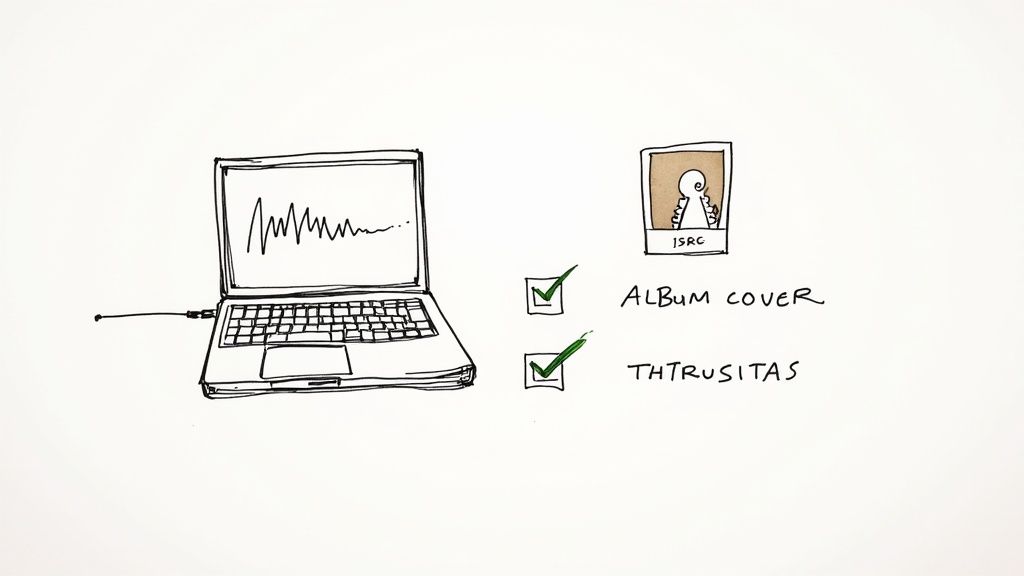
Before your song ever hits a playlist, it needs to be properly polished and packaged. Think of this as the essential pre-flight check for your music career. Cutting corners here is a recipe for a stalled release, or worse, making a poor first impression on potential fans.
It all starts with the music itself. You’ve poured your heart into the creative side, but the technical finish is what makes it competitive in a marketplace with millions of other tracks.
Finalizing Your Audio Mix and Master
First up: the mix and master. Mixing is the art of blending all the individual tracks—vocals, guitars, drums, synths—into one cohesive song. It's about adjusting levels, panning, and adding effects to ensure every element has its own space and shines through.
Mastering is the final step, the polish that gets your track ready for the world. A mastering engineer optimizes the overall loudness and tonal balance so your song sounds fantastic everywhere, from high-end studio monitors to cheap earbuds and laptop speakers. Without a good master, your track might sound quiet, muddy, or harsh when it pops up on a Spotify playlist next to a major label artist.
An unmastered track is like an unedited manuscript. The story might be brilliant, but without proper formatting and proofreading, most people won't give it a chance. Professional mastering gives your song the clarity and impact it deserves.
When it’s time to upload, your distributor will have strict technical requirements. You'll need a high-quality audio file, almost always a WAV file at 44.1 kHz and a bit depth of 16-bit or 24-bit. Never upload a compressed file like an MP3; you’ll lose critical audio quality.
Preparing Your Artwork and Metadata
Your cover art is the visual handshake with a potential new fan scrolling through Spotify. It has to be compelling, but it also has to meet some very specific technical rules to avoid getting rejected by distributors.
Just as important is your metadata. This is the digital DNA of your song. It includes all the crucial background info that ensures your track is correctly identified, and more importantly, that you get paid.
Before you even log into your distributor’s website, you need to have this information gathered and ready to go.
Pre-Release Asset Requirements at a Glance
This table is a quick cheat sheet for the technical specs most distributors will ask for. Getting these right the first time will save you a world of headaches.
Asset Type | Required Format | Key Specifications | Common Pitfall to Avoid |
|---|---|---|---|
Audio File | WAV | 44.1 kHz, 16-bit or 24-bit, Stereo | Uploading an MP3 or other compressed file format. |
Cover Artwork | JPG or PNG | Perfect square, 3000 x 3000 pixels, RGB color mode | Including social media handles or URLs on the image. |
Metadata | Text/Data Entry | Song title, artist(s), songwriter(s), publisher info, ISRC | Inconsistent spelling or formatting of artist names. |
Having these assets ready to go makes the upload process smooth and painless.
Here’s a quick breakdown of the essentials you'll need:
High-Resolution Cover Art: A perfect square JPG or PNG, at least 3000 x 3000 pixels, in RGB color mode. Keep it clean—no social media handles, website URLs, or release dates on the artwork itself.
Song Title and Artist Name(s): Sounds obvious, but make sure the spelling and formatting are exactly the same as your other releases to avoid platform confusion.
Songwriter and Publisher Information: You absolutely must list every single person who contributed to writing the song, along with their ownership splits. This data is critical for collecting royalties.
ISRC Code: The International Standard Recording Code is a unique fingerprint for your specific master recording. If you don’t have one, your distributor can usually assign one for you.
Getting this information right from the jump is non-negotiable. Bad metadata leads to delayed releases, lost royalties, and a ton of administrative work to fix later. It's the boring but essential paperwork of being a modern artist.
With your pristine audio, eye-catching artwork, and accurate metadata in hand, you’ve built the solid foundation needed for a successful release. Now, you’re ready to tackle the world of copyrights and royalties to protect your work and make sure you get paid.
Securing Your Copyrights and Royalties
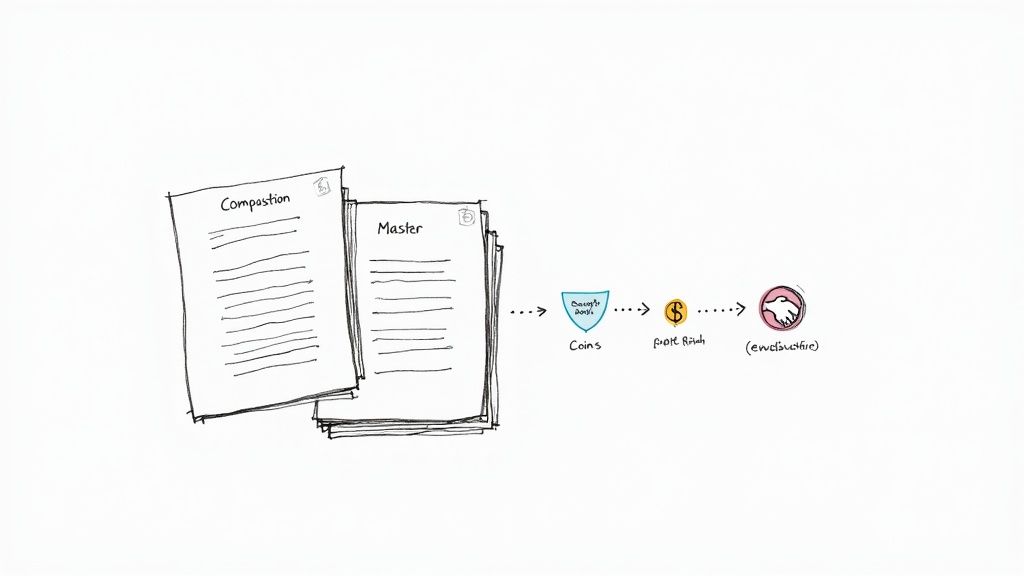
Alright, let’s get into the business side of your art. Publishing your song is way more than just hitting an "upload" button. This is the crucial step that protects your creative work and makes sure you actually get paid whenever it's used.
Skipping this part is like leaving the front door of your house wide open. You're just asking for trouble and leaving a ton of money on the table. To build a real, sustainable career, you have to understand the legal and financial machinery behind your music.
The wild thing is, every single song you write actually holds two completely separate copyrights. Each one generates its own stream of income.
The Two Copyrights in Every Song
When you finish a track, you've created two distinct pieces of intellectual property. Each one has its own copyright and its own path to earning you money. For any indie artist who wants to be compensated fairly, knowing the difference is non-negotiable.
The Master Recording (Sound Recording): This is the copyright for the specific audio file you bounced from your DAW. It’s often represented by the ℗ symbol and protects the unique performance captured in that final recording. Your distributor is primarily responsible for collecting the royalties generated by this "master" from streams and downloads.
The Composition: This copyright, marked with the © symbol, is for the underlying musical work itself—the melody, the lyrics, the song's structure. Think of it as the song's DNA, separate from any single recording. These rights generate publishing royalties whenever the song is performed, reproduced, or broadcasted.
Distributors like DistroKid or TuneCore are great at grabbing your master recording royalties from Spotify and Apple Music. What they don't typically do is collect the publishing royalties your composition earns.
Securing your publishing rights is the difference between being a hobbyist and a professional. It's the mechanism that pays you when your song is played on the radio in Brazil, used in a TikTok video, or performed by a cover band in a bar.
To capture that income, you have to dive into the world of music publishing.
Registering with a Performing Rights Organization
Your first stop is a Performing Rights Organization (PRO). This is your most important partner for collecting publishing royalties. In the United States, the big ones are ASCAP, BMI, and SESAC. Their whole job is to track, collect, and pay out performance royalties for songwriters and publishers.
When you join a PRO as a songwriter, you're officially registering your songs and giving them the green light to collect money for you. They keep tabs on radio stations, TV networks, venues, and digital services to make sure you get paid when your music is publicly performed. This is an absolutely critical step.
The music publishing world is blowing up. Global revenue is expected to smash $10 billion for the first time in 2025. And digital sources like streaming and sync licensing? They're projected to soar past $8 billion by 2029. This is the opportunity you're missing out on if you ignore publishing.
The Role of a Publishing Administrator
So, a PRO handles performance royalties. But what about the other types? This is where a publishing administrator steps in. Companies like Songtrust or TuneCore Publishing act like your personal publishing company, working globally to collect all the royalties your composition earns.
A good publishing admin will:
Register your songs with PROs and collection societies all over the world.
Collect mechanical royalties from streams and sales—money your distributor often misses.
Chase down sync licensing fees if your song gets used in a film, TV show, or ad.
They handle all the complex, worldwide administrative headaches for a small cut, usually around 15%. This service plugs the leaks in your income streams and is an essential piece of a smart release strategy. For a deeper look at the different money pots, check out our complete guide on the types of royalties in music.
Choosing the Right Music Distributor for You
Think of a music distributor as the digital trucking company for your tracks. You hand them your finished song, artwork, and all the necessary info, and they ship it out to hundreds of digital stores and streaming platforms across the globe—places like Spotify, Apple Music, and Amazon Music. Without a distributor, your music is stuck on your hard drive, completely invisible to the world.
But picking a distributor isn't just a simple logistical choice. It's a strategic move that directly affects how you get paid, how often you can drop new music, and what kind of promo tools you get to play with. For most independent artists, the decision comes down to three major players: DistroKid, TuneCore, and CD Baby. Each one has a totally different business model built for different kinds of artists.
Subscription Fees vs. Per-Release Models
The biggest fork in the road is how they charge you. Honestly, this one factor is often the dealbreaker for many artists, depending on their release schedule and budget.
DistroKid: This platform is built for the artist who never stops creating. You pay one annual fee and can upload unlimited songs and albums. If you’re planning on dropping a new single every month, this model is a no-brainer and incredibly cost-effective.
TuneCore: While TuneCore used to have a per-release model, they’ve now shifted to an annual subscription for unlimited releases, much like DistroKid. They have different tiers, from a free plan that only covers social media platforms to pro-level plans loaded with more advanced features.
CD Baby: This distributor sticks to a one-time fee per release. You pay once for a single or an album, and it’s on streaming platforms forever without any recurring bills. This is perfect for artists who work at a slower pace—maybe dropping an album every few years—and don’t want to be locked into annual payments just to keep their music online.
Your choice here has long-term consequences. If you stop paying your annual fee with DistroKid or TuneCore, your music could eventually be taken down. CD Baby’s one-time payment means your release is up for good.
Comparing Royalties and Hidden Costs
The fee structure is just the first layer. You’ve got to dig into how each service handles your money. This is where the fine print can really impact your bottom line.
Your distributor is your financial partner, whether you see them that way or not. Choosing one that aligns with your career goals means looking beyond the sticker price to understand how they handle your money and what extra services they offer.
DistroKid and TuneCore are famous for letting you keep 100% of your royalties, which is a huge selling point. They make their money from your yearly subscription and any extra services you opt into, not by skimming off your streaming revenue.
CD Baby, on the other hand, takes a 9% commission on your distribution earnings. While you keep 100% of the net income from sales on their own storefront, they take a small piece of whatever comes in from Spotify, Apple Music, and other platforms.
This screenshot gives a bird's-eye view of how different services compare on the most important features.
Pay close attention to the upfront costs versus the commission rates. These are the two biggest financial factors you need to weigh. A "free" option might sound tempting, but it could come with a higher commission that costs you more in the long run, especially if your tracks start gaining traction.
Comparing Top Music Distributors for Indies
To make the decision a bit easier, here’s a head-to-head comparison of the big three. Think about your own release strategy and career goals to see which one makes the most sense for you.
Feature | DistroKid | TuneCore | CD Baby |
|---|---|---|---|
Pricing Model | Annual Subscription (unlimited uploads) | Annual Subscription (tiered plans) | One-Time Fee (per release) |
Royalty Split | 100% to artist | 100% to artist | 91% to artist (9% commission) |
Best For | Prolific artists, frequent releases | Artists needing publishing admin & analytics | Artists releasing music infrequently |
Royalty Splits | Yes, automatic and easy for collabs | Yes, but may require a higher-tier plan | No, must be handled manually |
Publishing Admin | No, but partners with Songtrust | Yes, comprehensive service available | Yes, through CD Baby Pro Publishing |
Physical Distro | No | No | Yes (CDs and vinyl) |
Sync Licensing | No | Yes, via their publishing service | Yes, included with releases |
Ultimately, there's no single "best" distributor—only the one that’s best for you.
Unique Features and Finding Your Fit
Beyond the money, each platform has its own unique perks that could be the tiebreaker.
DistroKid is all about speed and simplicity. It has killer features like automatic royalty splits (an absolute lifesaver for collaborations), instant Spotify verification, and easy lyric distribution.
TuneCore offers powerful analytics and a robust publishing administration service to help you collect all your songwriting royalties—a critical income stream that too many artists miss out on.
CD Baby shines with its physical distribution options (if you want to sell CDs and vinyl) and sync licensing opportunities, actively pitching your music for placements in films, TV shows, and commercials.
The independent music scene is absolutely exploding. The global indie music publishing market more than doubled from €1.15 billion in 2018 to €2.57 billion in 2023. This massive growth just goes to show how critical it is to pick a distribution partner that can help you tap into all these different ways to make money.
So, what's the verdict? If you’re a rapper dropping a new track every two weeks, DistroKid is probably your best bet. If you’re a singer-songwriter releasing a meticulously crafted album every three years, CD Baby’s one-time fee might feel a lot safer. For a deep dive into all the nuances, check out our guide to music distribution deals for artists.
Building Your Release and Promotion Strategy
Alright, your tracks are mixed, mastered, and ready for the world. You’ve picked a distributor. Now the real work begins.
Too many artists think the job is done once they upload their song. They just hit publish and hope for the best. Honestly, that’s a surefire way to release your music to an audience of zero. A successful release isn't an accident; it's a carefully orchestrated event, planned weeks ahead of time to build real momentum.
Think of it less like dropping a file and more like a movie premiere. You want to create buzz and give platforms like Spotify every possible reason to feature your track. To do this right, you need to start the process 4 to 6 weeks before you want your song to go live.
Your Pre-Release Timeline
Why so much lead time? That buffer is non-negotiable for one huge reason: it’s your window to pitch your song directly to Spotify's editorial team.
Setting a release date at least a month out gives their curators enough time to actually listen to your submission. This is how you get considered for massive official playlists like Fresh Finds or New Music Friday.
First things first, you'll submit your music through your distributor and set the official release date. After a few days, once your distributor sends the files to Spotify, the track will pop up in your Spotify for Artists dashboard under "Upcoming." That’s your green light.
Planning your release at least four weeks in advance is the single most important thing you can do to improve your odds of editorial playlisting. It signals to Spotify that you are a professional artist who takes their career seriously.
Once your song is submitted, your immediate focus shifts to two critical tasks: claiming your profiles and getting a pre-save campaign running.
Claim Your Profiles: If you haven't already, stop what you're doing and claim your artist pages on Spotify for Artists and Apple Music for Artists. These are your command centers for everything from analytics to updating your bio, but most importantly, they are where you pitch your music. Verification can take a few days, so don't wait.
Launch a Pre-Save Campaign: This is your primary weapon for building hype before release day. When a fan pre-saves your track, it automatically lands in their library the moment it goes live. This triggers a huge spike in listener activity within the first 24 hours—a massive signal to the Spotify algorithm that your song has momentum. Services like DistroKid (HyperFollow) or TuneCore (Pre-Save) usually bake this feature into their service for free.
This timeline shows you the basic flow, moving from the creative prep work straight into the critical distribution and promotion phases.
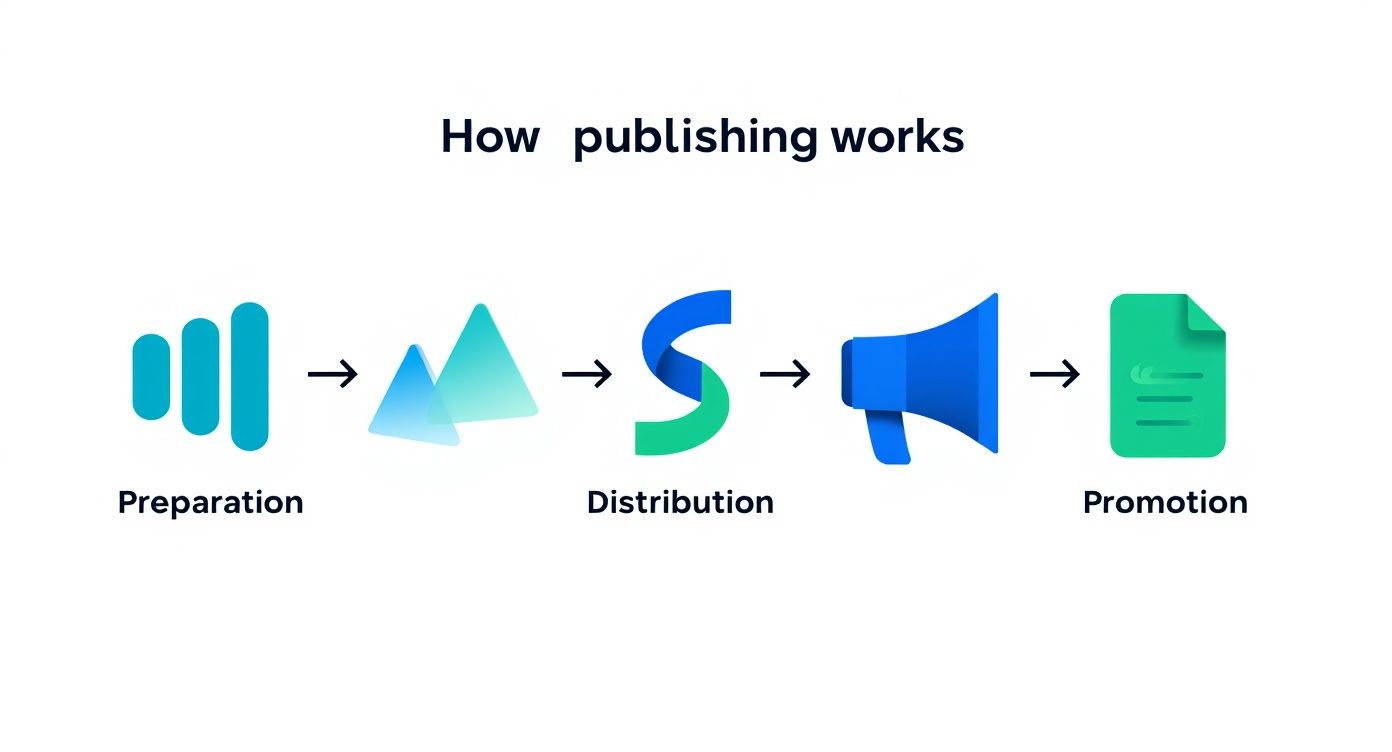
As you can see, promotion isn't some final step you tack on at the end. It's a core part of the release process that needs just as much planning as the distribution itself.
Crafting a Winning Spotify Editorial Pitch
With your release officially scheduled in Spotify's system, it’s pitch time. This is your one shot to get your music in front of a human curator, so you have to make it count.
Log into your Spotify for Artists dashboard and navigate to your upcoming release. You'll see a pitch form. Keep it concise, compelling, and professional. You need to tell the story behind the song. Editors sift through hundreds of pitches a day, and generic descriptions like "upbeat pop song" go straight to the trash.
Be specific.
What’s the narrative? Is it a breakup anthem written after a specific event? A protest song about something happening in your community? Give them the hook.
What's your story? Briefly touch on your journey as an artist. Mention any recent wins, cool collaborations, or what makes you different from the thousands of other artists pitching them.
What’s your marketing plan? Show them you're hustling. Mention your social media campaigns, any press you’ve secured, or if you have a music video dropping. They want to back artists who are working hard.
Finally, tag your song with accurate genres, moods, and instruments. This data is critical for getting your track to the right curator. Don't just tag "Indie." Get granular with tags like "Dream Pop," "Chill," and "Female Vocals."
Your pitch is your chance to show an editor not just what your song sounds like, but why it matters. For a deeper dive into creating buzz, check out our guide on how to promote a song for more strategies you can put into action.
Tracking Your Performance and Understanding Your Earnings
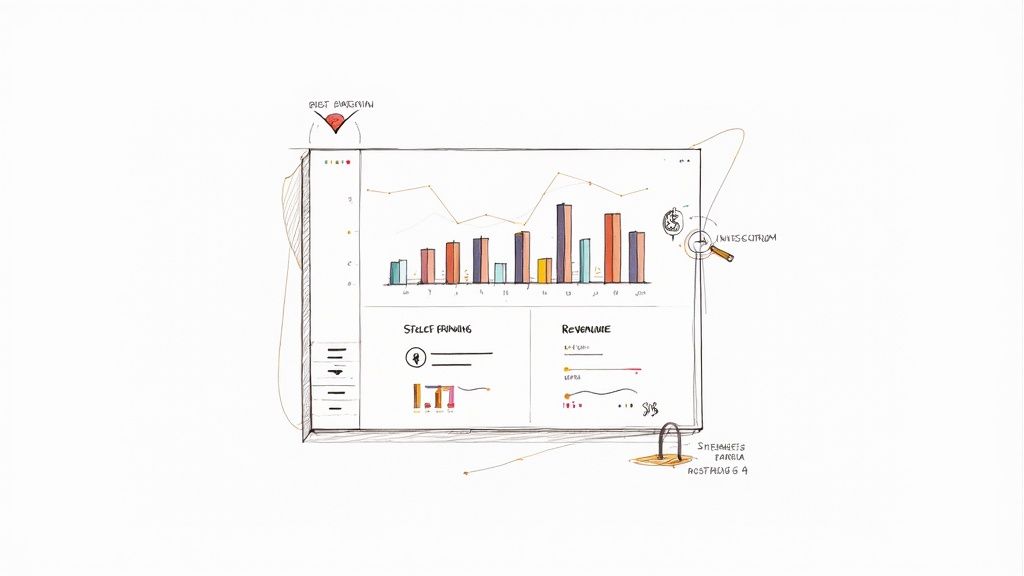
Once your song is live, the work shifts from creation to analysis. Publishing your song is really just the beginning—the data you're about to collect is the raw material for building an actual career. This is where you put on your strategist hat, using real-world feedback to figure out your audience and plan what’s next.
You'll be pulling info from two main places: your distributor's back-end dashboard and, more importantly, your Spotify for Artists account. While your distributor shows you the money, Spotify for Artists tells you the story behind the streams—who’s listening, where they are, and how they found you.
Decoding Your Spotify for Artists Dashboard
Logging into Spotify for Artists for the first time is a rite of passage for any artist. Think of it as your mission control, giving you a direct line of sight into how your music is connecting with people. Flying blind is a terrible strategy; if you ignore this data, you have no idea if your promo is working or where your real fans are.
You’re going to see a ton of information. Don't get overwhelmed. Just focus on the numbers that give you something you can act on. The goal isn't just to watch your stream count tick up, but to understand the "why" behind it all.
A high stream count is great, but a high save rate is even better. That metric tells you that listeners are actively choosing to add your music to their personal library—a much stronger signal of genuine fandom.
Here are the key data points you need to be watching:
Listener Demographics: This is the who, what, and where of your audience—age, gender, and location. If you suddenly see a hotbed of listeners in Berlin or São Paulo, that's priceless intel for targeting social media ads or even planning a tour down the road.
Source of Streams: This one is crucial. It shows you how people are finding you. Is it from their own playlists? Your artist profile? Or an algorithmic playlist like Discover Weekly? A big spike from algorithmic sources means Spotify's system sees your track as engaging and is pushing it out for you.
Playlist Performance: Here, you can see exactly which playlists are driving streams, from massive editorial lists to small, user-curated ones. Find your top-performing user playlists, and you might just discover some tastemakers you should build relationships with.
Data is the bridge between your art and your audience. It transforms guesswork into strategy, showing you not just who is listening, but what they love about your music and where to find more people like them.
Understanding Your Royalties and Payouts
While Spotify shows you engagement, your distributor’s dashboard is where you track the cash. It’s where all your hard work turns into tangible results. The global music publishing market is a massive industry, set to hit $7.69 billion in 2025 and projected to climb over $10.22 billion by 2030, thanks to the explosion in streaming. By publishing correctly, you're claiming your piece of that pie. You can find more insights on the music publishing market here.
Distributors usually pay out royalties monthly or quarterly, but expect a delay of 2-3 months between when a stream happens and when you see the money. This is standard—platforms like Spotify need time to process their data and pay the distributors, who then pay you.
It's also critical to keep a close eye on your stream data. Look out for sudden, unnatural spikes from obscure locations with no matching follower growth. This is a classic sign of fraudulent streams or bot activity, which can get your track taken down fast.
A platform like artist.tools can help monitor for these red flags, protecting your release and keeping your data clean. Catching bot activity early lets you report suspicious playlists and safeguard your good standing with the streaming services.
Got Questions About Publishing Your Song? Let's Get Them Answered.
As you start getting your music ready for release, the questions start piling up. It's totally normal. The process has a lot of moving parts, and it’s easy to get tangled up in the details. This section is here to sort through some of the most common—and often confusing—scenarios that independent artists run into.
Think of this as your quick-reference guide for all those "what if" moments. We're jumping into everything from the legal maze of using samples to the logistics of moving your music to a new distributor.
What if I Use a Sample in My Song?
Using samples is a huge part of modern music production, but if you don't handle it the right way, it's a legal nightmare waiting to happen. Before you even think about releasing a track with a sample, you absolutely have to get it cleared. This part is not optional.
If you don't, you're looking at copyright infringement. That can mean your song gets pulled down everywhere, you have to forfeit any money you made from it, and you could even face a seriously expensive lawsuit.
To legally use a sample, you need to clear two different copyrights:
The Master Recording: You need to get the green light from whoever owns the original recording, which is almost always a record label.
The Composition: You also have to get a license from the songwriter's publisher for the actual music and lyrics.
This whole process is called sample clearance, and honestly, it can take a long time and cost a lot of money. For most independent artists, a much safer and saner path is to use royalty-free sample packs from services like Splice or Tracklib. The licensing is already handled for you, so you can create without the legal headache.
Can I Switch Distributors for an Existing Release?
Yes, you can definitely switch distributors. But you have to be careful about it if you want to keep your stream counts and all your hard-earned playlist placements. If you're not happy with who you're with and want to move your catalog, there’s a right way to do it.
The golden rule here is to use the exact same metadata with your new distributor that you used for the original release. We're talking about the ISRC code, song title, artist name, and original release date—everything has to match perfectly.
When you're switching distributors, your ISRC codes are your best friends. They're like a digital fingerprint for your song. They tell platforms like Spotify that this new upload is the same track, which prompts them to merge all the stream data.
Here’s the basic game plan:
Get your release ready to go with the new distributor, double-checking that all the metadata is identical.
Upload the release, but do not hit the takedown button with your old distributor just yet.
Wait until the new version is live on all platforms. Once you've confirmed that your stream counts have successfully merged, then you can go back and issue a takedown request from your old service.
What Happens if I Need to Take a Song Down?
Sometimes you just need to pull a song. Maybe you're putting out a remastered version, or there's a legal snag you need to fix. Taking a song down is actually pretty simple and is handled directly through your music distributor.
Just log into your distributor's dashboard, find the release you want to remove, and look for the takedown option. It usually takes a few days to a week for the track to disappear from all the different stores. Just be aware that this is a permanent move; once a song is taken down, you can't re-upload it with the same UPC code.
Do I Need Sync Licensing to Publish a Song?
Nope, you don't need a sync license just to get your song onto streaming services like Spotify or Apple Music. Sync (synchronization) licensing is a whole different beast—it's what you need when your music is used with any kind of visual media, like a movie, a TV show, a commercial, or a video game.
That said, getting your music into a position for sync opportunities is a fantastic way to open up new revenue streams. Many distributors, like CD Baby and TuneCore, offer sync placement services, usually as part of their publishing administration deals. They'll pitch your music to music supervisors, and if your song gets placed, they handle all the licensing and collect the fees for you. So, while it's not a requirement for your initial release, it's something worth looking into as you build your career.
Publishing your music is a massive achievement, and having the right data can turn a good release into a great one. artist.tools gives you the crucial insights you need to grow on Spotify—from tracking your streams and analyzing playlists to spotting the fraudulent activity that could put your release at risk. Give your music career a real edge with data-driven decisions by visiting https://artist.tools.
.png)
.png)
Comments