How to Put Your Music in Spotify and Actually Get Heard
- BRANLAND
- 2 days ago
- 17 min read
Getting your music onto Spotify really boils down to three key things: finalizing your audio and artwork, teaming up with a digital distributor, and using Spotify for Artists to pitch your track.
Your distributor is basically the bridge connecting your finished song to the world's biggest streaming platform. You can't just upload it yourself.
Your Essential Pre-Release Checklist
Before you even think about distributors, you need to get your assets in order. I’ve seen it time and time again: a rushed release almost always falls flat. Getting your files, codes, and artwork lined up isn't just a box-ticking exercise; it's the foundation of a professional launch.
A polished presentation signals to Spotify's algorithm—and to potential fans—that you’re serious. It can be the difference between getting discovered and getting lost in the noise.
Get The Audio Right
First and foremost, your audio quality has to be pristine. Spotify and other platforms have specific technical requirements, and they aren't suggestions.
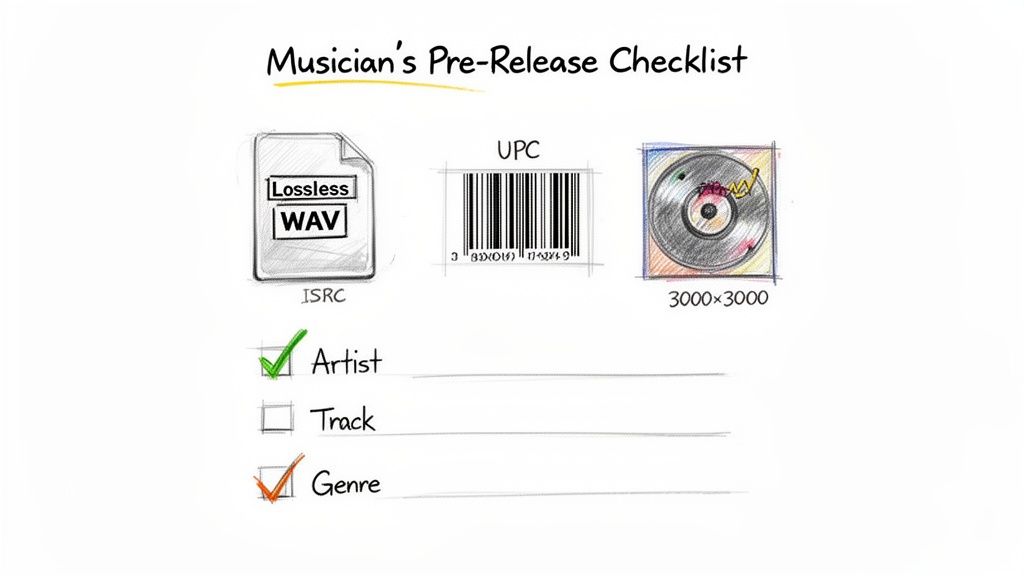
File Format: Always, always export your final master in a lossless format. A WAV file at 16-bit, 44.1 kHz is the industry standard for CD quality and what pretty much every distributor expects. While some accept 24-bit files or FLAC, you can't go wrong with a 16-bit WAV.
Why It Matters: If you upload a compressed file like an MP3, Spotify will compress it again. This "double compression" can introduce nasty audio artifacts, making your track sound thin or distorted. Start with a high-quality source file to make sure the final streamed version sounds as close to your studio master as possible.
Secure Your Digital Fingerprints
With your audio perfected, it’s time to lock down the unique codes that track your music across the globe. These are non-negotiable. Without them, you can't track streams or get paid. Simple as that.
You absolutely need two codes:
ISRC (International Standard Recording Code): Think of this as a digital fingerprint for a single recording—your master track. It follows that specific song everywhere, allowing royalty societies to track every play.
UPC (Universal Product Code): This code identifies the entire product, whether it's a single, an EP, or a full album. It’s basically the barcode you'd see on a physical CD.
Don't panic. Most reputable distributors will assign these codes for you, either for free or for a small fee. If you're starting your own label or releasing tons of music, you can register to issue your own ISRCs. But for most independent artists, just let the distributor handle it. It’s way easier.
Craft Compelling Visuals And Data
In a world where we scroll endlessly, your cover art is your music's first impression. It's what someone sees before they press play.
Spotify is strict about its artwork specs, so follow them to the letter to avoid having your release rejected. Your artwork must be a perfect square, at least 3000 x 3000 pixels.
Beyond the specs, make sure the art is compelling and reflects your music's vibe. It needs to pop as a tiny thumbnail on a phone, so avoid cluttered designs or text that's impossible to read.
This whole process—audio, codes, and art—forms the core of your pre-release work.
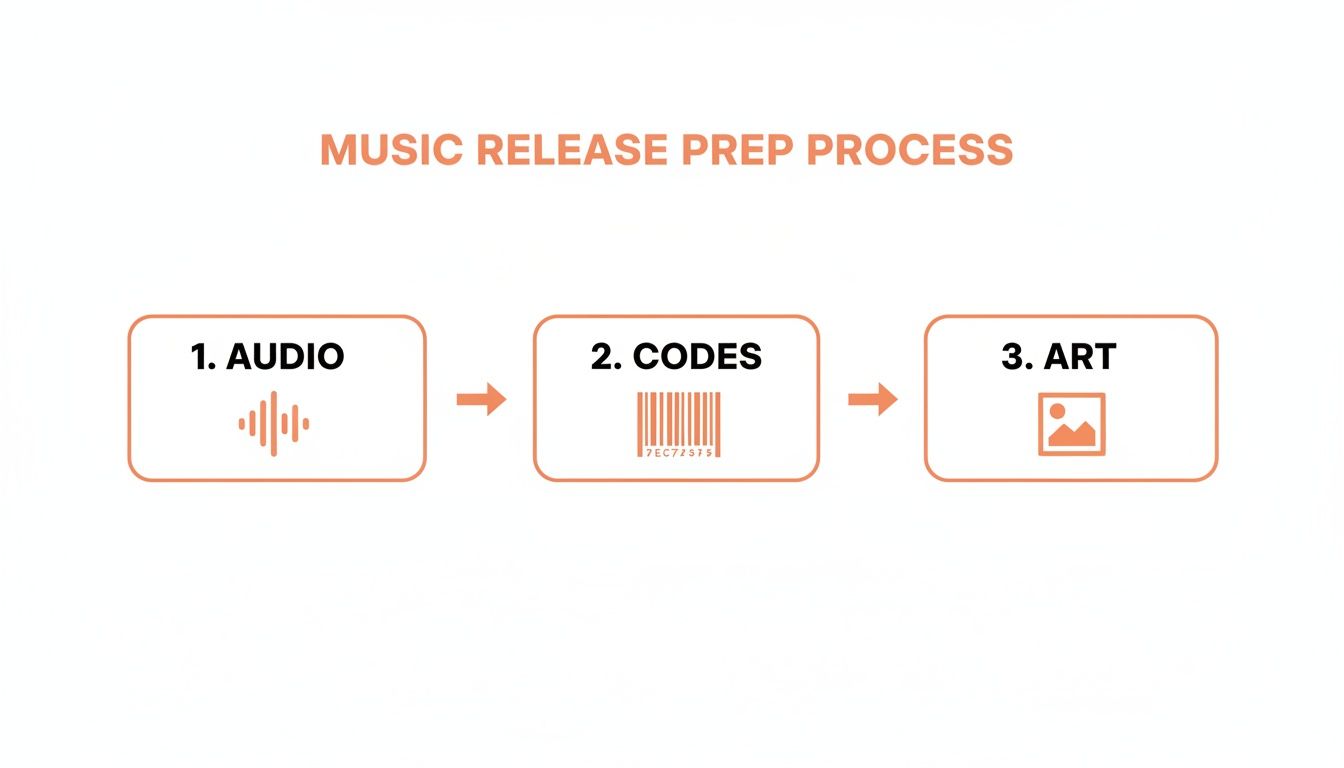
As the flow shows, getting these three pillars right in sequence is what sets you up for a smooth release.
Finally, pull together all your metadata. This is just the text-based info tied to your release:
Artist Name(s)
Track Title
Album/EP Title
Genre and Subgenre
Songwriter Credits
Producer Credits
Accurate metadata is critical. It helps Spotify's algorithm figure out what your music sounds like and who might want to hear it. A specific subgenre tag, for example, could be the key to landing on an algorithmic playlist like "Lo-fi Beats" instead of being ignored.
Before we move on, let's pull all that together into a quick checklist you can reference.
Essential Pre-Release Asset Checklist
Here’s a simple table summarizing the critical components you absolutely must have ready before you start the distribution process. Nailing these details upfront will save you headaches and prevent delays down the line.
Asset | Specification | Why It's Important |
|---|---|---|
Audio File | 16-bit, 44.1 kHz WAV (or 24-bit) | Prevents quality loss from double compression and meets industry standards. |
ISRC Code | Unique 12-character code per track | The "digital fingerprint" essential for tracking streams and collecting royalties. |
UPC Code | Unique 12-digit code per release | The "barcode" for your single, EP, or album, required by all stores. |
Cover Art | 3000 x 3000 pixels, JPG/PNG | Your visual first impression; must meet strict specs to avoid rejection. |
Metadata | Artist, titles, credits, genre, etc. | Helps algorithms categorize your music and ensures proper credit and payments. |
By mastering these foundational steps, you're not just uploading a song—you're strategically setting it up for success. After all, a strong release often involves getting your fans hyped ahead of time, and you can learn more about how to pre-save on Spotify to boost your next release in our dedicated guide.
Choosing the Right Music Distributor for Your Goals
So, you've got your music ready. The mix is perfect, the master is loud, and the art is killer. Now, how do you actually get it on Spotify?
Here's the deal: you can't just upload it yourself. You need a middleman—a digital music distributor. These companies are the essential bridge between your finished track and all the major streaming platforms, including Spotify, Apple Music, and dozens of others across the globe.
Think of your distributor as your behind-the-scenes partner. They handle the nitty-gritty technical stuff, making sure your music and metadata get delivered correctly. Most importantly, they're the ones who collect the royalties you earn from every stream and sale and send them your way. Picking the right one isn't just a box to check; it’s a serious business decision that will shape your income and career.
The whole distributor landscape can seem a bit crowded at first, but it really boils down to two main ways they charge for their service. Figuring out which model fits your release strategy is the first big step.
Navigating Distributor Fee Structures
Your first major decision point is how you want to pay. Each approach has its pros and cons, and the right choice really depends on how often you plan on dropping new music.
Annual or Monthly Fees: This is the subscription model used by companies like DistroKid and TuneCore. You pay a flat fee every year (or sometimes monthly) and in return, you can upload as much music as you want. If you're prolific and plan to release singles constantly, this is a no-brainer. The cost-per-release drops with every track you upload, and the best part is you typically keep 100% of your royalties.
One-Time Fee with Commission: Services like CD Baby take a different route. You pay a single, one-time fee to get your release (a single or an album) online, and it stays up forever with no recurring charges. The trade-off? They take a small percentage—usually around 9%—of the royalties you earn. This model is perfect for artists who might drop an album and then not release anything new for a while.
There’s no "best" answer here, only what's best for you. Dropping a track a month? Go with a subscription. Releasing a standalone project before hitting the road for two years? The one-time fee might save you money in the long run.
Choosing a distributor is a long-term partnership. Don't just look at the upfront cost; consider the value-added services, customer support reputation, and royalty splits. A slightly higher fee might be worth it for better analytics, faster takedowns, or playlisting support.
Key Factors Beyond the Price Tag
While the payment model is a huge piece of the puzzle, it's not the only one. A cheap distributor with terrible customer service can turn into a massive headache, costing you more in stress and lost time than you saved.
When you're comparing your options, dig a little deeper and look at these key factors:
Distribution Speed: How fast can they get your music live on Spotify? Some can do it in a couple of days, while others might take a week or more. This is mission-critical when you're trying to line up a release with a promo campaign.
Customer Support: Trust me, at some point, something will go wrong. A typo in the track title, a weird royalty report, you name it. When that happens, you need a support team that’s responsive and actually helpful. Check reviews and see what other artists are saying. Are you stuck with a 48-hour email response time, or can you get a real person to help you faster?
Royalty Payouts: Look at their payout terms. What's the minimum amount you have to earn before you can cash out? Some distributors make you wait until you hit $50 or more, which can be frustrating for a new artist just starting to see streams trickle in.
Value-Added Features: To stand out, many distributors now offer extra perks. We're talking about things like automatic royalty splits for your collaborators, help with licensing cover songs, sync opportunities for TV and film, and even their own playlist pitching tools. These features can add a ton of value and open up revenue streams you hadn't even considered.
Ultimately, you're looking for a distributor that feels like a real partner. You want someone who makes the process smooth, supports your goals, and helps you get your music out into the world without any friction.
Mastering Spotify for Artists to Maximize Your Release
Once your distributor shoots your music over to Spotify, a whole new game begins. This is where you switch gears from being a creator to a strategist, and your single most important tool in this phase is Spotify for Artists.
Seriously, think of it as mission control for your music career, not just another social media profile. Ignoring it is one of the biggest mistakes you can make. It's your direct line to Spotify's algorithms and, more importantly, its human editors. And it all starts with getting verified.
Claiming and Verifying Your Artist Profile
The second you get that confirmation email from your distributor saying your music has been delivered, it's go-time. You need to claim your artist profile immediately. Don't wait around for release day.
The verification process can take a few days, and you absolutely need access before your track is live to use the most powerful features—especially the playlist pitch tool.
Just head over to the Spotify for Artists website, log in with your personal account, and search for your artist name. They’ll walk you through a few quick steps to prove you’re the real deal. Once you're in, you unlock a suite of tools that let you build a presence that tells fans, curators, and the algorithm that you're a serious artist.
Polishing Your Profile for a Professional Look
First impressions are everything. When a playlist editor or a potential super-fan lands on your page, you want them to be impressed, not see a ghost town. An empty profile just screams amateur.
Start by dialing in these key elements:
Profile & Header Photos: Get some high-resolution, on-brand images up. This is your visual handshake. Make it a good one.
Artist Bio: This is your chance to connect. Tell your story, describe your sound, and do it in your own voice. You've got 1500 characters to make an impact.
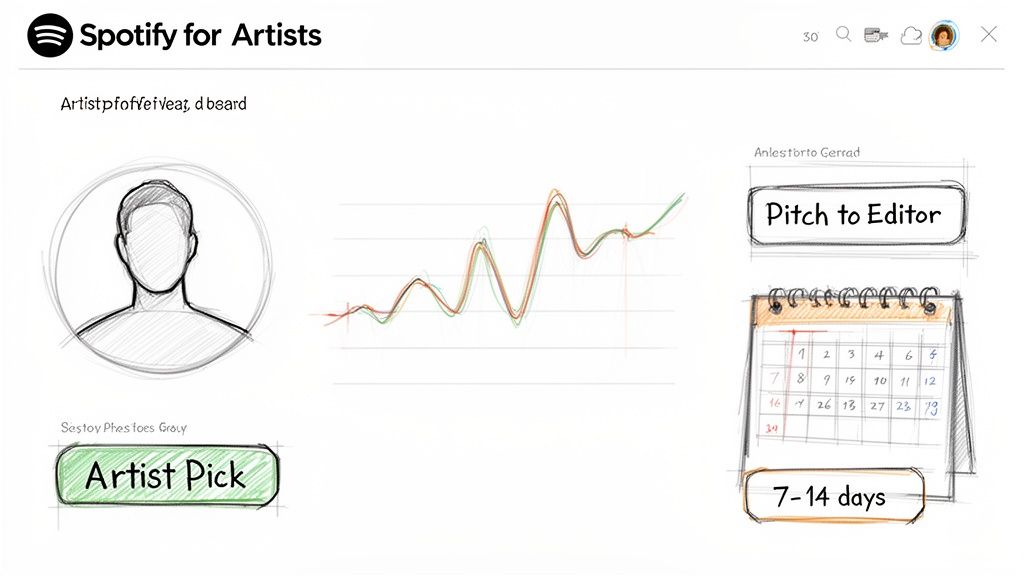
Artist Pick: This is prime real estate at the top of your profile. Pin your new single, a playlist you’re featured on, or your upcoming tour dates. It’s a direct call-to-action for every single visitor.
A sharp, well-maintained profile shows you're invested in your career. That professional polish can subconsciously influence how curators see your music when your pitch lands in their queue. For a deeper dive, check out our guide on the 7 essential tools within Spotify for Artists to really get the most out of your profile.
The Art of the Editorial Pitch
Okay, your profile looks great. Now for the main event: pitching your unreleased track directly to Spotify's editorial team. This is your one shot to get your music in front of the actual people who build career-making playlists like New Music Friday, Lorem, and thousands of others.
You’ll do this right inside your Spotify for Artists dashboard. Remember, you can only pitch one song per release, and it has to be done at least seven days before your release date. My advice? Submit it 10-14 days in advance. Give those editors plenty of time to live with your track.
Your pitch isn’t just a form; it's your story. Editors see thousands of these. To cut through the noise, yours needs to be concise, compelling, and professional. Don't just describe the song—sell the vision.
To nail your pitch, you need to give them context. The form will ask for genre, mood, instrumentation, and culture tags. Be as specific and accurate as you can—this data helps route your song to the right editor's inbox.
But the most critical part is the free-text description box. This is where you tell the story.
What’s the inspiration?
What makes this track stand out?
Do you have a music video, a social media campaign, or a tour planned?
Mentioning your marketing plans is a huge pro-tip. It shows editors you’re hustling to bring listeners to their platform, which makes adding you to their playlist a much smarter bet for them.
Getting your music on Spotify is the first step, but pitching it intelligently is how you actually break through. It’s no joke—independent artists are a massive force, earning over $5 billion in royalties and making up nearly half of Spotify's total payouts. The potential is immense if you play your cards right.
Crafting the perfect narrative can feel daunting, which is where a tool like the artist.tools AI Pitch Generator can be a lifesaver. It analyzes successful pitches to help you find the right words for your track. Mastering this one step can completely change the trajectory of your release, turning a simple upload into a real career-building moment.
The Art and Science of Playlist Pitching and Promotion
While your official editorial pitch is a huge deal, it's really just the beginning. The artists who break through are the ones who understand that real discovery happens on the ground floor, within the sprawling network of independent playlist curators.
These are the real music heads, the influencers, and the brands who've built loyal audiences around specific sounds and vibes. Getting on their playlists is how you build authentic, grassroots momentum. You find your people, and in doing so, you give the Spotify algorithm every signal it needs to start taking you seriously.
But this isn't about blind luck. It’s about having a smart, data-driven game plan.
Building Your Target Playlist List
Before you even think about writing a pitch, you need to know exactly who you're pitching to. This research phase is absolutely non-negotiable. It’s what separates the pros from the people shouting into the void.
Your mission is to build a laser-focused list of playlists that are a perfect home for your music’s genre, mood, and overall energy.
A great starting point is to find artists who sound like you—your "sonic neighbors." Check out their Spotify profiles and see which independent playlists are showing them love. That's your first batch of leads.
But to really level up, you need to go deeper. A powerful tool like the artist.tools Playlist Search lets you slice and dice millions of playlists by genre, keywords, and even find curator contact info. This is how you stop guessing and start knowing.
Vetting Playlists and Dodging Bots
Here's the hard truth: not all playlists are created equal. The Spotify world, unfortunately, has its share of fakes—playlists propped up by bots to inflate follower counts without any real people listening. Getting on one of these can wreck your momentum and even get your track flagged for artificial streaming.
You have to put on your detective hat and vet every single playlist on your list.
Here’s what to watch out for:
Sketchy Follower Growth: If a playlist explodes from 100 to 50,000 followers overnight, that’s a massive red flag. Real growth is slow and steady.
Weird Engagement Ratios: A playlist with 100,000 followers but tracks that only have a few hundred plays? That math doesn't add up. It means no one is actually listening.
Generic Names and Art: Be wary of playlists named "Top Hits 2025" with generic stock photos. They're often just fronts for bot farms.
The best defense is good data. Using a Playlist Analyzer or Bot Detection tool gives you a look under the hood. It shows you a playlist's history and flags suspicious activity before you waste a pitch or put your track at risk.
With over 8 billion user-created playlists, they are the undisputed key to Spotify growth. But with over 100,000 tracks uploaded daily, most artists never break past 10 monthly listeners. Vetting playlists makes sure your hard work actually counts. You can see more Spotify statistics and trends on Mediamister.com.
Crafting the Perfect Outreach
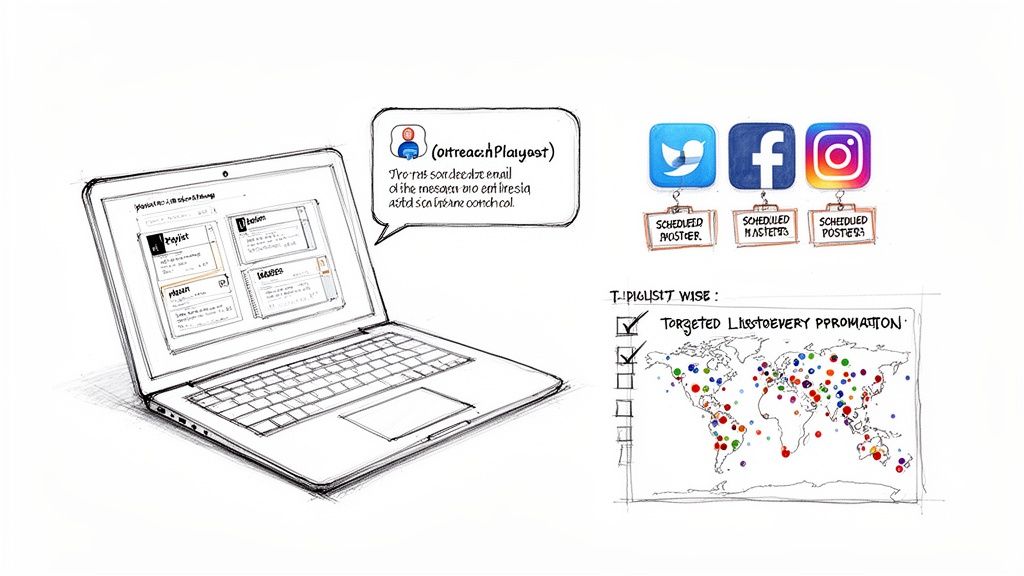
Once you have a clean, vetted list of curators, it’s go-time. Your pitch email needs to feel personal, get straight to the point, and be professional. These curators get bombarded with submissions, so a generic copy-paste email is a one-way ticket to the trash folder.
Try following this simple framework:
Use Their Name: "Hey curator" is an instant giveaway. Do the work to find their actual name.
Prove You Listened: Name-drop a specific song on their playlist you liked and explain why your track would be a great fit next to it. It shows you’re not just spamming.
Keep It Short: Introduce yourself, give a one-sentence vibe check for your song, drop the Spotify link, and say thanks. That's it.
Never Attach Files: Always, always link directly to your track on Spotify. No one is downloading random mp3s from strangers.
The real goal is to build genuine relationships. Follow them on socials, interact with their content, and become a part of their world before you ask for something. For a much deeper dive, check out our modern guide to Spotify playlist pitching.
Fueling the Algorithm on Release Day
Your job isn't done after you send your pitches. Driving your own traffic right when your track drops is crucial. It’s a massive signal to the Spotify algorithm that something is happening.
When Spotify sees real people saving, sharing, and adding your song to their personal playlists, it's far more likely to serve it up in algorithmic playlists like Release Radar and Discover Weekly.
Coordinate everything for maximum impact. Blast the release on your social channels, hit up your email list, and push your fans to listen and save the track. A strong pre-save campaign is a game-changer here, guaranteeing a rush of streams and saves the second your song is live. That initial burst is your best shot at proving to Spotify that your music demands to be heard.
Tracking Performance and Protecting Your Music
Congratulations, your music is live on Spotify! But this isn't the finish line. In many ways, it's just the start. Getting your track on the platform is one thing, but understanding what happens next is what separates the pros from the hobbyists.
Now the real work begins. You need to know what's working, who's listening, and—critically—how to protect your music from threats that could get it taken down. Post-release is where data-driven artists pull ahead, turning raw numbers into a real strategy.
Decoding Your Spotify for Artists Analytics
Your first stop should always be your Spotify for Artists dashboard. Think of it as your mission control. It's a goldmine of information, telling you not just how many people are listening, but who they are and how they found you.
Dig into these specific areas:
Audience Demographics: Does your audience match who you thought you were making music for? The age and gender data here might confirm your suspicions or reveal a completely unexpected group of fans you can now target directly.
Listener Locations: Seeing a random spike in listeners from São Paulo or Berlin? That's not just a cool stat; it's a road map for planning future tours or targeting social media ads where you already have momentum.
Source of Streams: This is probably the most important metric on the whole dashboard. It shows you exactly how people are finding your music. Is it from their own library? A big editorial playlist? Or another user's playlist? A high number of streams from "Other user's playlists" is a fantastic sign of genuine, word-of-mouth growth.
This is your baseline. Mastering these native analytics is the first step to understanding how your music is truly performing out in the wild.
Going Deeper with Third-Party Tools
While Spotify for Artists is essential, its data can lag by 24-48 hours. When you're in the middle of a release campaign, that's an eternity. For a more immediate and detailed picture, serious artists rely on specialized third-party platforms.
These tools fill in the gaps. For example, a dedicated Monthly Listeners Tracker can chart your audience growth over the long term, helping you connect the dots between your promotional efforts and actual fan growth.
Likewise, a real-time Stream Tracker is invaluable. It shows you the immediate impact of a new playlist add or a big social media share. This instant feedback lets you make smart decisions on the fly, rather than waiting a couple of days for the official numbers to catch up.
The Critical Threat of Artificial Streaming
Okay, let's get serious for a moment. We need to talk about protecting your music. Artificial streaming—or bot activity—is a huge problem on Spotify. Shady services promise artists thousands of streams for a few bucks, but these fake plays can completely derail your career.
Spotify's algorithms are incredibly good at sniffing out fake streams. If you get caught, they can remove your track, withhold your royalties, and put a permanent strike on your artist account. Trust me, it's not worth the risk.
The scary part is, you can end up on a botted playlist without even knowing it. That’s why you have to be proactive. A powerful Bot Detection tool is non-negotiable. It scans the playlists your music is on, flagging sketchy follower growth and other red flags that scream "fraudulent activity."
Found your track on a suspicious list? Don't panic. Contact your distributor immediately. Give them the data-backed evidence from your bot check, and they can report the issue to Spotify for you. This shows you're doing your part to keep your account clean.
Estimating Your Earnings and Planning Ahead
Finally, let's talk money. Knowing your potential earnings is key to setting realistic goals and reinvesting in your music. Spotify’s payout-per-stream is always in flux, but it generally falls somewhere between $0.003 and $0.005.
That might not sound like much, but it adds up. A track hitting 100,000 streams could earn you between $300 and $500. Using a Spotify Royalties Calculator can help you play with the numbers and forecast your income based on different scenarios.
This isn’t about getting rich quick. It's about understanding the business side of your art so you can make smarter decisions—whether that's funding your next music video, paying a collaborator, or budgeting for a bigger promo campaign. When you track your performance and protect your streams, you're not just an artist; you're building a sustainable career.
Frequently Asked Questions About Spotify Uploads
You’re almost at the finish line, but getting your music onto Spotify can bring up some last-minute questions. It’s totally normal. Let's clear up some of the most common things artists ask so your release goes off without a hitch.
How Long Does It Take for My Music to Appear on Spotify?
This is the big one, and the cause of a lot of anxiety. The short answer? It varies. After you hit "submit" on your distributor's site, it can take anywhere from a few days to a week or more for your track to get processed and pop up on Spotify.
But here's the real pro tip: don't even think about the minimum time. You should be uploading your music to your distributor three to four weeks before your release date. Seriously. Giving yourself this much of a buffer does two crucial things: it basically guarantees your track will be live on time, and more importantly, it gives you that vital window to pitch your song to Spotify's editorial team. Rushing it is just a massive missed opportunity.
Can I Upload a Cover Song to Spotify?
Absolutely, but you have to get the legal stuff sorted out first. To release a cover, you need to secure a mechanical license, which gives you the legal right to record and sell someone else's song. Skipping this step is a huge mistake and can get you into serious legal trouble.
The good news is, most distributors make this pretty painless. Services like DistroKid and TuneCore have built-in options to handle cover song licensing for you. For a small fee, they'll take care of all the paperwork and make sure you're fully compliant.
Dropping a cover without the right license is a surefire way to get your track pulled down. Spotify and distributors don't mess around with copyright, and any money you earn will likely be frozen or sent straight to the original publisher. Don't risk it.
What Happens If I Find Botted Streams on My Track?
Seeing fake, botted streams on your track can be terrifying, but the key is to act fast and not panic. The first thing you need to do is figure out where they're coming from. Usually, it's a dodgy playlist you were added to without you even knowing.
Once you’ve spotted the shady activity, you need to contact your distributor immediately. Give them everything you've got—screenshots, data, anything that points to the artificial streams. They’ll be your go-between with Spotify's fraud team.
Honestly, being proactive is your best defense here. Keep an eye on your analytics and use a Bot Detection tool to catch problems before they spiral out of control. Ignoring it is the worst possible move, because it can lead to:
Your track getting completely removed from Spotify.
All your royalties for that track being withheld.
A permanent strike against your artist account.
Staying vigilant protects your music and keeps your artist profile in good standing. It’s just part of being an artist in 2024.
Ready to stop worrying and start making smarter moves? artist.tools gives you the data and protection you need, from Bot Detection to deep-dive playlist analysis. It's time to stop guessing and start building your career with a platform made for musicians like you.