How to Put Your Music on Spotify for Independent Artists
- Jan 9
- 17 min read
Here's the thing: you can't just upload your music directly to Spotify. It doesn't work that way. To get your tracks on the world's biggest streaming service, you have to go through a third-party music distributor. They're the essential bridge, taking your professionally polished files and getting them onto Spotify, Apple Music, and all the rest. For any independent artist, this is the only way in.
Your Pre-Release Checklist for a Perfect Launch
Before you even start comparing distributors, you need to get your house in order. This means getting all your release assets prepped, polished, and formatted perfectly. Honestly, getting these fundamentals right from the jump is non-negotiable. It's what separates a smooth, successful release from a nightmare of delays and rejection emails from your distributor.
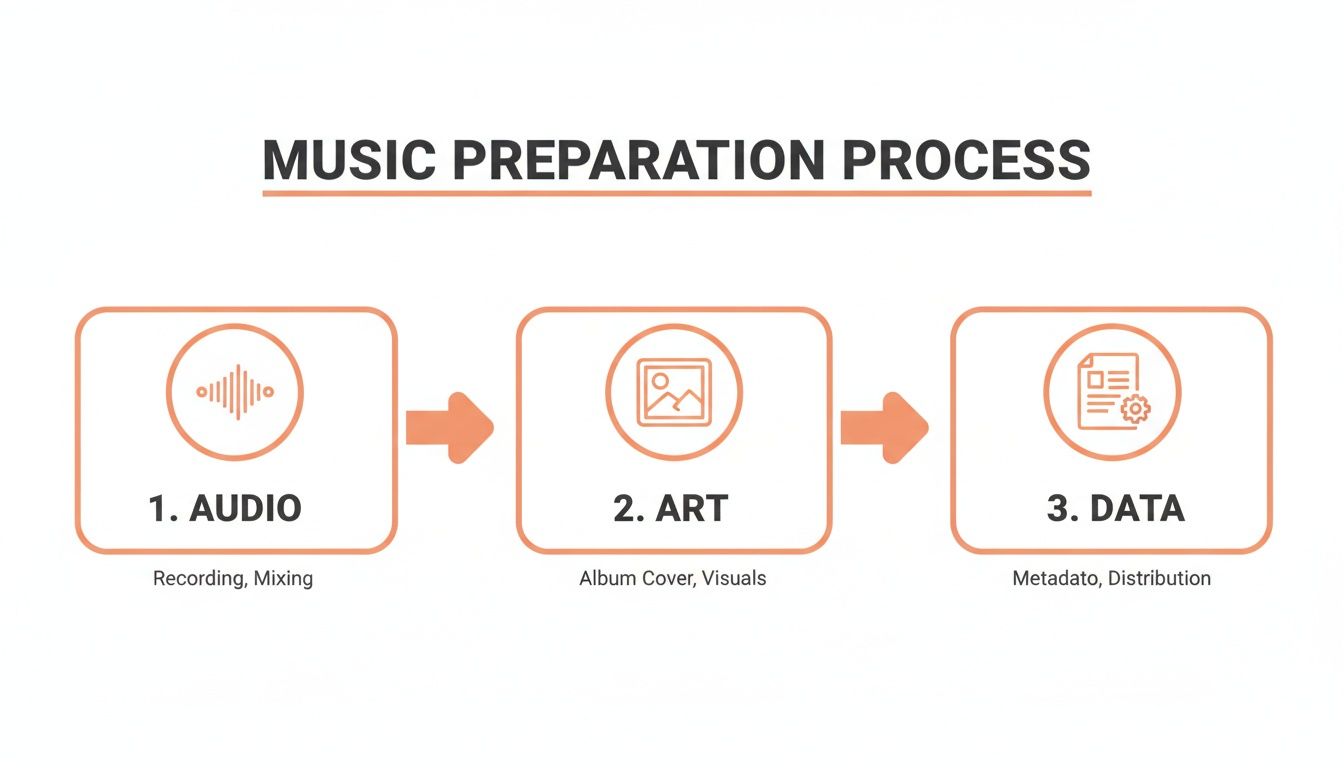
Think of it as the foundation of your release. You wouldn't build a house on shaky ground, right? Your music's foundation comes down to three key pieces: the mastered audio file, the cover art, and the song's metadata. Each one has its own set of technical specs you absolutely have to nail.
Perfecting Your Audio for Spotify
First up, and most importantly, is your final audio file. Spotify has a system to make sure the listening experience is consistent across millions of songs. They normalize everything to a target loudness of about -14 LUFS (Loudness Units Full Scale).
What does that mean for you? If you upload a track mastered way louder than that, Spotify’s algorithm will just turn it down. Too quiet? They’ll turn it up. Mastering your song with this -14 LUFS target in mind is the pro move. It keeps Spotify’s own limiters from messing with your dynamics, ensuring your track sounds exactly how you and your engineer intended. Always, always export your final master as a high-quality, lossless file like WAV or FLAC.
Creating Compelling Cover Art
Your cover art is often the first impression you make. It’s the visual handshake that gets someone to press play, so it needs to look incredible whether it's on a 32-inch monitor or a tiny phone screen. To breeze through the upload process, your artwork has to meet some very specific criteria.
Here's what every distributor requires:
Format: It must be a JPG or PNG file.
Dimensions: A perfect square, at least 3000 x 3000 pixels.
Color Mode: Stick to RGB color mode.
Resolution: For print-quality sharpness, 300 DPI is the standard.
Keep it clean. Don't plaster URLs, social media handles, or "New Single Out Now!" text all over it. The goal is high visual impact and a professional look.
Organizing Your Essential Metadata
Metadata is all the behind-the-scenes info that identifies your music. It's how you get credited, how you get discovered, and, crucially, how you get paid. I can't tell you how many releases I've seen held up because of sloppy, inaccurate metadata. It's one of the most common—and avoidable—causes of delays.
Getting your metadata right isn't just about filling out forms; it's about building your digital identity. Correct data ensures your royalties find their way to you and helps new fans discover your work through search and algorithms.
Before you even log into a distributor's website, have all of this information typed out and ready to copy-paste:
Artist Name(s): Who is the primary artist? Are there any features or collaborators?
Song Title: The exact, correctly capitalized title.
Album/EP Title: If it's part of a bigger project.
Genre & Subgenre: Be specific. This helps with categorization and discovery.
Songwriter & Producer Credits: List everyone involved. Don't forget anyone.
Release Date: The big day you want your music to go live.
ISRC Code: This is an optional but highly recommended unique code for your recording.
This data is the backbone of your professional presence. If you want to take it a step further, see how this information fits into a bigger package with our ultimate guide to creating an EPK for artists, which shows you how to present yourself to the industry.
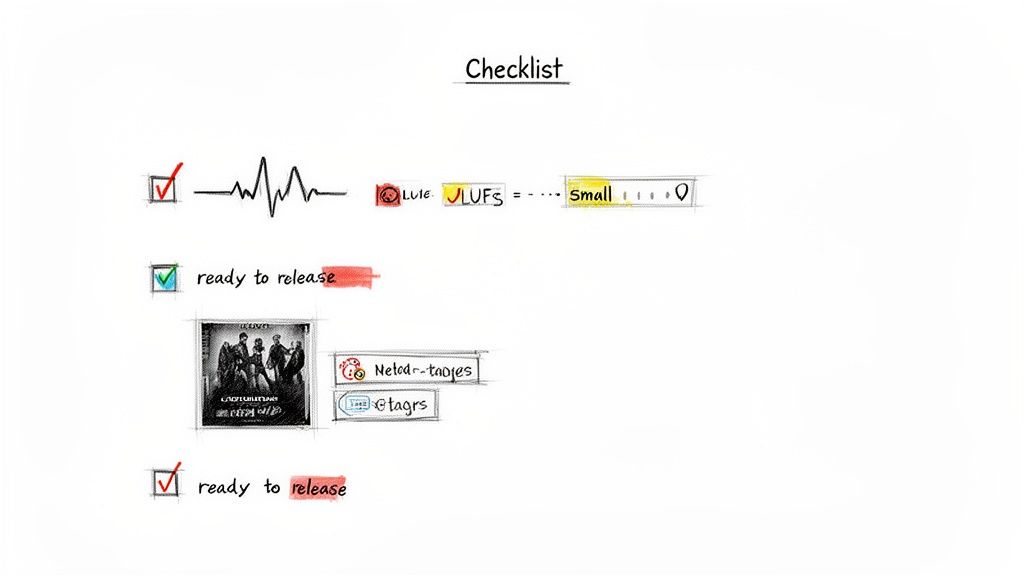
To make things even easier, here's a quick checklist of everything you should have ready to go.
Pre-Release Asset Checklist
This table breaks down the essential files and information you need to have compiled before you start the distribution process. Having this ready will save you a ton of time and headaches.
Asset Type | Required Specification | Why It's Critical |
|---|---|---|
Audio Master | Lossless WAV or FLAC file, mastered to approx. -14 LUFS. | Ensures your song sounds its best on Spotify and avoids unwanted compression. |
Cover Art | 3000x3000 pixel JPG/PNG file in RGB color mode. | Meets the strict quality standards of all major streaming platforms. |
Metadata | All credits, titles, and release info organized in a text doc. | Guarantees accurate crediting, royalty payments, and discoverability. |
Getting these three elements—audio, art, and data—squared away first is the professional way to approach a release. It sets you up for a smooth submission and a launch day free of technical surprises.
Choosing the Right Music Distributor
Alright, you’ve got your perfectly mastered track, killer cover art, and all your metadata dialed in. Now for the most critical step: picking a music distributor. You can't just upload your song directly to Spotify yourself. A distributor is the essential bridge that gets your release onto Spotify and all the other major streaming platforms.
Think of them as more than just a delivery service—they're a long-term partner in your music career.
The sheer number of choices can feel overwhelming. Services like DistroKid, TuneCore, and CD Baby all promise the world, but they run on fundamentally different business models. The decision you make right now will directly impact your wallet, your workflow, and your potential for growth for years to come.
Comparing Distributor Business Models
The biggest difference between distributors boils down to how they get paid. This isn’t a small detail; it’s the core of your partnership with them. Let’s break down the main ways they structure their fees.
Annual Subscription Fees: Companies like DistroKid are famous for this. You pay a flat fee every year for unlimited uploads. This model is a dream for prolific artists who are constantly releasing new music, as your cost-per-release drops with every track. The catch? If you stop paying that annual fee, they might take your music down.
Per-Release Fees: Others, like CD Baby, often use a one-time fee model. You pay once for a single or an album, and it stays on streaming services forever, no recurring charges. This can be way more cost-effective if you only plan to release music once in a while.
Commission-Based Models: Some distributors skip upfront fees and instead take a percentage of your royalty earnings, usually around 10-15%. While this is great for getting started with zero cost, it can become expensive if a track blows up. On the plus side, their success is directly tied to yours.
Choosing a distributor isn't just about finding the cheapest option. It’s about finding a financial model that actually fits your release strategy. An artist dropping a single every month has completely different needs than one releasing an album every two years.
Key Features to Evaluate
Beyond how you pay, the actual features a distributor offers can make or break your release. Don't get distracted by flashy marketing—focus on the tools that provide real, tangible value for an indie artist trying to build a career. If you want to go even deeper, you can explore more about how to distribute music and get heard by millions in our detailed guide.
Here are the non-negotiables you should be looking for:
Royalty Collection and Payouts: How do they get your money, and how easy is it for you to get paid? Look for distributors with transparent reporting, low payout thresholds, and multiple payment options (like PayPal or direct bank transfers). Payout speed is another big one; some pay monthly, while others might make you wait longer.
YouTube Content ID: This is huge. YouTube Content ID automatically scans the platform for videos using your music and lets you monetize them. If your music is getting used in vlogs, compilations, or other user-generated content, this can become a serious passive revenue stream. Not all distributors offer it, and some charge extra.
Customer Support: When something goes wrong with a release—and trust me, it sometimes does—you need support you can count on. Check reviews and artist forums to see what real musicians are saying about a distributor's response time and helpfulness. A faceless, automated support system is a nightmare when your release is on the line.
Analytics and Reporting: A good distributor gives you detailed analytics that go way beyond simple stream counts. You want a platform that shows you where your listeners are, which playlists are driving your streams, and demographic data. This information is pure gold for planning your marketing and future tours.
Ultimately, picking your distributor is a strategic business decision. Weigh the costs, compare the crucial features, and choose the partner that gives you the tools you actually need to build a sustainable career.
Getting Heard with Spotify for Artists
Once your distributor pushes your music live, you’re officially in the game. But your track’s arrival is more than just a release—it's your key to Spotify's entire artist ecosystem. Your very next move, without question, should be claiming your official profile through Spotify for Artists. This is your command center.
Think of it as getting the keys to your own storefront. Before you claim it, you're just another name on a digital shelf. Afterward, you’re in control. You can upload a custom profile picture, write a bio that actually connects with people, and link up your social media. This simple step signals to both Spotify and potential fans that you’re a professional, active artist who means business.
Claiming and Customizing Your Profile
The process itself is pretty straightforward. Your distributor will give you a unique Spotify URI (that’s just a fancy link) for your artist profile. You’ll take that over to the Spotify for Artists site to find and claim your page. After a quick verification, you'll have full access.
But don't mistake this for a simple admin task. This is strategic. Your profile is the first impression, and you can use it to:
Update Your Bio and Photos: Keep your story and your look fresh. A killer photo and a well-written bio can easily turn a casual listener into a new follower.
Add an Artist Pick: Pin whatever you want front and center—a new single, an album, or even a playlist you’re loving. It’s the first thing people see.
Share Tour Dates: If you're playing shows, you can integrate with platforms like Ticketmaster and Songkick to let fans know where you'll be.
Sell Merch: Got a Shopify store? Connect it directly and sell your gear to the people who are listening to you the most.
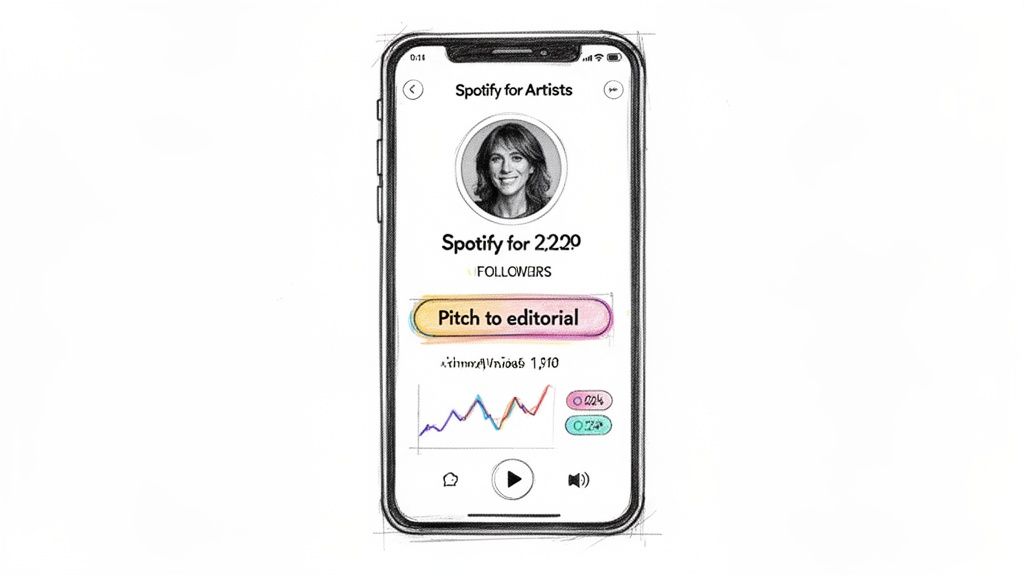
Beyond the visuals, your Spotify for Artists dashboard is a goldmine of data. You get real-time streaming numbers, deep insights into who’s listening (age, gender, location), and, crucially, which playlists are actually driving streams. This isn't just vanity metrics; it's the intel you need to make smart marketing decisions.
Pitching to Spotify Editorial Playlists
With your profile looking sharp, it’s time for the single most powerful action you can take before your song drops: pitching it directly to Spotify's editorial team. This is your one and only chance to get your music in front of the actual human curators behind massive playlists like New Music Friday, Lorem, and Chill Hits.
A great placement can change an artist's career overnight, exposing a track to millions of new listeners. But here’s the inside scoop: even if you don't land a huge editorial playlist, the simple act of pitching has a massive built-in benefit.
Pitching your track at least seven days before its release date guarantees it will land in your followers' personalized Release Radar playlists. This is a direct line to your most dedicated fans and is absolutely critical for driving that initial wave of streams.
Getting your music onto Spotify playlists isn't some mystical, unknowable process anymore. It's become a measurable, repeatable task. Spotify itself guarantees that if you submit an unreleased song through their platform a week or more in advance, it gets that automatic Release Radar placement. This is exactly why you see so many artists focusing on a steady stream of singles instead of big, infrequent albums—it keeps them constantly on the algorithm's radar. You can get the full rundown from Spotify's official pitching guide.
How to Craft a Winning Pitch
You only get to pitch one song per release, so you have to make it count. When you log into Spotify for Artists, you’ll see your upcoming music. Select the track you want to push and you'll be taken to the pitch form. This is your moment to tell the song's story.
Here's what editors are actually looking for:
Genre and Mood Tags: Get specific. Don't just say "Pop." Is it "Indie Pop," "Synth Pop," or "Bedroom Pop"? Select moods that genuinely capture the song's vibe. Both the human editors and the algorithms rely heavily on this data to figure out where your track belongs.
The Story Behind the Song: This is your chance to stand out. In just a few sentences, tell them what the song is about. What inspired it? Was there a cool story from the recording session? Make it personal and memorable.
Marketing and Promotion Plans: Briefly outline your release strategy. Mention if you're running social media ads, have any press lined up, or are shooting a music video. It shows the editors you’re invested in the track's success, which makes them more likely to be, too.
Keep your pitch concise, professional, and authentic. The goal is to give an editor everything they need to quickly understand your music and who it's for. A well-crafted pitch doesn't just boost your chances of getting editorial love; it also feeds the algorithm the right information to find your future fans.
7. Finding and Pitching Independent Playlists
Beyond Spotify's official channels lies a massive, sprawling network of independent curators. These are the real tastemakers, the passionate music fans shaping trends and breaking new artists every single day. While an editorial placement is the holy grail, a lot of artists build lasting careers off the back of consistent support from these indie curators.
This isn't just about blasting your track to every playlist you find. It’s a targeted game of finding the right fit, building real relationships, and sending a pitch that actually gets a response. Honestly, this is where the long-term, organic growth for your music truly begins.
Separating Real Playlists from Fakes
First thing's first: you absolutely have to learn how to spot a legit playlist from a botted one. Fake playlists pumped up by click farms are everywhere, and they're a huge problem. Landing on one won't just do nothing for your career—it can get your music flagged by Spotify for fraudulent activity, potentially leading to strikes or even takedowns. You have to put on your detective hat.
Here are the dead giveaways of a healthy, engaged playlist:
Steady Follower Growth: A real playlist grows organically over time. If you see sudden, insane jumps in followers (like thousands in a day), that's a massive red flag.
Listener-to-Follower Ratio: A huge follower count is pure vanity if no one is actually listening. A playlist with 50,000 followers but only a few hundred monthly listeners? Almost certainly fake.
The Curator Has a Pulse: Real curators are usually music lovers with some kind of online presence. Look for links to their Instagram, Twitter, or website in the playlist description. If they’re a complete ghost, be suspicious.
Tools like artist.tools are indispensable for this. They let you peek behind the curtain to vet playlists before you even think about reaching out.
To make it even clearer, you need to analyze a few key metrics when deciding if a playlist is worth your time.
Healthy vs Botted Playlist Comparison
Metric | Healthy Playlist Indicator | Botted Playlist Red Flag |
|---|---|---|
Follower Growth | Slow, organic, and consistent growth over months or years. | Sudden, massive spikes in followers overnight. |
Listener Engagement | A reasonable ratio of monthly listeners to total followers. | Extremely low monthly listeners despite a high follower count. |
Curator Identity | The curator has a linked social media profile or contact info. | The curator is completely anonymous with no online presence. |
Track History | Songs on the playlist have a natural-looking stream history. | Many songs have an identical, suspiciously low stream count. |
Playlist Name | Often creative, niche, and specific to a mood or genre. | Generic names like "Top Hits 2024" with no clear branding. |
Ultimately, trust your gut. If a playlist seems too good to be true—promising thousands of streams for a fee—it probably is. Stick to playlists that show signs of genuine, human curation.
Finding Curator Contact Information
Okay, so you've found a playlist that looks legit. Now for the hard part: finding the person who runs it. Spotify doesn't just hand out contact info, so you'll have to do some digging. The good news is, most curators want to be found by good artists.
Start with the playlist description itself. Many curators will drop their Instagram handle, a submission link (like a SubmitHub or Groover profile), or even a direct email. If there’s nothing there, take the playlist name or the curator’s username and search for it on social media. You'll often find a profile dedicated to their curation work.
Remember, every pitch is an attempt to start a relationship. Curators are real people, often inundated with submissions. Your goal is to stand out by being personal, professional, and respectful of their time.
Crafting the Perfect Outreach Email
Your pitch email is your one shot to make a good impression. A generic, copy-and-pasted message is a one-way ticket to the trash folder. A thoughtful, personalized email, however, can open some serious doors.
Here’s a simple, effective structure to follow:
A Clear Subject Line: Don't be cute; be direct. Something like "Submission: [Your Song Title] for your 'Indie Chill Vibes' Playlist" works perfectly. It tells them exactly what the email is about and shows you’ve done your homework.
A Personalized Opener: Start by mentioning their playlist by name. In one sentence, tell them why your track is a good fit. This proves you've actually listened and aren't just spamming.
The Ask (and the Link): Keep it brief. Introduce yourself and your song in a sentence or two, then provide a direct Spotify link. Please, do not attach audio files. Nobody wants to download a random MP3.
A Simple Closing: Thank them for their time and consideration. Keep it professional and polite.
Avoid the temptation to write a novel about your life story. The curator only cares about one thing: does your song fit their playlist? Make it as easy as possible for them to click play and decide. This approach will help you build a network of supporters who will actually champion your music for the long haul.
Getting Your Music Heard on Release Week
The moment your song hits Spotify is a massive win, but it’s definitely not the finish line. In fact, what you do in those first seven days can either set your track up for long-term success or let it fade into the background. A powerful release week sends all the right signals to Spotify's algorithm, telling it your music is connecting with people and needs to be shown to more of them.
The whole game is about creating a big burst of activity right out of the gate. This means getting your existing fans to do more than just stream the song. You need them to save it to their libraries and add it to their own playlists. These actions are gold in Spotify's eyes—they carry way more weight than a simple listen. They show real, genuine engagement, which is exactly what you need to start landing on algorithmic playlists like Discover Weekly and Release Radar.
Build the Hype Before Day One
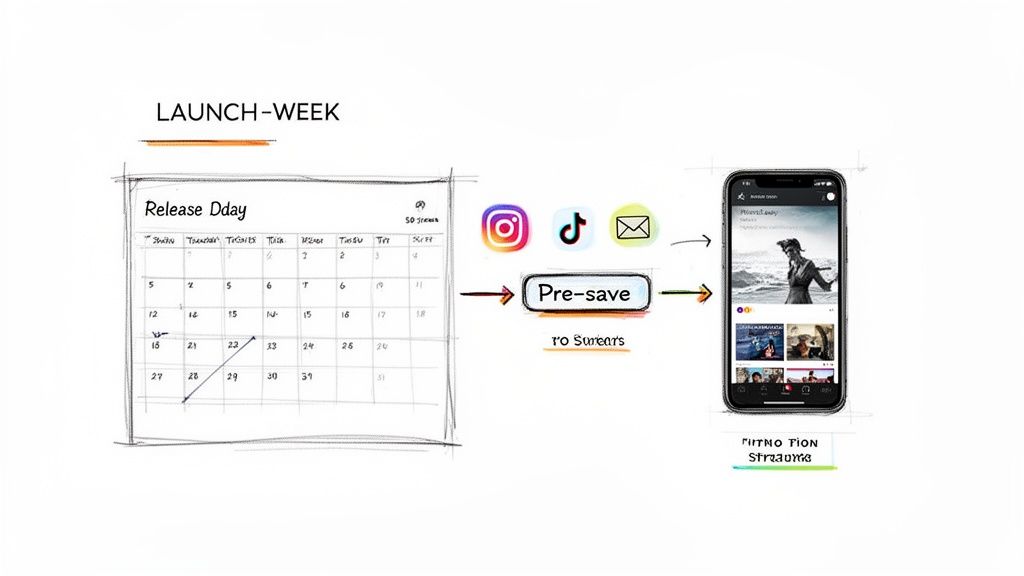
A killer release week actually starts weeks before your song is even out. The idea is to build up so much anticipation that your audience is waiting by the door, ready to hit play the second it drops. One of the best ways to do this is with a pre-save campaign.
A pre-save is a simple link that lets listeners authorize Spotify to automatically add your song to their library the moment it goes live. This isn't just a marketing trick; it's a strategic play to guarantee a flood of saves and streams right at midnight. Most distributors offer a way to set this up, and there are plenty of third-party tools that do it, too.
Here’s a rough pre-launch timeline to get you started:
Two Weeks Out: This is when you announce the release date and start pushing your pre-save link everywhere—social media, your email list, you name it.
One Week Out: Keep the energy up. Post some behind-the-scenes clips, share a few lyrics, or just run a simple countdown.
Day Before Release: Time for the final push. Send one last reminder to your email list and post on socials letting everyone know the track is dropping at midnight.
Your core fans are your launch team. An email list is so important here because it's a direct line to them that you completely control, away from the chaos of social media algorithms. A personal email to your biggest supporters will always drive more action than a dozen social media posts.
Getting this group on board is your number one job. Their early support is the rocket fuel for the algorithm, and it all starts with that pre-save link.
Your Release Day Game Plan
Once the song is officially out, your job shifts from building hype to driving action. For the first 24-48 hours, your only goal is to get as many people as possible over to your track on Spotify. Don't just drop a link and cross your fingers; tell your audience exactly what you need them to do.
Instead of a generic "My new song is out," try something more direct: "My new track is live! Tap the link to listen and hit the '+' to save it to your library—it helps a ton!" That small tweak can make a huge difference in how many people engage.
Here’s a quick checklist for release day and the week that follows:
Update Your Social Bios: Swap the link in your Instagram, TikTok, and Twitter bios to your new Spotify track.
Make Cool Content: Share short video clips using the song, repost user-generated content, or film a quick message talking about what the track means to you.
Talk to Your Fans: When people comment, reply! Share posts from fans who are listening. It builds a sense of community and makes others want to join in.
Keep Pitching Playlists: Don't stop your outreach to independent curators. A lot of them wait to see how a song performs in its first few days before they consider adding it.
A strong release week is an all-hands-on-deck effort. If you prep ahead of time and have a clear plan, you give your music the best possible shot at finding its audience and sticking around long after that initial launch buzz dies down.
Understanding Your Data and Royalties
Once your music is live and that first release week push is over, the job isn't done. It just changes. This is where you switch gears from pure promotion to analysis, and your Spotify for Artists dashboard becomes mission control for your career.
Being a modern artist is as much about being a strategist as it is about being a creator. The data waiting for you inside that dashboard isn't just a bunch of numbers; it's the story of your audience. It tells you who’s listening, where they are, and how they found you. This stuff is gold. It’s the difference between guessing what works and making sharp, informed decisions that will guide your next release, your marketing, and even where you play shows.
Decoding Your Spotify for Artists Analytics
Jumping into your analytics for the first time can feel like a lot, but you can get powerful insights fast by focusing on just a few key metrics. The total stream count is nice for your ego, but the real story is in the sources of those streams.
Where are people discovering your music? Is it coming from user playlists? Algorithmic ones like Discover Weekly? Or are they finding you directly from your artist profile? Knowing the answer tells you what's actually moving the needle.
Audience Demographics: Pay close attention to the age, gender, and location data. If you suddenly see a spike in a city like Berlin or São Paulo, that's a massive clue. You now have a target for your next social media ad campaign or a specific region to pitch playlists in.
Playlist Performance: Your dashboard shows you exactly which playlists are sending you the most listeners. This is crucial for your outreach. If you see a small, indie playlist driving a ton of traffic, that curator is someone you need to build a relationship with for your next single.
Listener Conversion: Look at how many people who listen to your music go on to follow you. This metric tells you how much your music is really connecting. A high listener-to-follower rate means you're not just getting temporary plays; you're building an actual fanbase.
The most successful indie artists I know treat their Spotify for Artists dashboard like a business intelligence tool. They aren't just refreshing their stream count; they're looking for trends over time to see which marketing efforts paid off.
Understanding How Spotify Royalties Work
Alright, let's talk about money. How do you actually get paid from all this? The world of streaming royalties can feel murky, but the basic idea is pretty simple. Spotify pools its revenue, pays a huge chunk of it to rights holders based on their "stream share," and your distributor is the one who collects that cash for you.
A common myth is that Spotify has a fixed "per-stream" rate. It doesn't. The payout for one stream changes every month based on things like where the listener is and if they're a Premium subscriber. Your distributor handles the messy reports from Spotify, figures out your cut, and puts the money in your account. For a much deeper dive, check out our guide to royalties from Spotify and how to get paid.
This is exactly why picking the right distributor is so critical—they're your financial partner in this whole game.
Turning Passion into a Sustainable Career
When you upload your music, you're stepping into a library of over 126 million tracks, with another 112,000 new songs hitting the platform every single day. And while Spotify has over 11 million artists, only around 14% of them break past 10 monthly listeners.
But here's the good news: the opportunity has never been bigger. In 2024, independent artists pulled in over $5 billion in royalties from Spotify alone—that's nearly half of everything Spotify paid out. It proves that even though the platform is crowded, there's a real path to success for those who are smart about it. You can find more stats on the modern streaming landscape on soundcamps.com.
Success on Spotify isn't about getting lucky. It's a rinse-and-repeat cycle: release great music, promote it with a plan, analyze the data, and let those insights shape your next move. When you get a handle on your analytics and the royalty process, you stop being a passive creator and become the active architect of your career.
Ready to turn your data into a real strategy? artist.tools provides the industry's most powerful suite of analytics for musicians. Track your stream growth, vet playlists for bot activity, and find curator contacts to get your music heard. Take control of your Spotify career today by visiting https://artist.tools.
.png)
Comments