
how to upload your music to spotify: a practical guide
how to upload your music to spotify: step-by-step distributors, file prep tips, and promotion ideas to reach a global audience.
So, you’ve got a track ready to go and you want to get it on Spotify. The first thing you need to know is that you can’t just upload it directly like you would a video to YouTube. It’s a bit more involved than that.
To get your music on Spotify, you have to go through a digital music distributor. Think of them as the essential middleman between you, the artist, and the massive world of streaming platforms. They’re the bridge that gets your music from your hard drive to the ears of millions.
Why You Need a Distributor to Upload Music
Spotify has some seriously strict standards. They need everything from the audio file quality to the metadata and album art to be perfect before a track goes live. This is where a distributor steps in. They’re the gatekeepers who ensure every single release meets these technical requirements.
Imagine having to learn all the complex file specifications and legal paperwork for every song you release. It would be a nightmare. Distributors streamline this whole mess, creating a standardized pipeline that works for millions of artists across the globe.
The Role of a Music Distributor
A distributor’s job is way more than just sending a file. They’re your partner in the digital release process, managing all the critical backend tasks that make a professional release possible.
Here’s a quick rundown of what they handle for you:
- File Formatting and Delivery: They take your master audio files (usually WAV or FLAC) and your artwork and make sure they meet Spotify’s exact technical specs before delivery.
- Metadata Management: All that crucial info—artist names, track titles, songwriter credits, ISRC codes—is collected and formatted correctly by your distributor.
- Royalty Collection: This is a big one. They collect the money your streams earn and get it back to you.
That last point is why this partnership is so vital. You’ll sign up with a service like DistroKid or TuneCore, which then pushes your music out. These services usually charge a small annual fee or a fee per release. In return, they chase down and collect your royalties, which is critical since Spotify pays artists somewhere between $0.003 and $0.005 per stream. You can find more insights about Spotify statistics on SQ Magazine.
To put it simply, here’s a quick summary of why you absolutely need a distributor.
Why You Need a Music Distributor at a Glance
| Function | Why It’s Necessary for Spotify Uploads |
|---|---|
| Technical Formatting | Spotify has strict specifications for audio files (bitrate, format) and artwork (resolution, color profile). Distributors handle this conversion for you. |
| Metadata Delivery | They correctly package and deliver all your song information (artist, title, credits, ISRC codes) in a format Spotify’s system can read. |
| Legal Agreements | Distributors have existing legal agreements with Spotify, which allows them to deliver content on behalf of artists. You can’t just sign one yourself. |
| Royalty Collection | Spotify pays out royalties to distributors, not directly to artists. The distributor collects these earnings and pays them out to you based on your streams. |
| Content Delivery Network | They are part of a trusted network that ensures music is delivered securely and efficiently to Spotify’s servers. |
Ultimately, a distributor is your professional representative in the digital music world. They handle the technical and administrative grind, freeing you up to do what you actually love: making music.
The most important decision you’ll make in this journey is choosing the right distributor. Your choice impacts not just your ability to upload but also your potential earnings, promotional opportunities, and overall workflow as an artist.
This partnership is the foundational first step. Nailing this choice sets the stage for a successful launch and makes sure your music not only gets heard but also gets you paid.
Choosing the Right Music Distributor for Your Career
Picking a music distributor is way more than just a technical step—it’s a major business decision that will shape your workflow, your earnings, and your entire career path. You literally can’t upload your music to Spotify without one, but the real question is which partner actually fits your goals. The market is packed with solid options, but they all have different payment models and feature sets designed for different kinds of artists.
The best place to start is your own release strategy. Are you planning on dropping a new single every month? Or are you hunkering down to work on one big album a year? Answering that one question can make one distributor the perfect fit and another a total waste of money.
Comparing Fee Structures
Probably the biggest difference you’ll find between distributors is how they charge for their services. Getting a handle on this is the key to managing your budget and not getting hit with surprise costs down the road.
- Annual Subscription Fees: Services like DistroKid run on a subscription model. You pay a single flat fee each year and get to upload as many songs and albums as you want. This is a no-brainer for prolific artists who are constantly putting out new music. If you’ve got multiple projects lined up for the year, the cost-per-release drops to almost nothing.
- Per-Release Fees: On the other hand, distributors like TuneCore and CD Baby often charge a one-time fee for every single or album you upload. This can be way more affordable for artists who only release music here and there. If your plan is to release one album every couple of years, paying once makes a lot more sense than keeping a yearly subscription active.
There’s no “best” option here—only what’s best for you. An artist releasing music frequently could save hundreds with a subscription, while someone focused on singular, spaced-out projects might overspend on a plan they barely use.
Beyond the Fees: Royalties and Features
Money is a huge piece of the puzzle, but it’s not the whole story. You also have to look at the distributor’s commission structure, how quickly they pay out, and what other services they bring to the table. Some distributors take a small cut of your royalties (usually somewhere between 9-15%), while others let you keep 100%. This might seem like an easy choice, but the company taking a commission might be offering way more powerful support or promotional tools in return.
Your distributor is more than a delivery service; they are your gateway to the broader music industry. The right partner can unlock opportunities you wouldn’t find on your own.
Think about the value-added services they offer. A lot of distributors now bundle in tools that can give your career a serious boost.
- Playlist Pitching Assistance: Some distributors will help you prep and submit your music directly to Spotify’s editorial playlists.
- Sync Licensing Opportunities: A great distributor might have an in-house sync team that actively pitches your music for placement in TV shows, movies, and ads.
- Detailed Analytics: Getting access to deep data on your listeners is essential for figuring out who your audience is and what your next move should be.
This whole process can feel complicated, but this visual breaks down the core path every artist follows to get their tracks live on Spotify.
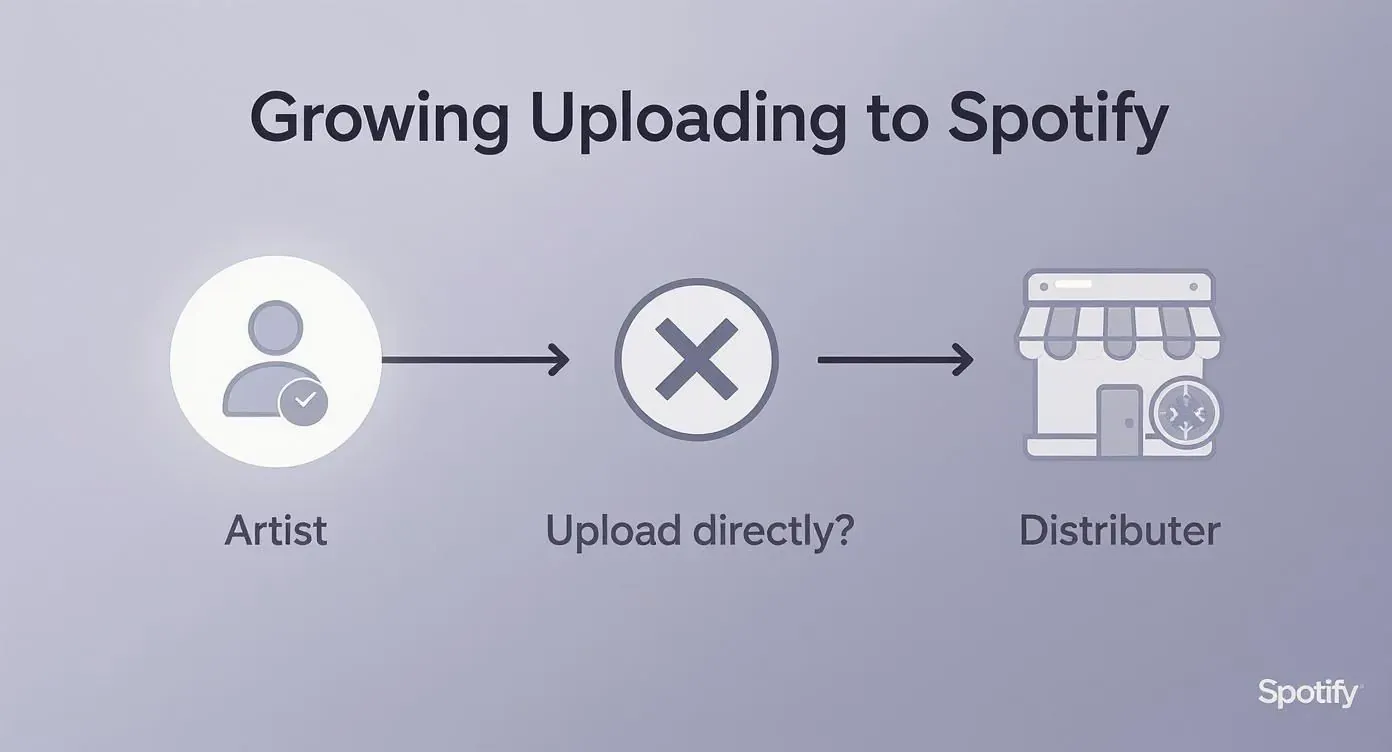
As you can see, the path always runs through a distributor. That makes choosing your partner the first critical decision you’ll make in your release journey. For a much deeper look, check out our guide on how to distribute music and connect with a bigger audience.
Ready to see how some of the top players stack up? This table breaks down a few popular options to give you a clearer picture.
Comparing Top Music Distributors
| Distributor | Fee Structure | Royalty Split | Key Features |
|---|---|---|---|
| DistroKid | Annual Subscription (starts at $22.99/year for unlimited uploads) | 100% to Artist | Fast uploads, automatic revenue splits, Spotify for Artists instant verification, lyric distribution. |
| TuneCore | Per-Release (starts at $19.99/single and $34.99/album annually) or annual plans | 100% to Artist | YouTube monetization, publishing administration, detailed sales reports, sync opportunities. |
| CD Baby | One-Time Fee (starts at $9.99/single, $29/album) | 91% to Artist | Physical distribution (CDs/vinyl), sync licensing, publishing admin, detailed analytics. |
| Symphonic | Application-based (no upfront fee) | 85% to Artist | Personalized support, playlist pitching, sync licensing, marketing services, advanced analytics. |
This comparison isn’t exhaustive, but it highlights how different models serve different needs. Take the time to visit their sites and see which one feels like the right long-term partner for your music.
User Experience and Support
Last but not least, don’t sleep on the importance of a clean user interface and good customer support. You’re going to be living inside your distributor’s dashboard to manage your entire catalog. A confusing or glitchy platform can turn a simple five-minute upload into a massive headache.
Before you sign up, search for recent reviews about their customer service. Trust me, when a release date is breathing down your neck and you hit a technical problem, you’ll want a support team that actually responds and knows how to help. Your peace of mind is worth a lot.
Preparing Your Music Files for a Flawless Upload
Before you even dream of hitting “upload” on your distributor’s dashboard, let’s talk about your assets. Getting your files right is non-negotiable. I’ve seen it happen countless times: an artist gets held up because their files don’t meet Spotify’s strict technical specs. It’s a frustrating, and frankly, completely avoidable roadblock.
Getting this part right means your music sails through the system without any snags, keeping your release date locked in. The goal here is simple: prepare professional-grade files that get the green light on the first try. Let’s break down exactly what you need for both your audio and your artwork.
Mastering Your Audio Specifications
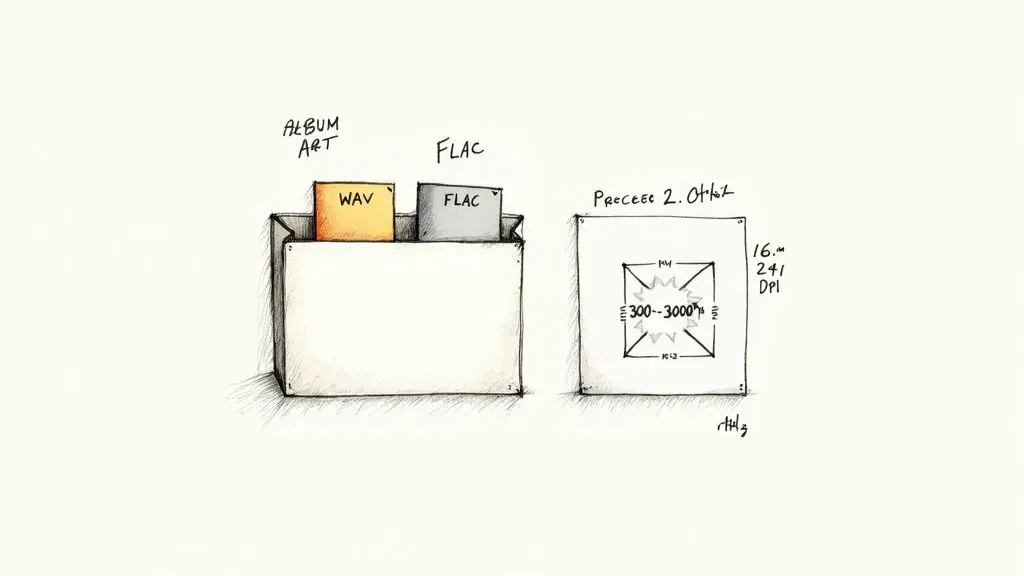
Spotify is all about delivering a high-quality listening experience, which means they demand lossless audio. Trying to sneak in a low-quality MP3 is a surefire way to get your submission kicked back. Your distributor is going to need your master audio files in one of two specific formats to even start the process.
To make sure your music sounds as good on Spotify as it did in the studio, you have to follow these technical standards:
- File Format: Your tracks must be either WAV or FLAC files. These are lossless formats, meaning they preserve every bit of the original audio data from your master. Compressed formats like MP3 just won’t cut it.
- Bit Depth: Your audio needs to be either 16-bit or 24-bit. If you have the 24-bit version, use it—it offers a much better dynamic range.
- Sample Rate: Stick to the industry standard of 44.1 kHz. Sending a file with a different sample rate can lead to conversion errors that degrade your audio quality.
Think of it this way: you poured countless hours into mixing and mastering your track to perfection. Submitting it in the wrong format is like printing a high-resolution photo on a cheap, blurry printer. All that detail and hard work gets lost.
Perfecting Your Album Artwork
Your album art is the visual handshake with every potential new fan. Unsurprisingly, Spotify has equally strict rules for your cover to ensure it looks sharp and professional on every possible device, from a tiny phone screen to a massive TV display.
A common mistake I see artists make is treating their album art as an afterthought. It’s a critical asset that can get your entire release rejected if it doesn’t meet the platform’s non-negotiable standards.
Before you upload your artwork, run through this checklist and make sure it meets every single spec.
Artwork Technical Checklist:
- Dimensions: Your image must be a perfect square, at least 3000 x 3000 pixels. This is crucial for it to look crisp on high-resolution displays.
- Resolution: Aim for 300 DPI (dots per inch). This is the standard for high-quality digital display and print.
- File Format: Save your final artwork as a JPG or PNG.
- Color Profile: Always use the RGB color profile, as it’s the standard for all digital screens.
Just as important is what not to include. Spotify will immediately reject artwork that contains website URLs, social media handles, or any logos that aren’t your official artist or label name. Your cover art should be exactly that—art. It’s not an ad. Getting these details nailed down from the start is a key step in learning how to upload your music to Spotify the right way.
Crafting Your Metadata for Maximum Discoverability
Once your audio and artwork are polished and ready to go, the next step is getting into the nitty-gritty of metadata. This isn’t just boring data entry; it’s how you give your music its digital fingerprint.
Think of metadata as your song’s DNA. It’s all the crucial info that tells Spotify who you are, what your song sounds like, and—most importantly—who needs to get paid when it’s streamed.
Getting this right is non-negotiable. Good metadata is how Spotify’s algorithm understands your music, how you land on the right playlists, and how you and your collaborators actually see your royalties. A small mistake here can mean big missed opportunities and lost money down the line.
The Core Components of Your Release
When you log into your distributor’s dashboard, you’ll see a bunch of fields that need to be filled out. Each one is a piece of the puzzle that helps your music get found.
- Artist Name: Seems obvious, right? But consistency is key. Make sure it matches your existing artist profiles exactly to avoid having Spotify create a frustrating duplicate page.
- Song Titles: Always double-check your spelling and capitalization. A simple typo can make it impossible for fans to search for your track.
- Genre Tags: This requires a little strategy. Pick your main genre, but don’t forget to add relevant sub-genres. This is a huge signal to the algorithm for recommending your music to the right listeners and curators.
- Songwriter & Contributor Credits: This is a big one. You need to list everyone involved—producers, co-writers, session players, everyone. This is critical for both legal and financial reasons, making sure publishing royalties go to the right people.
Incomplete or inaccurate metadata is one of the biggest silent career killers. It not only affects your discoverability but also directly impacts your ability to collect all the royalties you’re rightfully owed.
This data is the absolute backbone of your release. Taking the time to be meticulous here is a massive part of a successful release strategy. You can dive deeper by checking out our essential guide for artists and labels on what music metadata is.
Understanding Your Unique Identifiers
Beyond the creative details, your distributor will assign a couple of critical codes to your music. You don’t create them yourself, but knowing what they are is super important.
ISRC (International Standard Recording Code) This is basically a unique fingerprint for a specific recording. An ISRC is permanently tied to one master version of a song, allowing it to be tracked for streams and sales everywhere in the world. If someone else covers your song, their recording gets its own, different ISRC.
UPC (Universal Product Code) While an ISRC is for a single track, a UPC identifies the whole package—whether it’s a single, an EP, or a full album. It’s the “barcode” for the entire release, bundling all the individual songs and their ISRCs together.
These codes are the bedrock of how royalties get tracked. Without them, it would be a chaotic mess trying to figure out who gets paid for what. Your distributor handles assigning them, but understanding their role gives you a much clearer picture of how the whole system works.
What Happens After You Upload Your Music
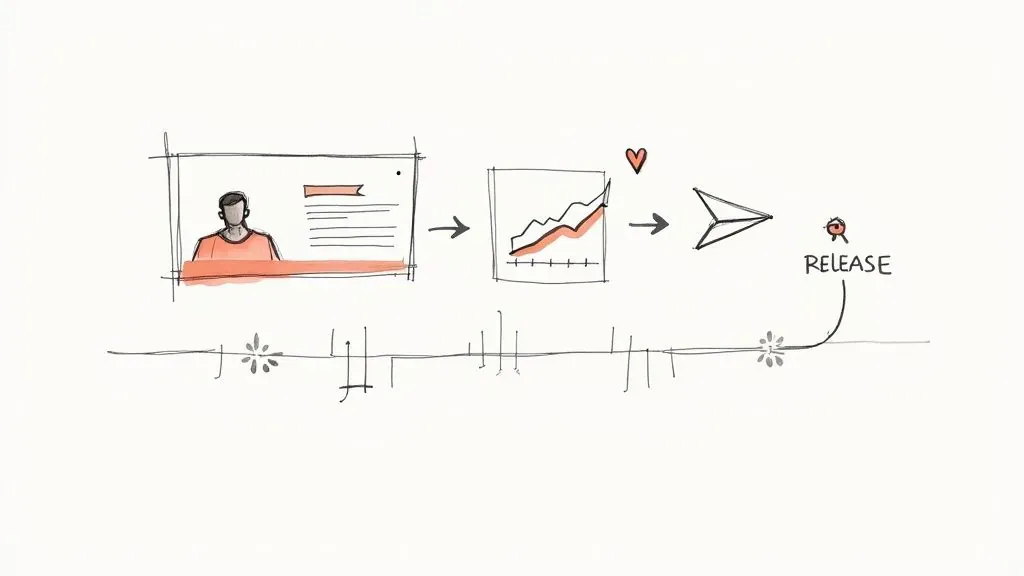
Hitting “submit” on your distributor’s site is a great feeling, but the real work is just getting started. Your music is now in the pipeline to Spotify, kicking off the next critical phase: verification, promotion, and actually understanding who’s listening.
What you do now is what separates a track that just quietly exists from one that actually starts building momentum.
Your absolute first move should be claiming your Spotify for Artists profile. Think of this as your mission control on the platform. As soon as your distributor gives you the nod that your music is in Spotify’s system—usually just a few days after you submit—get it done. Seriously, don’t wait for release day.
Claiming your profile unlocks the tools you need to manage your career on Spotify. It’s where you’ll get to polish your bio, swap out your profile picture, and, most importantly, tap into the analytics and promo features that will drive your growth. For a deeper look, check out our guide on the seven essential tools within Spotify for Artists you need to master.
Pitching to Editorial Playlists
Once you’re verified, you have a time-sensitive, high-stakes task: pitching your unreleased track to Spotify’s editorial team. This is your one direct shot at landing on career-making playlists like New Music Friday or genre-specific lists curated by Spotify’s own experts.
You have to submit your song for playlist consideration at least seven days before it goes live. But the earlier, the better. Giving editors more time to listen and consider your track can only help your chances.
When you write your pitch, get specific and show some passion. Tell the story behind the song, explain its mood, and mention any marketing plans you have lined up. This context is gold for an editor trying to figure out where your music fits and why their listeners will love it. A solid pitch can be a total game-changer.
Understanding Your Audience Through Analytics
The day your music goes live, your Spotify for Artists dashboard comes alive with data. This is where you stop guessing and start knowing. You can see exactly who is streaming your music, where they are in the world, and how they found you.
Keep a close eye on these key metrics:
- Listener Demographics: Get the breakdown of your audience’s age, gender, and location. Finding out you have a pocket of fans in Berlin or São Paulo is actionable data that can shape your next tour or ad campaign.
- Source of Streams: Are people finding you through their own playlists, editorial placements, or their Release Radar? This tells you what marketing efforts are actually working.
- Listener Engagement: Pay attention to how many people save your song or add it to their personal playlists. A high save rate is a massive signal to Spotify’s algorithm that people are connecting with your music.
This data is pure gold. Think about the annual Spotify Wrapped event—it shows just how much listener data shapes the narrative around music. You can use your own analytics to see which songs truly resonated, which can directly influence the kind of music you make next and how you promote it. By digging into your data, you turn passive listeners into an understood audience, fueling a smarter, more effective release cycle.
Common Questions About Uploading to Spotify
Getting your music out there often feels like navigating a maze, especially when it comes to the nitty-gritty details. When you’re learning how to get your tracks onto Spotify, a few key questions almost always pop up.
Let’s cut through the noise and tackle the most common things artists wonder about during the upload process.
How Long Does It Take for My Music to Appear on Spotify?
This is the big one, right? You’ve poured your heart into a track, and now you’re itching to see it live. Once you hit ‘submit’ with your distributor, the final leg of the journey usually takes about 2-5 business days for your music to pop up on Spotify.
But here’s a piece of advice I can’t stress enough: don’t cut it that close. The smart move is to upload your music to your distributor at least 3-4 weeks before your actual release date. This buffer is your best friend. It gives you a comfortable window to pitch to Spotify’s editorial playlists and handle any unexpected technical hiccups without throwing your entire launch schedule into chaos.
Can I Upload a Cover Song to Spotify?
Absolutely, but you have to do it by the book. To release a cover song, you’re legally required to secure a mechanical license first. This is non-negotiable, as it’s how the original songwriter gets paid for their work.
You can’t just record your version of a hit and send it off—that’s a fast track to copyright infringement. The good news is, it’s not as complicated as it sounds.
- Most of the big distributors like DistroKid and TuneCore have built-in services that will get the license for you for a small fee.
- They walk you through the whole process, making sure your cover is 100% legal and ready to go before it ever reaches Spotify.
Skipping the mechanical license is a serious legal misstep. Always use the tools your distributor offers to handle covers properly. It protects you, and it respects the person who wrote the song in the first place.
How Do I Get Paid from Spotify Streams?
Getting paid for your hard-earned streams is all handled through your digital music distributor. They act as the middleman between you and Spotify, making sure the money gets where it needs to go.
Here’s how it works: Spotify doesn’t pay artists directly. Instead, they pay out all the royalties to distributors. Your distributor collects that money for you, takes out their commission or fee (depending on their business model), and then puts the rest into your account with them.
From there, you can cash out your earnings right from your distributor’s dashboard. Just keep in mind that payout methods and minimum withdrawal amounts can differ, so it’s always a good idea to read up on their specific terms.
Ready to get a real handle on your Spotify data and start making smarter moves with your music? artist.tools gives you the analytics you actually need, from spotting bots to analyzing playlists and tracking your royalties. Take control of your strategy at https://artist.tools.