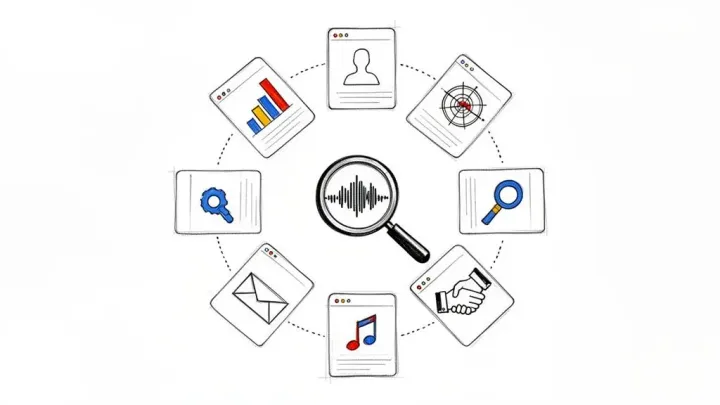

How to Find New Music on Spotify: Discover Fresh Tracks
Learn how to find new music on spotify with smart discovery tools, playlists, and tips to uncover tracks you'll love.
Want to know the fastest way to find new music on Spotify? Start with the tools the platform built just for you. Seriously. Your journey begins with personalized playlists like Discover Weekly and Release Radar, and from there, you can launch into endless streams of similar music using Spotify Radio.
Mastering Spotify’s Built-In Discovery Tools
Your Spotify account is way more than just a library of your favorite songs—it’s a powerful discovery engine that’s constantly learning your taste. The key to unlocking its full potential is to actively engage with its core features. Think of it as a conversation. The more feedback you give, the better Spotify gets at recommending your next obsession.
The platform’s algorithmic playlists are your ground zero for this. They’re designed to do the heavy lifting, analyzing your every move—every play, skip, save, and add—to build a unique musical profile just for you.
Your Personalized Weekly Mixtapes
Discover Weekly is probably Spotify’s most famous feature, and for good reason. It lands in your account every Monday with 30 tracks you’ve likely never heard but are almost certain to enjoy, all based on your listening history. It’s like getting a custom mixtape from a friend who just gets you.
Then there’s Release Radar, which shows up every Friday. This one is all about new music from artists you follow or listen to a lot. It makes sure you never miss a new single or album drop from your favorites, while also mixing in fresh tracks from artists with a similar sound.
The Power of Spotify Radio
Beyond the weekly playlists, Spotify Radio gives you an instant, endless stream of music discovery. You can start a “radio station” from literally anything:
- A Song: Found a track you love? Start a radio station to hear more just like it.
- An Artist: Create a station based on an artist’s entire vibe and sound.
- An Album: Generate a mix inspired by the specific mood of a whole album.
- A Playlist: Use one of your own playlists as a jumping-off point for a new stream of similar tunes.
This is my go-to when I just want to lean back and let the music flow without having to build a new playlist from scratch.
Spotify is always tweaking its platform to make discovery even more intuitive. The visual below shows just how deeply these personalized suggestions are woven into the app, constantly nudging you to explore.
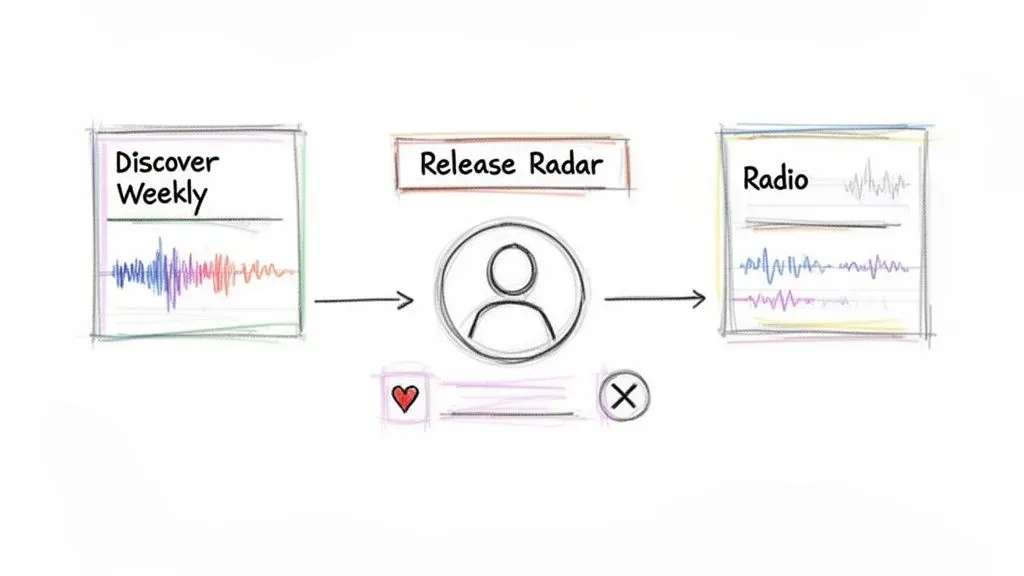
Here’s a quick rundown to help you decide which tool to use and when.
A Quick Guide to Spotify’s Core Discovery Features
This table breaks down which Spotify tool is right for your music discovery mood, from finding brand new releases to creating an endless radio station.
| Feature Name | Best For | Update Frequency | How to Use It Effectively |
|---|---|---|---|
| Discover Weekly | Finding brand new artists and songs that match your unique taste. | Every Monday | Actively “Like” or “Hide” tracks to teach the algorithm. |
| Release Radar | Staying on top of new music from artists you already follow or listen to. | Every Friday | Follow your favorite artists to ensure their new releases show up here. |
| Spotify Radio | Creating an endless, mood-based stream of music without building a playlist. | On-demand | Start a radio station from a song, artist, album, or even another playlist. |
These features are constantly being refined. For instance, Discover Weekly was refreshed with interactive controls letting users fine-tune their mix with up to five preferred genres. Features like these drive billions of streams and have led to other innovations like the Upcoming Releases hub.
To really get the most out of these powerful tools, check out our complete guide on how to master Spotify algorithmic playlists.
Using Advanced Search to Uncover Specific Sounds
Most people use the Spotify search bar for one thing: finding an artist or song they already know. But what if you could use it to find music you’ve never heard, tailored to a hyper-specific vibe or a forgotten micro-era? You absolutely can, and it’s easier than you’d think.
The key is to move beyond simple keywords and start using search operators. Think of these as simple commands that tell Spotify’s search algorithm exactly what you’re looking for, filtering out all the noise. They transform a basic search into a precision tool for music discovery.
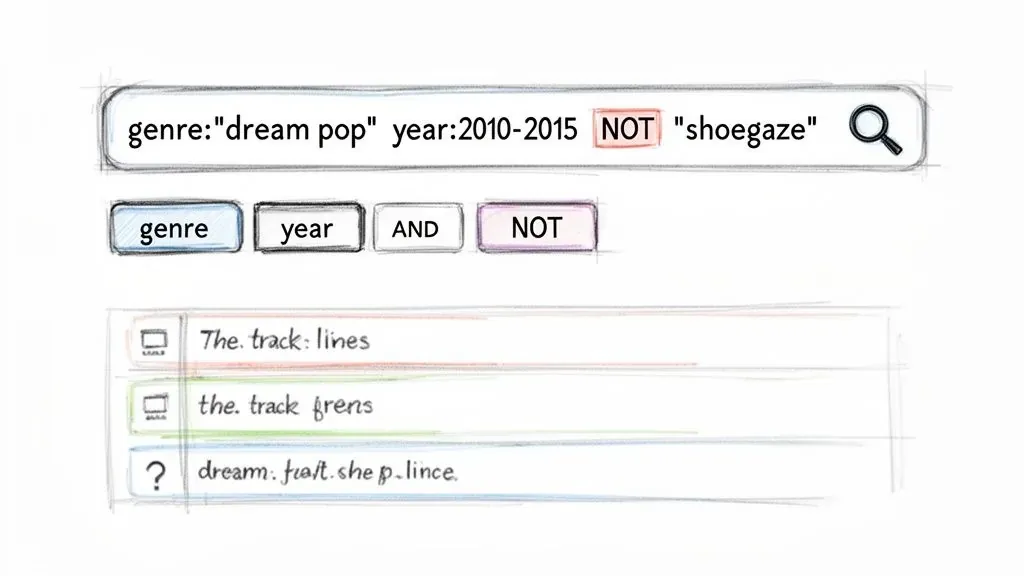
Unlocking Search Operators
Think of these operators as filters you can type directly into the search bar. They’re incredibly powerful for anyone looking to find new music on Spotify with surgical accuracy.
Let’s say you’re a fan of early 2010s dream pop but want to avoid anything that leans too heavily into shoegaze. Instead of just typing “dream pop,” you get specific.
Your search could look like this:
This single command instructs Spotify to find tracks tagged with “dream pop,” released between 2010 and 2015, while explicitly excluding anything also tagged as “shoegaze.” It’s a complete game-changer.
Here are the most useful operators you can start using today:
- — Pinpoint music from a specific year (e.g., ) or a date range (e.g., ).
- — Hunt for specific genres and subgenres. For multi-word genres, use quotes (e.g., ).
- — Exclude specific artists, genres, or keywords. This must be in all caps to work.
- — Combine terms to narrow your search (e.g., ). Also needs to be in all caps.
Combining these operators gives you immense control. A music supervisor could search for to find the perfect track for a period film, bypassing hours of manual digging.
Using Built-In Search Filters
Beyond typing in operators, don’t forget the simple yet effective filters already built into the Spotify app. After you perform any search, you’ll see tabs for Artists, Songs, Playlists, Albums, and more. This is your first line of defense against irrelevant results.
When you click into the Playlists tab, you unlock another layer of control. On both desktop and mobile, you can sort these playlists in a couple of key ways:
- Relevance: This is the default setting, showing playlists that most closely match your search term based on their titles and descriptions.
- Date Added: This is a fantastic tool for finding the freshest user-curated content. Sorting by date shows you the newest playlists made, which often contain emerging artists and trending sounds.
This methodical approach to search turns a simple text box into one of the most powerful tools for finding new music. It allows you to actively hunt for the sounds you want to hear rather than passively waiting for an algorithm to serve them to you.
Finding Music Through Human Curators and Playlists
Spotify’s algorithms are brilliant, but let’s be honest—they can get you stuck in a sonic bubble, serving up endless variations of what you already listen to. The real discoveries, the ones that feel like magic, often happen when you step outside the code and follow the taste of actual human beings.
This is where curators come in. These are the people—from indie music bloggers to major brands—who pour their passion into building playlists that tell a story or capture a specific vibe. A great playlist isn’t just a list of songs; it’s a gateway into an entire music scene. Finding curators who get your taste is like finding a trusted guide who will introduce you to artists you’d never stumble upon otherwise.
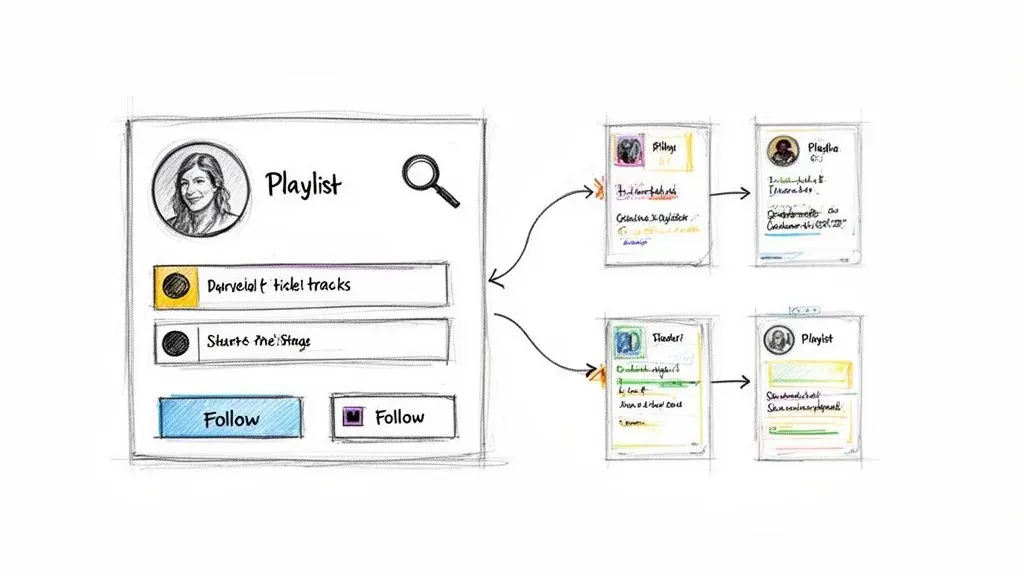
Identifying and Following Tastemakers
So, how do you find these people? It’s easier than you think.
Start by looking at any public playlist you already love. Who made it? Was it an individual, a brand, a music blog, or a record label? A quick click on their profile can open up a treasure trove of other playlists that might be right up your alley.
Here’s the key: don’t just save their playlist—follow their profile. This is a game-changer. Following the curator means you get notified about their new playlists and updates, giving you a steady stream of hand-picked tracks. Just click the curator’s name from the playlist page and hit the “Follow” button on their profile.
You can often spot a great curator by the details they include in their playlist descriptions. If they explain the mood or the story behind the music, it’s a good sign they’ve put real thought into it, separating it from a generic, keyword-stuffed list. If you want to go deeper on this, our guide on how to find Spotify playlist curators has some more advanced strategies.
Tracing an Artist’s Breakout Moment
Here’s a great trick for working backward to find the playlists that really matter.
Go to the profile of an up-and-coming artist you’ve recently discovered. Scroll down to the “Discovered On” section. This little area shows you the public playlists that are currently featuring that artist’s music.
This feature is like a roadmap to an artist’s journey. It shows you the exact playlists that helped them get their start, giving you direct access to the tastemakers who spotted their potential early on.
By digging into the playlists in the “Discovered On” section, you’ll uncover curators who are genuinely ahead of the curve. Following these people is one of the best ways to stay on top of new music scenes and find your next favorite artist before they blow up. It turns music discovery from a passive activity into an active hunt for fresh sounds.
Connecting Your World to Spotify for Fresh Finds
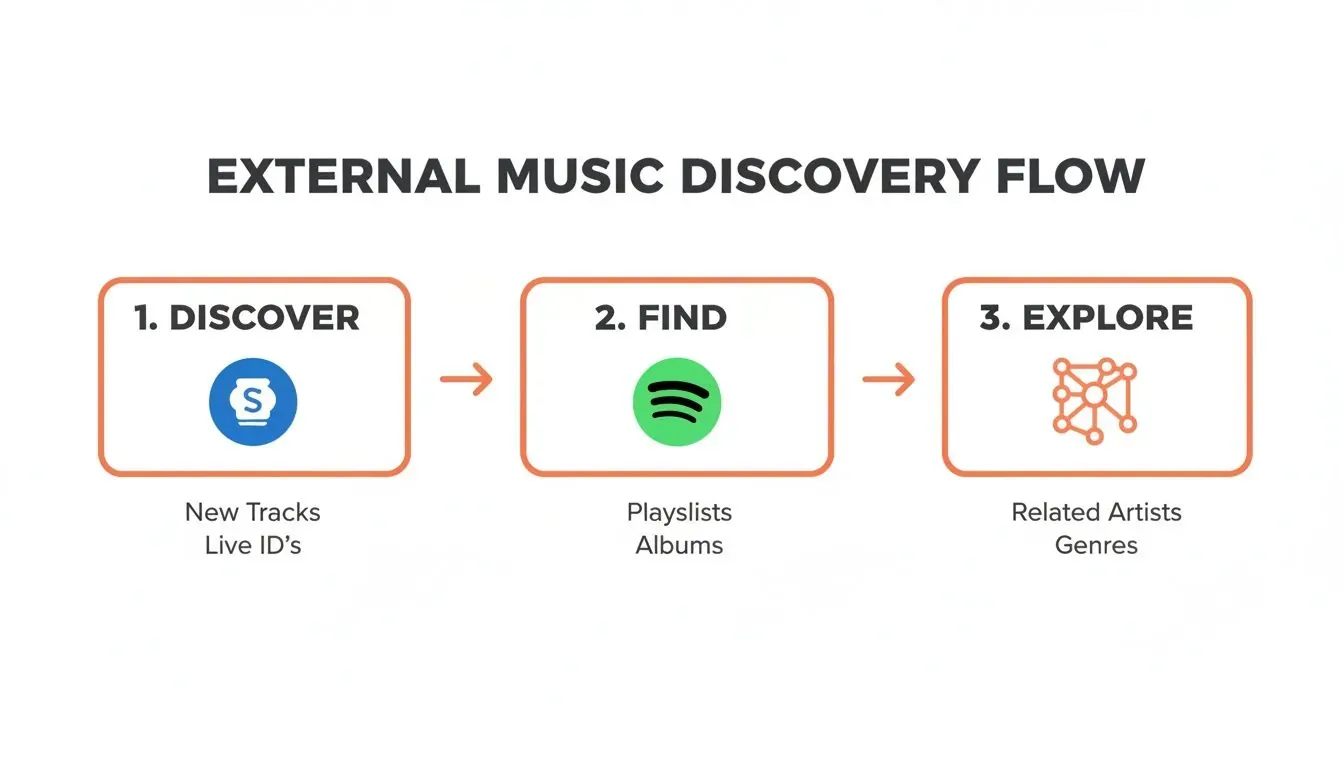
Sometimes, the best way to find new music on Spotify is to step outside of it completely. Your next favorite artist might be playing in a coffee shop, trending on a TikTok video, or hiding in the credits of a YouTube series. The trick is building a solid bridge between these real-world discoveries and your Spotify library.
We’ve all been there—you hear a song you love but have no idea what it’s called. This is exactly where a tool like Shazam becomes your best friend. With a single tap, it listens and identifies the track playing around you. Better yet, it hooks directly into Spotify, letting you open the song in-app instantly, add it to a playlist, and immediately start digging into that artist’s other work.
From Viral Sound to Your Next Favorite Artist
Social media is a massive engine for music discovery. Viral sounds on TikTok, in particular, can launch an artist from obscurity into the stratosphere overnight. That 15-second clip you keep hearing is your gateway to an entire catalog you never knew existed.
Think about how this usually plays out:
- You hear a trending audio clip over and over on your “For You” page.
- You tap the sound to see the song title and artist.
- You jump over to Spotify and search for them to hear the full track.
But don’t stop there. Once you find the artist, their “Fans Also Like” section is often a goldmine for similar musicians who share that same vibe but haven’t blown up yet. You’re basically using a trending sound as a launchpad to explore an entire subgenre. This method keeps your music taste plugged into what’s actually buzzing in the culture right now. For a deeper dive on this, our guide to social media marketing for music artists unpacks how these trends catch fire.
By actively bringing these external finds into Spotify, you’re manually feeding the algorithm new, diverse information. This trains it to look beyond your usual patterns, leading to more interesting and unexpected recommendations in your Discover Weekly and daily mixes.
Following External Tastemakers
Music-focused YouTube channels, blogs, and even TV show soundtracks are powerful, human-curated discovery platforms. When a song from a show’s closing credits catches your ear, make a note of it. Look it up later.
This workflow does more than just add a single song to your library. It introduces you to a new artist, who then leads you to their collaborators, their influences, and their peers on the platform. It’s an active approach that puts you ahead of the algorithm, ensuring your music library is constantly evolving with fresh, exciting finds from the world around you.
A Pro-Level Toolkit for Artists and Curators
Spotify’s built-in tools are fantastic for everyday listening, but if you’re an artist, manager, or a serious playlist curator, you need a more strategic, data-driven edge. For you, finding new music isn’t just about discovery—it’s about spotting trends, pinpointing opportunities, and really understanding the competitive landscape.
This is exactly where dedicated platforms like artist.tools come into play.

Think of these tools as a powerful analytics layer sitting on top of Spotify. Instead of just accidentally finding a great playlist, you can actively search for ones that meet your specific criteria. You can vet their authenticity and, more importantly, uncover the exact search terms real listeners are using to find music right now. It completely shifts music discovery from a passive activity to active market research.
This process is a cycle: you find a spark outside of Spotify, bring it into the platform to see what the data says, and then use those insights to explore related scenes and new opportunities.
Find and Qualify Playlists with Precision
Let’s say you just dropped a new lo-fi hip-hop track. A simple “lo-fi playlists” search on Spotify will drown you in thousands of results with almost no context. This is where a Playlist Search tool changes the game, letting you filter that ocean of playlists with surgical precision.
For instance, you could hunt for playlists that:
- Contain the keyword “lo-fi beats” in the title.
- Have between 10,000 and 50,000 followers.
- Are curated by independent users, not major labels or Spotify itself.
- Have been updated with at least one new song in the last week.
Suddenly, you have a short, manageable list of active, relevant playlists. But finding them is only half the battle. You need to make sure they’re legitimate.
That’s where a Playlist Analyzer is essential. It helps you dodge botted playlists by flagging suspicious activity like unnatural spikes in follower growth or playlists packed with unresponsive listeners. This step is non-negotiable for protecting your music and ensuring your outreach efforts are aimed at real, engaged audiences.
By analyzing a playlist’s history—like follower trends and track turnover—you can confidently tell the difference between a genuinely influential curator and a playlist pumped up with fake numbers. That’s an insight you’ll never get from the Spotify app alone.
Uncover Listener Trends with Keyword Data
One of the toughest challenges for curators is figuring out what to name their playlists to pull in organic listeners. Guessing what people are searching for is a surefire way to fail. A Keyword Search tool gives you a direct line into Spotify’s search data, showing you what terms listeners in different countries are actually typing into that search bar.
You might find out that while “lo-fi chill” is popular, a rising trend is “anime lo-fi” or “lo-fi for coding.” This kind of information is pure gold.
For an artist, it helps you tweak your track’s metadata and pitch descriptions to match what people are looking for. For a curator, it’s a roadmap for creating playlists that fill a genuine, existing demand. This helps you rank higher in Spotify’s search results and attract a steady stream of dedicated listeners.
Common Questions About Finding New Music
Even with all these strategies in your back pocket, a few questions might still be bouncing around in your head. Let’s tackle some of the most common ones to make sure your music discovery process is as smooth as possible.
Why Does Discover Weekly Keep Recommending the Same Genre?
This is a classic frustration. It almost always happens when your listening habits get stuck in a rut. Spotify’s algorithm sees you spinning a lot of one specific style and naturally concludes you want even more of it. To break the cycle, you have to be intentional about diversifying what you listen to.
Start by making a point to explore genres you haven’t touched in a while. Use those advanced search tricks we covered earlier—something like —to dig up playlists well outside your usual comfort zone. Just a week or two of actively liking and saving songs from different styles will send a powerful message to the algorithm that you’re ready for more variety.
The strongest feedback you can give Spotify is through your actions. Skipping tracks tells the algorithm what you don’t want, but actively seeking out, playing, and saving diverse music is a much clearer signal for what you do want.
How Many Artists Should I Follow for a Good Release Radar?
There isn’t a magic number here—it’s all about quality over quantity. Following thousands of random artists is just going to create a chaotic, unusable Release Radar playlist. The smart move is to only follow artists whose new music you genuinely want to hear the moment it drops.
A solid starting point is to follow every artist you add to your main playlists. I saw a user in the Spotify Community mention that following 1,000 to 1,500 active artists usually results in a Release Radar with about 100 tracks. That feels like a sweet spot for getting a playlist that’s substantial but not completely overwhelming.
Can I Reset My Spotify Recommendations?
Unfortunately, there’s no big red “reset” button for your taste profile. Spotify has spent years learning your preferences, and it doesn’t just wipe the slate clean overnight. What you can do, however, is consciously steer it in a new direction.
Here are a few practical ways to start retraining the algorithm:
- Use “Private Sessions” for listening you don’t want to influence your recommendations, like a playlist for a party or some background focus music.
- Go on a “spring cleaning” spree and “unlike” songs in your library that just don’t fit your taste anymore.
- Build new playlists from scratch centered on the genres you actually want to explore more of.
This isn’t an instant fix, but if you stay consistent for a few weeks, you’ll see your recommendations start to freshen up as the algorithm gets retrained.
Ready to stop guessing and start using powerful data to find the perfect playlists for your music? artist.tools offers a full suite of analytics, from our Playlist Search and Analyzer to the Keyword Search, giving you the strategic edge you need to grow on Spotify. Start making smarter decisions at https://artist.tools.