
Spotify Stats Login: A Guide for Artists & Managers
Complete your Spotify stats login safely. Learn how to access Spotify for Artists, vet third-party tools, and avoid common errors to see your data.
6
- Beyond Wrapped Understanding Your Daily Spotify Stats
- The Official Source Accessing Spotify for Artists
- Third-Party Stats Tools and Safe Login Practices
- Troubleshooting Common Spotify Stats Login Errors
- Beyond Basic Stats Professional Analytics with artist.tools
- Frequently Asked Questions About Spotify Stats
You’re probably here because you want more than Spotify Wrapped. You want a reliable Spotify stats login that shows what’s happening now, not a recap that arrives once a year after the fact.
That’s a smart instinct. For artists, managers, and labels, the primary risk isn’t just using the wrong stats tool. It’s logging into the wrong one, granting too much access, and making marketing decisions from shallow or misleading data. A fan checking their top songs has one job. An artist planning releases, evaluating playlists, and protecting catalog health has a completely different one.
Beyond Wrapped Understanding Your Daily Spotify Stats
Spotify stats login means two different things depending on who’s logging in. Most users mean personal listening history. Artists usually mean operational data they can act on.

What regular listener stats can and cannot do
Spotify does offer native listening summaries for regular users, but they’re narrow. On desktop or web, users can view top artists and tracks from the last month, and the interface can show the top 50 tracks of the month. On mobile, recently played artists only appear if the “Recently played artists” toggle is enabled in Social settings, as shown in this walkthrough of Spotify’s recent listening views.
Spotify’s own Listening Stats feature also gives users in-app insight into artists and songs they’ve had on repeat, how they compare with the average listener in their country, and favorite fandoms, with access documented in Spotify’s Listening Stats help article.
That’s useful for fans. It’s not enough for campaign decisions.
What artists actually need
Artists need a different class of data. You need to understand audience behavior, where traction is coming from, whether a playlist placement looks healthy, and which songs are worth pushing harder. A top-tracks snapshot doesn’t answer those questions.
A lot of confusion around Spotify stats login comes from mixing up consumer stats with artist analytics. They aren’t interchangeable. One is entertainment. The other affects release timing, playlist pitching, ad targeting, and team reporting.
If you need a quick orientation on the difference, this guide to seeing your Spotify stats and analyzing music data is a useful starting point.
The Official Source Accessing Spotify for Artists
Release week is a bad time to discover the wrong person controls your Spotify profile. I have seen teams lose hours chasing access, waiting on former managers, or realizing a freelancer still has admin permissions after a campaign ends. Spotify for Artists is where that risk gets handled correctly.

Use the official Spotify for Artists login first. It gives you direct control of the artist profile, direct access to native reporting, and a cleaner permission trail than any third-party shortcut. That matters for security as much as analytics. If profile access is messy, every downstream tool inherits that mess.
Start with ownership and permissions
Set the account up like a business asset:
- Claim the correct artist profile. Use the profile tied to your official releases, not a duplicate page, feature page, or old catalog identity.
- Limit admin access. Reserve top-level control for the people responsible for the profile and release operations.
- Assign editor access for routine work. Marketers, assistants, and short-term collaborators usually do not need full account control.
This is basic access hygiene. It also prevents avoidable privacy problems. If too many people have admin rights, it becomes harder to track who changed links, updated profile assets, or granted additional permissions to outside tools.
Spotify’s own listener definitions matter here too. In Spotify for Artists, Monthly active listeners are listeners who intentionally streamed from active sources in the past 28 days, Previously active listeners are active-source listeners from the past 2 years but not the past 28 days, and Programmed listeners are people who only streamed from programmed sources in the past 2 years, according to Spotify’s official Listening Stats definitions.
Those definitions affect decisions. A team looking at programmed listeners may be seeing exposure, not intent. A rise in monthly active listeners usually signals something different. If you blur those categories together, you can overestimate fan conversion and make the wrong call on ad spend, follow-up content, or playlist strategy.
Here’s a visual walkthrough of the official setup flow:

Read the dashboard like an operator
Use Spotify for Artists to answer operational questions. Which cities are reacting first. Whether playlist traffic is turning into saves and repeat listening. Whether a new release is pulling active listeners back in, or just collecting passive streams.
Keep the official dashboard as the source of truth for profile access and first-party performance data. Then add outside tools selectively, with permission control in mind. Teams that want a tighter review process can use this Spotify for Artists tools guide for artist teams to build a cleaner analytics workflow without handing out unnecessary account access.
Third-Party Stats Tools and Safe Login Practices
Third-party Spotify stats sites are popular because they’re fast, visual, and often easier to browse than Spotify’s own interfaces. That convenience is real. So is the security trade-off.

Why these tools are popular
A lot of Spotify stats login searches come from users who want more history and more flexibility than Spotify natively shows. That’s exactly what many third-party tools emphasize.
Skiley says users can connect a Spotify account and see top songs, top artists, and top genres across four time ranges: recent listening history, the past 4 weeks, the past 6 months, and the past 12 months, with data fetched in real time from Spotify’s API and no server-side storage, according to its Spotify stats feature page. The same verified dataset also notes that Stats for Spotify offers 3 different time periods and says data updates approximately every day.
That makes these tools attractive for casual use. It also means people get used to clicking “Continue with Spotify” without thinking about what they’re authorizing.
How to log in safely
The safest rule is straightforward. Use Spotify’s official OAuth screen only, and never type your Spotify password directly into a random stats site.
When you review a third-party login request, check these points:
- Look at the redirect flow. If the sign-in process doesn’t send you to Spotify’s own authorization screen, stop.
- Read the permission scope. A stats viewer shouldn’t ask for more access than it reasonably needs.
- Check the developer identity. If you can’t tell who operates the tool, assume you’ll get weak support and weak accountability.
- Avoid permanent trust. Revoke app access later if you tested a tool once and won’t use it again.
- Separate personal and business risk. A fun listener dashboard is one thing. A tool touching an artist account used by a team is another.
Here’s the practical difference:
| Use case | Risk level | Better approach |
|---|---|---|
| Checking your own top songs for fun | Lower | Limited-scope OAuth is usually fine |
| Reviewing artist campaign data | Higher | Start with Spotify for Artists |
| Team-wide reporting or playlist vetting | Higher | Use tools with clear product purpose and accountability |
Don’t judge a tool by how polished the charts look. Judge it by what permissions it asks for and whether the workflow matches your actual job.
A good third-party tool solves a specific problem. A bad one wraps curiosity around vague permissions. If you’re comparing options, this guide to Spotify statistics apps is a practical way to think through the differences.
Troubleshooting Common Spotify Stats Login Errors
Most Spotify stats login problems come from account confusion, profile confusion, or stale authorizations. Fixing them is usually less technical than people assume.
You can’t claim the right artist profile
This usually happens when releases are attached to the wrong page, when there are duplicate artist names, or when your distributor metadata doesn’t line up cleanly with the profile you’re trying to claim.
Start by checking the exact profile URL tied to your releases. Then compare that profile against what your distributor shows for the release destination. If they don’t match, fix the metadata path first. Claim attempts often fail because people try to solve a catalog-routing problem inside a login screen.
If the profile is already controlled by someone else on your team, don’t start a second claim process. Ask the current admin to invite you at the appropriate permission level.
Your login keeps failing
A failed login often has nothing to do with the password itself. Many users forget whether their Spotify account was created with email, Google, Facebook, or Apple-based authentication. They try one path, get blocked, and assume the account is broken.
Use the same sign-in method you used when the account was created. If you manage multiple artists, don’t let browser autofill choose for you. Open a clean browser session, confirm the account email, and log in deliberately.
If the login path feels inconsistent, the problem is often identity method mismatch, not a system outage.
A stats tool connects but shows no data
This is common with third-party dashboards. The app may be authorized, but the data call can still fail because of expired sessions, revoked permissions, browser extensions, or the wrong Spotify account being active in the browser.
Work through it in this order:
- Log out and reconnect. Fresh authorization often fixes stale tokens.
- Confirm the active account. Many managers accidentally connect a personal listener account instead of the artist account they intended to review.
- Disable blockers briefly. Privacy tools sometimes break login callbacks or dashboard scripts.
- Revoke and reauthorize the app. If access scopes changed, the old approval may no longer work.
If a third-party tool still fails after that, treat it as a tool reliability issue, not an artist emergency. Go back to your official dashboard and keep moving.
Beyond Basic Stats Professional Analytics with artist.tools
Basic Spotify stats answer “what happened.” Professional analytics help answer “should we trust it” and “what do we do next.”
What basic dashboards miss
Spotify for Artists gives you first-party visibility into your own account. That’s essential, but it won’t fully help with competitive benchmarking, playlist vetting, or historical context across the wider Spotify ecosystem.
In such instances, professional tools become useful. You may need to inspect a playlist before paying for promotion. You may need to track whether another artist’s monthly listener pattern looks sustained or temporary. You may need to spot whether a placement is likely to produce real engagement or just surface-level numbers.
When professional analytics matter
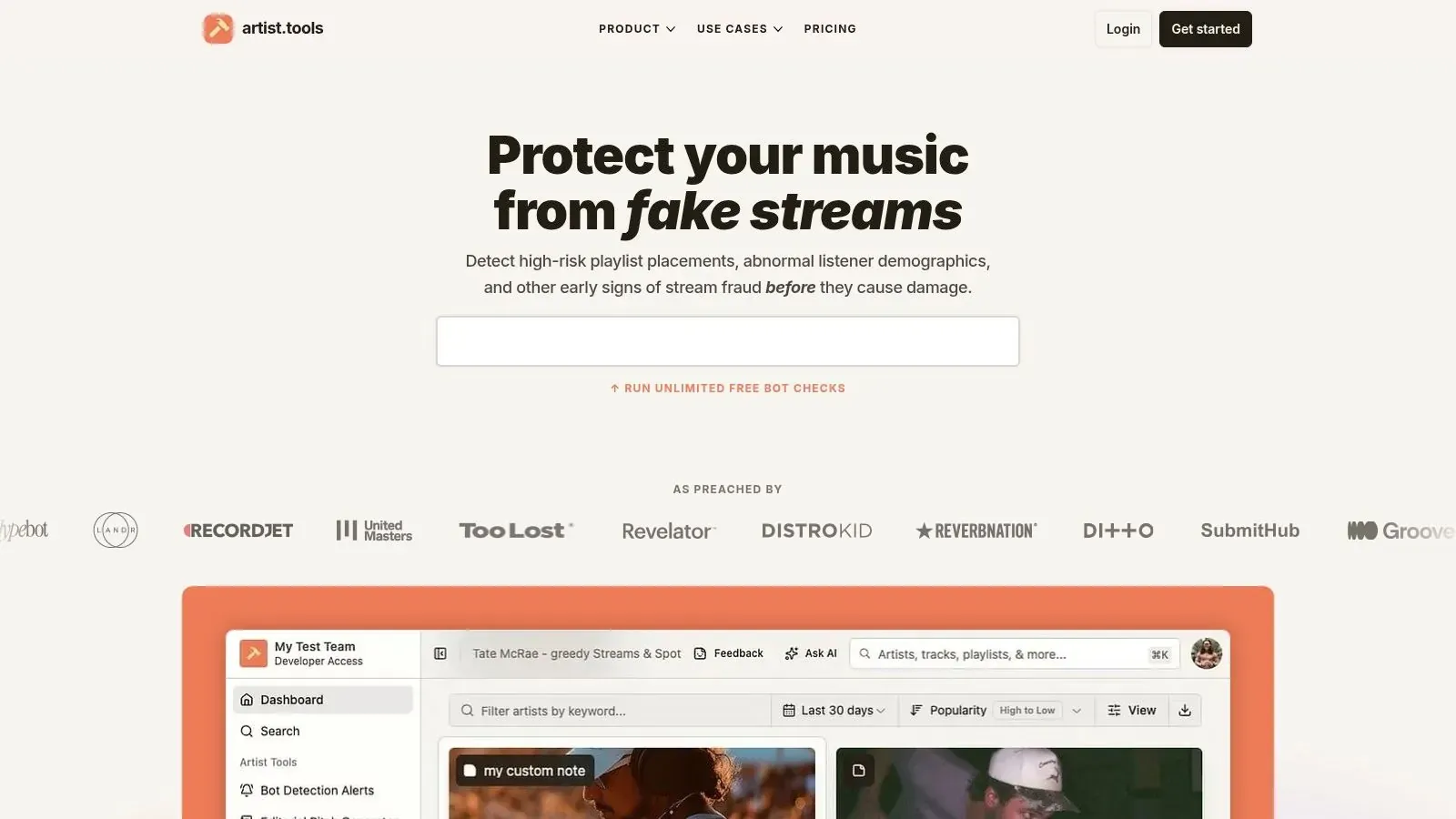
For that kind of work, platforms such as artist.tools are built for research rather than casual listening summaries. The platform includes playlist analysis, bot detection signals, historical artist tracking, stream monitoring, and Spotify search research, which makes it relevant when a team is evaluating playlist opportunities, checking suspicious growth patterns, or comparing artist trajectories across time.
That’s the key distinction. A normal Spotify stats login shows your account view. A professional analytics stack helps you make better decisions around releases, promotion, and risk.
If you’re managing active campaigns, don’t stop at “the dashboard loaded.” Ask whether the data helps you avoid bad playlists, understand momentum, and allocate effort where it matters.
Frequently Asked Questions About Spotify Stats
Is it safe to use my Spotify login on third-party stats sites?
It can be, but only if the login uses Spotify’s official authorization flow and the requested permissions make sense for the tool. Never enter your Spotify password directly into an unknown site, and revoke access later if you no longer use the app.
How can I see Spotify stats for an artist that isn’t me?
Spotify for Artists is for your own profile access. If you need market or competitor analysis, use a research platform built for external artist tracking and playlist analysis rather than trying to force a consumer stats tool to do a professional job. artist.tools shows the public Spotify stats of any song, artist or playlist.
How often do third-party Spotify stats tools update?
It depends on the tool. In the verified examples cited earlier, some tools emphasize real-time API pulls while others say their data updates approximately every day. That’s fine for exploration, but campaign decisions should still anchor to official artist data first.
What’s the biggest mistake artists make with Spotify stats login?
They confuse access with insight. Getting into a dashboard is easy. Knowing which dashboard to trust, what permissions to grant, and which signals are actionable is where most of the actual work starts.
If you need more than a basic Spotify stats login, artist.tools is worth considering for playlist vetting, bot detection, historical Spotify tracking, and competitive analysis. It’s most useful when you’re moving from simple account access to real decision-making around releases, playlists, and audience growth.